
 (18)
(18) (2)
(2)
 (1)
(1)
공식 공급 업체
200 이상의 소프트웨어 개발처와 판매 계약을 맺은 공인 디스트리뷰터로서 합법적인 라이선스를 제공합니다.
모든 브랜드 보기.

릴리스 노트: saveFile method to handle large files. Improved applyTemplate method to handle templated formats ... 더 읽기 본 제품에 관한 더 많은 결과 보기
릴리스 노트: file or string. Use FlexDiagram in.NET Framework 4.6.2 or higher, including support for the latest.NET ... Localization Improvements in WinForms WinForms controls will first look for localized resource files in your ... project and then fall back to the built-in resource files if none are found. This allows you to easily ... 더 읽기
릴리스 노트: PDF and PNG- The Grid and Chart controls now export their views to various file formats. Silverlight ... as well as support for importing/exporting geographic KML files. WPF Radial Context Menu- A touch-friendly ... 더 읽기
설명: (VB.NET, C#). It includes advanced features like the ability to create a Windows AVI standard video file ... 더 읽기 본 제품에 관한 더 많은 결과 보기
설명: a Windows AVI standard video file from a Chart, playing videos (AVI, MPEG, DivX etc) inside a Chart ... 더 읽기
릴리스 노트: Fixes related to the TeeChart202364.cab generation. inf file not being correctly used for 64bits ... 더 읽기

릴리스 노트: handling for new windows and threads fixed (a fix for disabling file dialog skinning). Losing skinning ... spanning depending on a selected theme fixed. Incorrect handling of bDayView_TimeScaleShowMinutes fixed. ... Crashes caused by obsolete interfaces from XTPCalendarADO.inl fixed. Locale handling for week day names ... 더 읽기 본 제품에 관한 더 많은 결과 보기
릴리스 노트: improved Docking Pane Out of range resource IDs fixed Markup Module instance handle argument added ... to CXTPImageManager::SetVectorIcon Image list icons drawing support added to Image element Markup color opacity handling fixed ... for pens, brushes and all other uses Tail and duplicated Move commands handling in Path fixed Missing Fill ... 더 읽기
릴리스 노트: initialization. SyntaxEdit Handling DPI changes dynamically has been improved. TaskPanel ActiveX: Missing ... menu items. Window border randomly loosing skinning fixed. File dialog crash caused by SkinFramework ... UTF16-LE and UTF16-BE binary order marks processing fixed, encodings handling improved. TabManager ... 더 읽기

릴리스 노트: to handle large files that failed in prior 4.0, 3.0 or 2.0 releases ... options allow you to create smaller PDF files Increased performance to display preview window faster; ... no more waiting for the file to print Supports the upcoming release of Microsoft Office 2010, both 32-bit ... 더 읽기 본 제품에 관한 더 많은 결과 보기
스크린샷: or without security), TIFF image files, JPEG image files, Windows Bitmap image files, or placeable Enhanced ... Metafile files from a PDF Creator Plus project. 0 ... 더 읽기
릴리스 노트: Fixed issue when creating PDF files where some images rendered upside down. Fixed memory leak when ... creating serialized TIFF files. 0 ... 더 읽기
호환성: a window handle. ... 더 읽기 본 제품에 관한 더 많은 결과 보기
호환성: OS Windows XP Windows ME Windows 2000 Windows 98 Windows NT 4.0 Windows 95 제품 아키텍쳐 32Bit 툴 타입 Component 콤포넌트 타입 ActiveX OCX 개발에 사용된 툴 ActiveX Framework.NET Ready/Tested with.NET RCW No General 디지털 서명을 포함 Scripting에 대한 안전과 검정 초기화에 대한 안전과 검정 OCX96 호환 Component Categories를 지원 Apartment Model 슬래트를 지원 ... 더 읽기
설명: of the help file in order to know how to interactively draw a diagram Programmatic way with the AddFlow API ... 더 읽기 본 제품에 관한 더 많은 결과 보기
설명: 대화형 순서도 및 워크플로 다이어그램을 만듭니다. AddFlow 는 응용 프로그램 내의 객체와 객체의 관계를 표시 및 사용할 필요가 발생할 때마다 편리한 ActiveX 컴포넌트입니다. 묘화는 인테렉티브하게 또는 프로그래밍에 따라 실행할 수 있습니다. 기능으로는 다이어 그램의 객체마다 개별 형태, 스타일, 그림, 색, 폰트, 사용자 데이터 등을 설정할 수 있으며, 메타 파일 제공, 시리얼화, 인쇄, 확대축소, 포트, 사용자 정의와 그 외의 다수가 포함되어 있습니다. 런타임은 실행 로열티가 없습니다. AddFlow 5.4.0.11의 ... 더 읽기
기능: 셀, 열, 행 레벨의 포맷 – 버전 1.6 에는 많은 고도의 포맷 기능이 있습니다. 버전 2.0에는 이러한 기능이 유지되며, 포맷 서비스의 새로운 세트가 추가되었습니다. 프로그래머는 데이터 표시 방법을 완전하게 제어할 수 있습니다. 통지와 기준을 사용하여 각각의 셀, 열, 행을 포맷할 수 있게 되었습니다. 포맷 작업을 용이하게 하기 위하여 새로운 툴, FormatStyles이 추가되었습니다. FormatStyles은 폰트, 색, 이미지 등의 포맷 정보를 유지하는 별개의 객체입니다. 워드 램프 셀과 직전 행의 서포트 데이터는 단일의 ... 더 읽기

릴리스 노트: file. Improved entrance and exit animation of points and data labels when they are dynamically created, ... the modules/data-sorting.js file. Default data label positions have changed slightly. Previously, the distance to the point ... 더 읽기 본 제품에 관한 더 많은 결과 보기
릴리스 노트: new option, legend.maxWidth. Added the color-scheme CSS property across CSS files and Adaptive theme, ... is enabled and the required CSS file is not loaded. Fixed the last four of the default pattern fill ... 더 읽기
릴리스 노트: of numbers is now handled by chart.numberFormatter for table data. Error when casting series type from ... 더 읽기
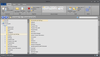
스크린샷: The File Explorer sample replicates the functionality of Windows Explorer. The Office Black theme ... 더 읽기 본 제품에 관한 더 많은 결과 보기
스크린샷: The File Explorer sample replicates the functionality of Windows Explorer. The Office Blue theme ... 더 읽기
스크린샷: The File Explorer sample replicates the functionality of Windows Explorer. The Default theme ... 더 읽기

릴리스 노트: fix: specific Element's name converted to code causes compilation errors in the Pages.g.cs file ... Customer fix: OnInput and OnChange events for inputs are not firing properly Dialog Handling: fixing ... the project pane Test Studio UI: Test Studio error selecting project from recent projects while coded file ... 더 읽기 본 제품에 관한 더 많은 결과 보기
스크린샷: The File Explorer sample replicates the functionality of Windows Explorer. The Office Black theme ... 더 읽기
스크린샷: The File Explorer sample replicates the functionality of Windows Explorer. The Office Blue theme ... 더 읽기
전화 : 00798 14 800 6332
팩스 : +1 770 250 6199


