

 (2)
(2) (12)
(12)
 (1)
(1)공식 공급 업체
200 이상의 소프트웨어 개발처와 판매 계약을 맺은 공인 디스트리뷰터로서 합법적인 라이선스를 제공합니다.
모든 브랜드 보기.
릴리스 노트: and relationships within a process. Updates in 2026.x 1 ... 더 읽기 본 제품에 관한 더 많은 결과 보기
설명: Join, Image Bar, Image Point, Delta Point, Big Candle, Calendar, Bubble 3D, Tag Cloud, Bubble Cloud, ... Navigators, Web source and Control Bar. Chart image filters You have control over the aesthetics of the charts ... 더 읽기
설명: Wind Rose, Clock, Bar 3D, Bar Join, Image Bar, Image Point, Delta Point, Big Candle, Calendar, Bubble ... including ChartGrid, Navigators, Web source and Control Bar. Chart image filters You have control over ... the aesthetics of the charts with a set of 26 filters. Exporting Formats You can easily export charts as images ... 더 읽기

릴리스 노트: item's vector image size computation fixed. Reversed icon in RTL mode fixed. Vector icon drawing ... in StatusBar switch pane fixed. Controls Vulnerabilities fixed in Markup Static format processing. Themes ... 더 읽기 본 제품에 관한 더 많은 결과 보기
릴리스 노트: initialization process with enhanced verification. This ensures a more reliable and robust startup, reducing ... 더 읽기
릴리스 노트: images. GradientBrush and LinearGradientBrush XAML element support added. Added image caching added ... pointer value validation improved. Markup immediate redraw issue fixed. A crash in XAML image cleanup ... of expand/collapse images in tree control fixed. Button caption drawing fixed when no button image is specified. ... 더 읽기
기능: 셀, 열, 행 레벨의 포맷 – 버전 1.6 에는 많은 고도의 포맷 기능이 있습니다. 버전 2.0에는 이러한 기능이 유지되며, 포맷 서비스의 새로운 세트가 추가되었습니다. 프로그래머는 데이터 표시 방법을 완전하게 제어할 수 있습니다. 통지와 기준을 사용하여 각각의 셀, 열, 행을 포맷할 수 있게 되었습니다. 포맷 작업을 용이하게 하기 위하여 새로운 툴, FormatStyles이 추가되었습니다. FormatStyles은 폰트, 색, 이미지 등의 포맷 정보를 유지하는 별개의 객체입니다. 워드 램프 셀과 직전 행의 서포트 데이터는 단일의 ... 더 읽기

릴리스 노트: image. New colored Cursor and line styled Cursor are also available as part of the new quick drawing ... CursorMode repeat keyboard processing when holding arrow keys within the WPF interface. Fixed z order issues ... 더 읽기 본 제품에 관한 더 많은 결과 보기
릴리스 노트: Added a new property PEP_nCHARTBORDERWIDTH (0 no border, else 1-15 defines width in pixels) and PEP_dwCHARTBORDERCOLOR providing features to include a border enclosing chart..NET uses PeConfigure.ChartBorderWidth and ChartBorderColor. To add some padding around chart, use PeConfigure ... 더 읽기
릴리스 노트: requesting an image render via 'PEresetimage'. 0 ... 더 읽기

릴리스 노트: the animated gif image in the progress indicator. OpenAfterDownload functionality is now customizable. New ... 더 읽기

릴리스 노트: Added support for Git- This release allows you to deploy a Devops process by integrating Data ... 더 읽기 본 제품에 관한 더 많은 결과 보기
설명: will be applied automatically between the logical and physical models, simplifying the data modeling process ... 더 읽기
설명: the logical and physical models, simplifying the data modeling process and ensuring consistency ... 더 읽기
설명: output. For example, you may want to include a video for online output and replace it with a static image ... 더 읽기 본 제품에 관한 더 많은 결과 보기
설명: output. For example, you may want to include a video for online output and replace it with a static image ... 더 읽기
릴리스 노트: output, cover images, TOCs, index, and glossary placeholders have been removed from templates. ... 더 읽기
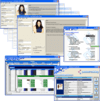
설명: application experience with the 64-bit platform's larger available memory allocation. You can process ... as JPEG or PNG images. Easy-to-use features such as data binding to any source, often without a line ... 더 읽기 본 제품에 관한 더 많은 결과 보기
설명: True DBGrid 및 VSFlexGrid 같은 컨트롤을 포함하는 ComponentOne COM Technologies 제품 세트. ComponentOne Studio for ActiveX는 현재 True DBGrid Pro, VSFlexGrid Pro, VSVIEW Classic Edition, VSVIEW Reporting, Chart, WebChart, Query, True DataControl, True DBInput Pro, True DBList Pro, SizerOne, VSSPELL를 포함합니다. ... 더 읽기
릴리스 노트: This allows you to process larger datasets into charts and grids more efficiently. For more information visit: ... 더 읽기
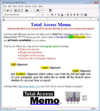
설명: and easily add custom formatting, graphics, images, and more. Editor- Total Access Memo comes with a complete ... 더 읽기 본 제품에 관한 더 많은 결과 보기
설명: 액세스 양식 및 보고서에 대한 리치 텍스트를 추가합니다. Total Access Memo gives you the ability to add rich text formatting to Access. FMS' easy data binding means you can display rich text on your forms and reports and store it in your tables. Total Access Memo provides a complete rich text editing solution that ... 더 읽기
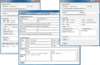
설명: Easily create and send text or HTML emails with attachments and embedded images from your ASP.NET, ... of attachments, embedded images, non-blocking calls, progress indication events, To, Cc, Bcc and ReplyTo fields, ... with attachments and embedded images using SMTP protocol. It works with all development environments that support ... 더 읽기 본 제품에 관한 더 많은 결과 보기
설명: asynchronously. The call returns immediately and your application is free to process user input while AddEmail ... application is in total control of email sending process. Supports in-memory attachments- If your application ... 더 읽기
고객 리뷰: projects. We also needed to send images embedded in the body of the email. This proved to be very easy ... 더 읽기
전화 : 00798 14 800 6332
팩스 : +1 770 250 6199


