

 (16)
(16) (18)
(18)

공식 공급 업체
200 이상의 소프트웨어 개발처와 판매 계약을 맺은 공인 디스트리뷰터로서 합법적인 라이선스를 제공합니다.
모든 브랜드 보기.

릴리스 노트: Calendar Improvements Added the GetSelectedDateRange method to C1DateRangeEdit to retrieve the selected date range based on the current culture calendar. Added the C1DateRangeEdit control to display and edit date ranges through a drop-down editor. Command Improvements Added a design-time text ... 더 읽기 본 제품에 관한 더 많은 결과 보기
릴리스 노트: Added.NET 10 and Visual Studio 2026 support. New FlexDiagram (Beta): WinForms Diagram Library FlexDiagram is a powerful.NET control that transforms flat or hierarchical data into visually rich and interactive diagrams: Create Quick Diagrams in C#- create data-bound or unbound diagrams with minimal ... 더 읽기
릴리스 노트: New FlexGrid Gemini AI Filtering Sample In the new Gemini AI Filtering sample, it uses the AI service to generate a filter definition that can be applied to FlexGrid. There are pros and cons to each approach. The new approach is lighter and does not give Gemini access to the data itself. The ... 더 읽기
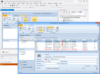
설명: 귀하의 애플리케이션에 Outlook 스타일 인터페이스를 추가합니다. Janus Controls for.NET 는 ComponentSource 의 베스트셀러인 Janus Systems 의 100%.NET관리자 코드 컴포넌트로 구성되어 있습니다. 이러한 스위트로는 Janus GridEX for.NET, Janus Schedule for.NET (Outlook Calendar View), Janus Timeline Control for.NET (Outlook Journal), Janus ButtonBar Control for.NET 및 ... 더 읽기

릴리스 노트: New in WinForms Calendar Improvements Added the GetSelectedDateRange method to C1DateRangeEdit to retrieve the selected date range based on the current culture calendar. Added the C1DateRangeEdit control to display and edit date ranges through a drop-down editor. Command Improvements Added a design ... 더 읽기 본 제품에 관한 더 많은 결과 보기
고객 리뷰: I have been working with the MESCIUS products since way back in the Apex Software days. They are always very good. Robert Roldan 5 Belgium ... 더 읽기
릴리스 노트: General updates in 2025 v2 Added.NET 10 and Visual Studio 2026 support to: WinForms. WPF. ASP.NET Core. Blazor. WinUI..NET MAUI. Updates in WinForms 2025 v2 New FlexDiagram (Beta): WinForms Diagram Library FlexDiagram is a powerful.NET control that transforms flat or hierarchical data into visually ... 더 읽기
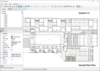
설명: AutoCAD DWG/ DXF, PLT 및 기타 CAD 형식 서포트와 함께 CAD.NET을 개발합니다. CAD.NET enables developing CAD applications in.NET environments. Its main features include creating, importing and exporting of drawings, their visualization and printing. The library supports AutoCAD DWG, DXF, CGM, PLT, PDF, JPG, WMF, etc. ... 더 읽기
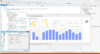
설명: Wind Rose, Clock, Bar 3D, Bar Join, Image Bar, Image Point, Delta Point, Big Candle, Calendar, Bubble ... including ChartGrid, Navigators, Web source and Control Bar. Chart image filters You have control over ... the aesthetics of the charts with a set of 26 filters. Exporting Formats You can easily export charts as images ... 더 읽기 본 제품에 관한 더 많은 결과 보기
설명: 고성능 대시보드 및 차트 솔루션을 만듭니다. TeeChart Pro ActiveX is a charting control for ActiveX aware programming environments such as Microsoft Office, Visual Studio's VB, VC++ and ASP, including Visual Studio.NET (VB.NET, C#). It includes advanced features like the ability to create a Windows AVI standard ... 더 읽기
릴리스 노트: GDI+ uses brush images to fill polygons, rectangles and rounded rectangles with better speed and output ... 더 읽기

설명: with CodeRush for Visual Studio. Images and Icons Icon Library- A rich collection of icons and images. Source ... 더 읽기 본 제품에 관한 더 많은 결과 보기
릴리스 노트: exports images displayed within cells of bound and unbound columns to XLSX format. DevExtreme Complete ... 더 읽기
설명: 포괄적인 소프트웨어 개발 패키지. DevExpress DXperience helps you build applications for Windows, Web, mobile and tablet with all of the DevExpress single platform controls and more. The DevExpress DXperience Subscription includes hundreds of Desktop UI Controls (WinForms, WPF and Desktop Reporting), Web UI ... 더 읽기

릴리스 노트: and the column width is small. DevExtreme Diagram TypeError occurs when inserting image. DevExtreme Editors ... 더 읽기 본 제품에 관한 더 많은 결과 보기
릴리스 노트: With v25.2, users can attach images, documents, and other files when sending messages through DevExtreme Chat. ... 더 읽기
릴리스 노트: a preview above the input is used to display the original message. Image Rendering- Configuring image ... display an image inside a message. To render an image within a message programmatically, simply set ... message type to "image" and specify the src for the image. Scheduler- Toolbar Customization ... 더 읽기

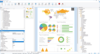
릴리스 노트: the repository feature for Delphi/VCL applications. This allows you to manage projects, subreports, images ... 더 읽기 본 제품에 관한 더 많은 결과 보기
릴리스 노트: LL_OPTION_ENABLE_NESTEDTABLE_IN_FOOTERLINES. Image Path Handling: Improved detection of relative paths for resources like images when switching ... 더 읽기
릴리스 노트: and images, and vary module sizes and shapes for unique designs. This allows you to create appealing ... 더 읽기
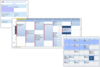
설명: Background Image (built-in image list or host your own). 12 hour or 24 hour clock. Set your own AM / PM ... support. Built-in Reporting. Built-in Printing. Built-in Save to Image. Built-in XML Read / Write support. ... Appointment Features Appt background image. Appt border. Appt reminder image. Appt shadow. Appt task bar ... 더 읽기 본 제품에 관한 더 많은 결과 보기
설명: 기업 자원 관리를 단순화합니다. Calendar COM 64 offers 3 Outlook style scheduling components in one control. It simplifies drag and drop enterprise resource planning and scheduling software development for Microsoft Access, C++, LabVIEW, MFC and 64bit VBA developers. Calendar COM 64 includes 4 different views; ... 더 읽기
릴리스 노트: border enhancements. Appointment image management. Enhanced how the control hides the edit window when ... 더 읽기
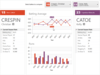
릴리스 노트: Bars Updated BarComboBox to commit the current previewed item on mouse clicks outside of the popup. Updated control templates to better propagate font family and size to ItemsControls with popups. Updated button click handlers to perform InvocationFocusBehavior logic before processing the click. ... 더 읽기 본 제품에 관한 더 많은 결과 보기
릴리스 노트: Bars Improved UI Automation for BarComboBox. Updated RibbonViewModel to synchronize the SelectedItem property with the Tabs collection by always selecting the first tab when no selection is currently defined or the previous selection is removed. Updated some bar controls to use a new resource brush ... 더 읽기
릴리스 노트: Bars Added RibbonViewModel.SelectedItem property for the currently selected RibbonTabViewModel. Added an InvocationFocusBehavior property to most bar controls that determines how focus should be handled following the primary invocation of the control. Added DockableToolBarSerializerOptions ... 더 읽기
전화 : 00798 14 800 6332
팩스 : +1 770 250 6199


