Éditeur: Infragistics Catégorie principale: Saisie de données Type de produit : Composant / .NET WinForms / 100% Managed Code / Managed/Unmanaged Code - without COM
*
Complete stand alone or embeddable data entry editors for any situation. Infragistics WinEditors components give you complete data display and data entry for grids, treeviews, and scheduling controls. With Infragistics WinEditors, you can choose exactly the right control for the kind of data you're working with, including check boxes, option buttons, calendars, drop-down grids and much more. . Infragistics WinEditors is also known as Infragistics.Win.UltraWinEditors.
Éditeur: Infragistics Catégorie principale: Interface utilisateur Type de produit : Composant / .NET WinForms / 100% Managed Code / Managed/Unmanaged Code - without COM
*
Over a dozen essential components for all applications. Infragistics WinExtras provides the common controls needed to add the finishing touches to an application. Infragistics WinExtras includes components to show progress text on top of a progress bar with a simple property, create rounded buttons with mouse over and click effects and status bar and many more. Infragistics WinExtras controls are full of functionality that you won't find in standard controls, such as the Infragistics WinValidator with its ability to validate Windows Forms control values for correctness. Infragistics WinExtras includes among others: WinActivityIndicator, WinAnimation, WinCalculator, WinDropdownButton and WinToolTipManage.
Éditeur: Infragistics Catégorie principale: Interface utilisateur Type de produit : Composant / .NET WinForms / 100% Managed Code / Managed/Unmanaged Code - without COM
*
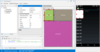
Maximize screen real estate with pinning and docking. Maximize your users screen real-estate by creating complex layouts using Infragistics WinDockManager. With Infragistics WinDockManager, Windows can be grouped with horizontal or vertical splits, stacked into tabbed groups, and pinned or set to auto-hide, just like the windows in Visual Studio 2005 or Visual Studio 2008. Infragistics WinDockManager also includes Sliding groups that let you create windows with groups like the Visual Studio toolbar, and the navigation window offers a preview of the new layout. Infragistics WinDockManager is also known as Infragistics.Win.UltraWinDock.
Éditeur: Infragistics Catégorie principale: Alertes déroulantes Type de produit : Composant / .NET WinForms / 100% Managed Code / Managed/Unmanaged Code - without COM
*
A completely customizable desktop alert window. Infragistics WinDesktopAlert allow you to add Pop-up "toaster" messages to your applications. Pop-up "toaster" messages on the desktop have become a popular means to alert users in instant messaging and mail clients when a message is received. With Infragistics WinDesktopAlert, you can now deliver these messages within a completely customizable desktop alert window. Infragistics WinDesktopAlert's window has everything users expect such as a close button, a push pin to keep the message displayed until the user decides to release it, and the ability to click on the message (as if it were a hyperlink) to get more info. Plus, you have the option of associating an image, a drop-down list of commands, and a set of miniature action buttons on the desktop alert window that can be specific to your application. Infragistics WinDesktopAlert offers the appearance and behavior of desktop alert windows for Windows Live Messenger or Outlook 2007
Éditeur: Infragistics Catégorie principale: Connectivité de base de données Type de produit : Composant / .NET WinForms / 100% Managed Code / Managed/Unmanaged Code - without COM
*
Virtually load millions of rows of data. Infragistics WinDataSource allows you to add Load-on-demand (or virtual data operations) to your Windows Forms applications. Infragistics WinDataSource is used by the Infragistics WinGrid and other controls to handle large amounts of data, while seamlessly allowing the UI to remain responsive as data loads into the non-visible client area of the control. Infragistics WinDataSource can be used with any databound control, and as an intermediary between a control and a data source. Infragistics WinDataSource can be bought as part of Infragistics NetAdvantage for .NET, NetAdvantage Win Client and NetAdvantage Select
Éditeur: Infragistics Catégorie principale: Interface utilisateur Type de produit : Composant / .NET WinForms / 100% Managed Code / Managed/Unmanaged Code - without COM
*
Stand alone or embedded multi-column combo. Infragistics WinCombo component is a databound combo box .NET control providing a simplified version of the Infragistics data grid control in the form of a drop-down list. Infragistics WinCombo can be used on its own as an editor on a form, or it can be embedded in a Infragistics WinGrid column. Infragistics WinCombo is also known as Infragistics Windows Forms Combo Box Control.
Éditeur: Infragistics Catégorie principale: Tableaux et graphiques Type de produit : Composant / .NET WinForms / 100% Managed Code / Managed/Unmanaged Code - without COM
*
Data visualization is critical to understanding the numbers. With Infragistics WinChart control you can easily create and customize the best visualization for your information to impress and enlighten your users. Infragistics WinChart offers intelligent Windows Forms charting and optimized settings so you can graph numerous 2D and 3D charts for .NET with incredibly rich, high fidelity. Infragistics WinChart includes all of the most familiar chart types such as bar, line, area and pie charts while at the same time making you just as productive when it comes to displaying more complex graphics such as financial candle, Gantt and radar charts. Infragistics WinChart Control includes over 50 2D and 3D Chart Types
Éditeur: Infragistics Catégorie principale: Mathématiques et statistiques Type de produit : Composant / .NET WinForms / 100% Managed Code / Managed/Unmanaged Code - without COM
*
The power of Microsoft Excel in your smart client. Infragistics WinCalcManager adds Microsoft Excel formula support to NetAdvantage Windows Forms controls, including Infragistics WinGrid and Infragistics WinEditors. In Visual Studio 2008, native Microsoft controls including DataGridView can participate in a calculation network as well. This means no matter what type of control you are using on a form, Microsoft or Infragistics, your controls can include Excel-like formulas with Infragistics WinCalcManager. Infragistics WinCalcManager supports over 100 calculations.
Éditeur: Infragistics Catégorie principale: Grilles de données Type de produit : Composant / .NET WinForms / 100% Managed Code / Managed/Unmanaged Code - without COM
*
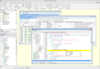
Versatile Enterprise .NET Grid for Windows Forms. Infragistics WinGrid is a hierarchical data grid control with full support for bound and unbound data display that surpasses other .NET grids on the market and shifts your data-driven WinForms app into a new realm of more productive possibilities. Infragistics WinGrid supports complex data entry scenarios, row edit templates, custom layouts, rich printing and print preview, easy interop with Microsoft Excel and Adobe PDF file formats, and an almost unlimited array of look and feel options. Infragistics WinGrid is also known as Infragistics.Win.UltraWinGrid
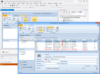
Create applications with the familiar, easy-to-use interfaces of Microsoft Outlook, Microsoft Office, Windows Explorer and Windows XP. UltraSuite includes grids, toolbars, navigation components, scheduling, editors, explorer UI and additional UI elements. UltraSuite includes UltraGrid, UltraToolBars, ScheduleX, Data Explorer and ActiveTreeView. Infragistics UltraSuite was formerly known as Sheridan Protoview UltraSuite.
Pour votre référence, nous avons inclus des liens á Google Translate pour les informations sur le produit qui n'ont pas encore été traduites. Veuillez noter que les traductions automatiques ne sont pas toujours complètement exactes.