
 (18)
(18)
 (3)
(3)
공식 공급 업체
200 이상의 소프트웨어 개발처와 판매 계약을 맺은 공인 디스트리뷰터로서 합법적인 라이선스를 제공합니다.
모든 브랜드 보기.

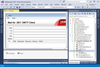
스크린샷: Send Internet email using asynchronous methods. ... 더 읽기 본 제품에 관한 더 많은 결과 보기
설명: 데스크탑 또는 Web 애플리케이션에 이메일, 메시징, 인코딩 및 디코딩을 추가 합니다. PowerTCP Mail for.NET은 매우 유연하고 사용하기 쉬운.NET 이메일 솔루션의 개발을 돕는 SMTP, POP, IMAP 컴포넌트를 포함합니다. 강력한 양방향 MessageStream 기술을 이용하면 메시지를 쉽게 생성, 발송, 검색, 편집할 수 있으며 헬퍼 클래스는 이메일 주소 관리를 도와줍니다. 복잡한 HTML 메시지는 한 줄의 코드만으로 생성할 수 있습니다. 확장성 MIME 지원 및 스트림 기반 아키텍처는 다양한 컴포넌트에서 ... 더 읽기
설명: components send and receive email, respectively. Internet Message Access Protocol (IMAP4) component manages ... email on IMAP4 servers (Office 365, Gmail, Yahoo, Exchange, etc.). Multipurpose Internet Mail Extensions ... data. Secure/Multipurpose Internet Mail Extensions (S/MIME) version 3.0, 3.1, 3.2 enable message signing ... 더 읽기

릴리스 노트: New in WinForms Calendar Improvements Added the GetSelectedDateRange method to C1DateRangeEdit to retrieve the selected date range based on the current culture calendar. Added the C1DateRangeEdit control to display and edit date ranges through a drop-down editor. Command Improvements Added a design ... 더 읽기 본 제품에 관한 더 많은 결과 보기
고객 리뷰: I have been working with the MESCIUS products since way back in the Apex Software days. They are always very good. Robert Roldan 5 Belgium ... 더 읽기
릴리스 노트: General updates in 2025 v2 Added.NET 10 and Visual Studio 2026 support to: WinForms. WPF. ASP.NET Core. Blazor. WinUI..NET MAUI. Updates in WinForms 2025 v2 New FlexDiagram (Beta): WinForms Diagram Library FlexDiagram is a powerful.NET control that transforms flat or hierarchical data into visually ... 더 읽기
릴리스 노트: online. Opening the manual will open online version if internet connection is detected. Fixes Updated: ... 더 읽기 본 제품에 관한 더 많은 결과 보기
릴리스 노트: control in the designer. This function will set the Internet Explorer emulation mode for the running ... 더 읽기
릴리스 노트: for "View as Webpage" and "Check For Updates" will now use newer Internet Explorer engines, ... 더 읽기 본 제품에 관한 더 많은 결과 보기
릴리스 노트: a selection of lines. Windows: "Webpages" uses Internet Explorer again. Windows: Fixed clicking ... 더 읽기
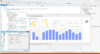
릴리스 노트: Added a new Tornado Series ITornadoSeries A Tornado chart, based on horizontal bars, is useful to show relativities as a scaled set between two categories. Added a new SubMinorTicks property (of type IGaugeSeriesPointer) for ICircularGauge and ILinearGauge series. Combined with the also new ... 더 읽기 본 제품에 관한 더 많은 결과 보기
릴리스 노트: Improvements in ChartListBox performance. Derived Series Editor not updating changes instantly, now fixed. ActiveX bug fixes and related VCL/FMX bug fixes. 0 ... 더 읽기
설명: programming environments. Fully scriptable under Internet Explorer using VBScript or JavaScript. Supports VBA ... 더 읽기
릴리스 노트: synchronizer. Added HP iLO (Native) support for Devolutions Gateway. Added Internet Protocol to SCP properties. ... 더 읽기 본 제품에 관한 더 많은 결과 보기
릴리스 노트: Fixed autofill issue with Microsoft Internet Explorer (deprecated) web login. Fixed issue where ... 더 읽기
릴리스 노트: Change: Marked Internet Explorer embedded as legacy- it is encouraged to use Edge as your embedded browser ... 더 읽기

릴리스 노트: are now signed with a SHA2-hashed (and not SHA1 as before) certificate. Since recently Internet Explorer ... 더 읽기 본 제품에 관한 더 많은 결과 보기
릴리스 노트: for available notifications, the message “Internet access is restricted from this computer” would appear. ... 더 읽기

릴리스 노트: The print method prints the page instead of the widget in Microsoft Internet Explorer 11. Chart- The print ... Internet Explorer. DevExtreme Scheduler Scheduler- Uncaught TypeError occurs on setting the timezone ... 더 읽기 본 제품에 관한 더 많은 결과 보기
릴리스 노트: is rendered with line breaks in Microsoft Internet Explorer 11 and Google Chrome with no-default zoom factor. ... 더 읽기
릴리스 노트: are overlapped with text in Microsoft Internet Explorer 11. DevExtreme-based File Manager- The toolbar items ... 더 읽기
릴리스 노트: browser view for HTML pages. Developers can now choose between Microsoft Internet Explorer and Edge ... 더 읽기 본 제품에 관한 더 많은 결과 보기
릴리스 노트: connects to the Internet, e.g., for XML validation purposes. By default, XMLSpy uses the system’s proxy ... 더 읽기
릴리스 노트: for language peculiarities. Support for Internet Explorer 9 in Browser View Shortcut for selecting entire XML ... 더 읽기

릴리스 노트: outdated properties including [Use Proxy Setting from Internet Explorer (Windows Only)] option under ... 더 읽기
전화 : 00798 14 800 6332
팩스 : +1 770 250 6199


