

 (1)
(1)

공식 공급 업체
200 이상의 소프트웨어 개발처와 판매 계약을 맺은 공인 디스트리뷰터로서 합법적인 라이선스를 제공합니다.
모든 브랜드 보기.
릴리스 노트: of CSS selectors and custom processing instructions. WebHelp Search: When you perform a phrase search ... 더 읽기 본 제품에 관한 더 많은 결과 보기
릴리스 노트: technologies. WebHelp search: Fixed an error that could occur when the use.stemming parameter was enabled ... 더 읽기
릴리스 노트: use your current project, document, and (for DITA) map context. New tools such as search ... the AI to explore your project, search, refactor, and perform precise edits as part of agentic workflows. ... easily. Quick Find Filter Added in DITA Maps Manager- You can now quickly search and filter referenced ... 더 읽기
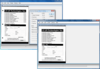
설명: 귀하의 애플리케이션에 전문적인 문서 이미징을 빌드합니다. LEADTOOLS Document Imaging은 Win32와 x64용 API, C++ Class Libraries,.NET Class Libraries를 포함합니다. 기능은 포괄적인 주석(텍스트, 색상 강조, 접착식 메모지, 스탬프 등), 특수 흑백 이미지 표시, 그레이 스케일과 favor-black 같은 처리를 포함합니다. 또한 흑백 이미지를 위한 성능과 메모리 최적화, 펀치 구멍, 선, 스테이플 자국 제거를 포함한 문서 이미지 명료화, TWAIN이나 ISIS를 이용한 ... 더 읽기 본 제품에 관한 더 많은 결과 보기
설명: search, annotation, memory-efficient paging, inertial scrolling, and vector display. Document Writers- ... 더 읽기
릴리스 노트: Document Viewer – View any format with text search, annotations, lazy loading, and SVG rendering Document ... 더 읽기
릴리스 노트: instructions. WebHelp Search: When you perform a phrase search in WebHelp, matching phrases are now highlighted ... 더 읽기 본 제품에 관한 더 많은 결과 보기
릴리스 노트: technologies. WebHelp search: Fixed an error that could occur when the use.stemming parameter was enabled ... 더 읽기
릴리스 노트: easily. Quick Find Filter Added in DITA Maps Manager- You can now quickly search and filter referenced ... topics in your DITA map using the new search field and filtering options at the top of the DITA Maps ... Manager view. There are also some new filtering toggle options, enabling you to search only in titles ... 더 읽기

고객 리뷰: a significant amount of time and effort, as we do not need to search for and integrate multiple third-party ... 더 읽기 본 제품에 관한 더 많은 결과 보기
고객 리뷰: to maintain and works consistently well. After searching for solutions, we found the Aspose suite of products. ... 더 읽기
릴리스 노트: instructions. WebHelp Search: When you perform a phrase search in WebHelp, matching phrases are now highlighted ... 더 읽기 본 제품에 관한 더 많은 결과 보기
릴리스 노트: technologies. WebHelp search: Fixed an error that could occur when the use.stemming parameter was enabled ... 더 읽기
릴리스 노트: easily. Quick Find Filter Added in DITA Maps Manager- You can now quickly search and filter referenced ... topics in your DITA map using the new search field and filtering options at the top of the DITA Maps ... Manager view. There are also some new filtering toggle options, enabling you to search only in titles ... 더 읽기

릴리스 노트: of CSS selectors and custom processing instructions. WebHelp Search: When you perform a phrase search ... 더 읽기 본 제품에 관한 더 많은 결과 보기
릴리스 노트: technologies. WebHelp search: Fixed an error that could occur when the use.stemming parameter was enabled ... 더 읽기
릴리스 노트: use your current project, document, and (for DITA) map context. New tools such as search ... the AI to explore your project, search, refactor, and perform precise edits as part of agentic workflows. ... search and filter referenced topics in your DITA map using the new search field and filtering options ... 더 읽기

릴리스 노트: to HTML. Find and Replace: Added a new option to ignore Office Math objects during search and replace ... 더 읽기 본 제품에 관한 더 많은 결과 보기
설명: Microsoft Word를 활용 하지 않고도 Word 문서를 열람, 수정, 작성합니다. Aspose.Words는 문서 생성, 내용과 서식 수정, 강력한 편지 병합, DOC, HTML, PDF(Aspose.Pdf 필요)로 내보내기 등을 포함해 광범위한 기능을 지원합니다. Aspose.Words Application Programming Interface(API)는 강력하고 사용하기 쉽습니다. 그리고 클래스, 속성, 메소드 명칭은 널리 사용하는 두 API인 Microsoft Word Object Model과 System.Xml의 ... 더 읽기
설명: and footers. Search and replace text using RegEx- Automate the search and replace process. Easily make ... 더 읽기

릴리스 노트: Calculation of LINEST function is wrong. SEARCH function was calculated as #VALUE! when find_text ... 더 읽기 본 제품에 관한 더 많은 결과 보기
릴리스 노트: incorrectly with multiple lookup values and search mode-1. XLOOKUP was spilled incorrectly with multiple ... lookup values and invalid match mode or search mode. Issue with text encoding while creating PDF ... "com.aspose.cells.CellsException: For input string: '22860100000'" when rendering Excel file to PDF. Searching string ... 더 읽기
릴리스 노트: are not rendered properly in the PDF output. XMATCH fails on numeric lookup with some search_mode and match_mode ... 더 읽기
릴리스 노트: instructions. WebHelp Search: When you perform a phrase search in WebHelp, matching phrases are now highlighted ... 더 읽기 본 제품에 관한 더 많은 결과 보기
릴리스 노트: technologies. WebHelp search: Fixed an error that could occur when the use.stemming parameter was enabled ... 더 읽기
릴리스 노트: provide a URL that points to a schema file (such as XSD, RNG, DTD, or Schematron), this method searches ... 더 읽기

릴리스 노트: Printing: Added Page sizing options support. Text search and replacement issue using regular ... 더 읽기 본 제품에 관한 더 많은 결과 보기
릴리스 노트: NullReferenceException is thrown by the API while searching text. During HTML to PNG conversion using the System.Drawing ... 더 읽기
릴리스 노트: conversion fails. TextFragmentAbsorber: Search pattern with flags is no longer working. No TextFragment found ... 더 읽기
전화 : 00798 14 800 6332
팩스 : +1 770 250 6199


