

 (12)
(12)


공식 공급 업체
200 이상의 소프트웨어 개발처와 판매 계약을 맺은 공인 디스트리뷰터로서 합법적인 라이선스를 제공합니다.
모든 브랜드 보기.
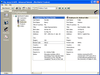
설명: 애플리케이션에 다용도 데이터 바운드 또는 언바운드 그리드를 추가 합니다. Janus GridEX 2000 으로 탭, 버튼바, 툴 팁 등을 모두 갖춘 Microsoft Outlook 에 비슷한 사용자 인터페이스를 작성할 수 있습니다. 디스크나 인터페이스상의 서버에서 그리드 레이아웃 전체를 동적으로 로드 및 저장하는 기능에 의하여 효율적인 사용자 인터페이스를 작성할 수 있습니다. Janus GridEX 2000 에는 다국어 소트 기능이 구성되어 있습니다. Data Access Objects (DAO V3.6) 또는 ActiveX ... 더 읽기 본 제품에 관한 더 많은 결과 보기
기능: 셀, 열, 행 레벨의 포맷 – 버전 1.6 에는 많은 고도의 포맷 기능이 있습니다. 버전 2.0에는 이러한 기능이 유지되며, 포맷 서비스의 새로운 세트가 추가되었습니다. 프로그래머는 데이터 표시 방법을 완전하게 제어할 수 있습니다. 통지와 기준을 사용하여 각각의 셀, 열, 행을 포맷할 수 있게 되었습니다. 포맷 작업을 용이하게 하기 위하여 새로운 툴, FormatStyles이 추가되었습니다. FormatStyles은 폰트, 색, 이미지 등의 포맷 정보를 유지하는 별개의 객체입니다. 워드 램프 셀과 직전 행의 서포트 데이터는 단일의 ... 더 읽기

릴리스 노트: added. Added automatic disabling of skinning themed frame by SkinFramework. Controls SVG provider added ... fixed. Frame theming conflict with CommandBars fixed by giving CommandBars priority. Automatic applying ... Unnecessary border around a skinned window frame fixed. Updates in v24.x 1 ... 더 읽기 본 제품에 관한 더 많은 결과 보기
릴리스 노트: Includes updates for Controls, CommandBars, Markup and ShortcutBar. Command Bars Added ... view has been fixed to consider manual settings. Automatic selection expansion on scrolling Week View ... 더 읽기
릴리스 노트: now includes expanded ASCII support, with automatic case conversion options and modes 'x' ... 더 읽기
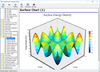
릴리스 노트: ChartDirector for.NET 7.1.2 has been updated to support both SkiaSharp 2 and SkiaSharp 3. 0 ... 더 읽기 본 제품에 관한 더 많은 결과 보기
릴리스 노트: setting the chart to null), there will be a resource leak. CChartViewer will now automatically clear ... 더 읽기
릴리스 노트: charts with a billion data points, with smooth zoom, scroll and track cursor support and updating ... such as the chart viewer controls and viewport controls in C++ and.NET, will now automatically detect ... shape may change slightly. Note: Advanced Software Engineering are in the process of updating ... 더 읽기
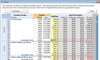
설명: for event handlers. Data Binding- Spread can automatically retrieve and display information from ActiveX ... the appropriate columns, configure headers, and create the proper cell types, and allow the user to update ... features of Spread is the ability to validate data automatically. Spread provides fourteen built-in cell ... 더 읽기 본 제품에 관한 더 많은 결과 보기
설명: 애플리케이션에 고급 스프레트시트 기능을 추가합니다. 첨단의 그리드 기능과 고속의 스프레드 기능을 응용 프로그램에 용이하게 적용시키기 위해서는 FarPoint Spread 을 사용해주십시오. 데이터 표시 및 입력 조정을 셀 레벨로 최대한 제한할 수 있는 비교할 수 없을 만큼 뛰어난 유연성 및 유저 변경에 대응하기 위한 많은 이벤트를 갖추고 있습니다. 또 모든 것에 대응할 수 있는 가져오기 / 내보내기 기능, 고도의 인쇄기능, 13종류의 셀 타입, 공식, 그 외에도 많은 뛰어난 기능을 갖추고 있습니다. 일반적인 기능: 최대 20억 행 ... 더 읽기
릴리스 노트: Updates in V6.5 Define multiple column and header rows Merge columns or rows that contain ... columns) Automatically display negative numbers as red in currency, number, and percent cells Set ... to automatically search for an item in the list of a combo box cell New Percent cell type Enhanced Currency cell ... 더 읽기
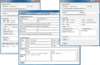
설명: line of code. AddEmail automatically creates HTML email and attaches all images referenced in the HTML. ... sends a message in the background. It's all done automatically and your application doesn't ... 더 읽기 본 제품에 관한 더 많은 결과 보기
설명: SP.NET, VB.NET, C#, C++, VB6, ASP, Access, Excel, Delphi, PowerBuilder 또는 FoxPro 애플리케이션의 첨부 파일 및 포함된 이미지와 함께 텍스트 또는 HTML 이메일을 쉽게 만들고 전송합니다. AddEmail ActiveX supports SMTP and ESMTP protocols with optional authentication and encryption (SSL), unlimited number of attachments, embedded images, non ... 더 읽기
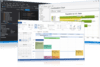
릴리스 노트: in Windows 10 fixed. Frame shadow automatic enabling and updating fixed. Non-client metrics computation fixed ... 더 읽기 본 제품에 관한 더 많은 결과 보기
릴리스 노트: bar. A new Title Menu feature has been added. Added automatic disabling of skinning themed frame ... fixed. Frame theming conflict with CommandBars fixed by giving CommandBars priority. Automatic applying ... Updates in v24.x 1 ... 더 읽기
릴리스 노트: uninstallation fixed. Vector icon support improved and fixed in all controls. Automatic FrameShadow disabling ... 더 읽기
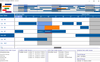
설명: / Time Scale) Automatic Scrolling. Automatically Maximize View Area. Built In Time Views (Zoom). ... 더 읽기 본 제품에 관한 더 많은 결과 보기
설명: / Time Scale) Automatic Scrolling. Automatically Maximize View Area. Built In Time Views (Zoom). ... 더 읽기
사양: Print Multiple Pages Ruler (Date / Time Scale) Automatic Scrolling ... Automatically Maximize View Area Built In Time Views (Zoom) Current ... 더 읽기
릴리스 노트: feature to the LEADTOOLS Thumbnail Browser so that the Thumbnail Browser can automatically update when ... Updates in V17.0 LEADTOOLS V17.0 has an extensive offering of new imaging technology ... 더 읽기 본 제품에 관한 더 많은 결과 보기
릴리스 노트: Updates in V19 Major Update LEADTOOLS Document OCR 82% speed boost to overall performance ... 더 읽기
릴리스 노트: Updates in V18 LEADTOOLS Anywhere Extend LEADTOOLS Imaging SDKs to every major development ... OCR Improved overall speed and recognition accuracy of OCR engine. Automatically detect, segment ... 더 읽기

릴리스 노트: improved to automatically call Invalidate at end of_Loaded event. The WPF interfaces now include a new read ... zooming was followed by a programmatic chart update would cause the thumb position to revert to beginning ... 더 읽기 본 제품에 관한 더 많은 결과 보기
릴리스 노트: has been updated to demo these features showing a tinted bitmap that preserves highlighting. Added ... to avoid having to use a DLL call to set this property. Updated the help system as well as made many ... general improvements in documentation quality. Updated and improved AI-Knowledge files and AI-Resources. ... 더 읽기
릴리스 노트: Updated page MS Access OCX Charting with latest Office 365 content. Updated context sensitive help ... for improved engineering, scientific charting within Excel. Updated the page MS Excel Charting with latest ... Office 365 content and how-to guide on using ProEssentials within Excel. Updated pe_query AI tool, ... 더 읽기
설명: in V7.0? Updated versions of the SpyWorks hook and subclassing control that support the final release ... from Visual Studio.NET assemblies This update contains an extensive variety of examples: The use ... if it is not the active application) How to do in-process subclassing using the.NET framework Updated version of the NT ... 더 읽기 본 제품에 관한 더 많은 결과 보기
설명: 한 번에 모든 애플리케이션 또는 전체 시스템을 위한 저레벨 메시지 스트림을 가로챕니다(intercept). SpyWorks는 ActiveX 컴포넌트로, Visual Basic 5.0/6.0용 핵심 고급 프로그래밍 툴을 필요로 하는 개발자용입니다. SpyWorks가 VB가 숨긴 기본 Windows 시스템의 기본 작동을 보여주기 때문에, API 함수, ActiveX Extensions, Desaware API 클래스 라이브러리 등의 모든 Windows 기능을 이용할 수 있습니다. V7.1의 새로운 기능 SpyWorks Windows ... 더 읽기
전화 : 00798 14 800 6332
팩스 : +1 770 250 6199


