

 (12)
(12)

공식 공급 업체
200 이상의 소프트웨어 개발처와 판매 계약을 맺은 공인 디스트리뷰터로서 합법적인 라이선스를 제공합니다.
모든 브랜드 보기.

릴리스 노트: Sample: Backstage background creation improved and menu separators added. SkinFramework Child window ... 더 읽기 본 제품에 관한 더 많은 결과 보기
릴리스 노트: Application Stability and Initialization- This release has significantly improved the application initialization process with enhanced verification. This ensures a more reliable and robust startup, reducing potential issues and improving overall application stability. Modernized Windows 11 Support- ... 더 읽기
설명: Docking Pane, Property Grid, Report Control, Shortcut Bar, Syntax Edit, Skin Framework and Task Panel. ... lines of code to create any charting style. Command Bars- Command Bars includes customizable menus, ... provides an easy to create hierarchical list of editable properties and represent any data type ... 더 읽기

릴리스 노트: with installing the Professional Edition with Source Code in Lazarus. Fixed an issue that caused incorrect record ... 더 읽기 본 제품에 관한 더 많은 결과 보기
릴리스 노트: SQL_SUCCESS_WITH_INFO result codes are processed. Fixed an AV failure that could occur when reading a persistent ... 더 읽기
설명: the special UniDAC Professional Edition with source code. The Professional Edition with source code includes ... by replacing parts of the query statements with user-defined code. Access Cloud Services- UniDAC allows ... it is enough to use UniDAC ODBC provider with any Devart ODBC drivers for Cloud. Editions The Standard edition ... 더 읽기
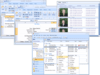
설명: the grid is scrolled. GDI+- All Essential Grid for Windows Forms drawing code is implemented using GDI+. ... no such "hidden" code. Use of GDI+ in all aspects makes Essential Grid more extensible. Users can easily add code ... Box. Additionally, users may derive more cell types from the classes. Button Edit Cell Cell Buttons ... 더 읽기 본 제품에 관한 더 많은 결과 보기
설명: 어플리케이션에 Excel과 비슷한 그리드 기능을 추가. Syncfusion Essential Grid는 독특한 스타일 기반 아키텍처를 이용해 개발한 Excel과 비슷한 셀 기반 그리드 컨트롤입니다. 시중에 출시된 대부분의 그리드 컨트롤과 달리 Syncfusion Essential Grid는 열의 형식 지정에 제약이 없습니다. 그리고 셀 수준에서 매우 자세한 사용자 정의를 지원합니다. 다중 수준 실행 취소 / 재실행, 스크롤 바 공유 지원, 데이터 / 보기 분리, 셀 띄우기, 15개 이상의 셀 유형, 확장성 아키텍처는 ... 더 읽기
고객 리뷰: Working with the Essential Grid within the User Interface Edition of Syncfusion has been a real ... in wanting me to feel comfortable with their product by answering issues in a timely manner with code ... 더 읽기
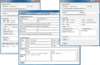
설명: Windows XP, Windows Server 2003 and Windows 2000. Why Choose AddEmail? It takes only 3 lines of code ... lines of code to accomplish the same task. AddEmail can send emails asynchronously without blocking your ... line of code. AddEmail automatically creates HTML email and attaches all images referenced in the HTML. ... 더 읽기 본 제품에 관한 더 많은 결과 보기
설명: Windows 2000. Why Choose AddEmail? It takes only 3 lines of code to send HTML email with attachments using ... AddEmail. With other controls or.NET classes you will need 20+ lines of code to accomplish the same task. ... AddEmail you can import HTML files with embedded images in just one line of code. AddEmail automatically ... 더 읽기
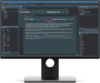
릴리스 노트: open, all editing the same unit, and have multiple tabs open with a form designer in one tab plus one ... or more code tabs for the same unit. This includes moving which tab displays the designer. ... There is no limit to the number of split editors, horizontally or vertically. Designer and Code- Split editors allow ... 더 읽기 본 제품에 관한 더 많은 결과 보기
릴리스 노트: Adds major Delphi code insight improvements. New Delphi Features Major Delphi Code Insight ... Improvements- The largest and best improvement to Delphi’s code tooling in many years, RAD Studio 10.4 provides ... Code Insight using a Delphi implementation of the Language Server Protocol (LSP). LSP is a technique ... 더 읽기
릴리스 노트: this if you want to use Embarcadero Delphi code formatting, and it is available in the Technology section ... and DelphiLSP Added a new version of the code completion's Auto invoke feature. This means that code ... and waiting for a moment. Typing inside an identifier (it used to invoke only at the beginning). Code ... 더 읽기
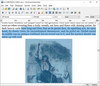
설명: VCL/FMX/LCL components for displaying, editing and printing hypertext documents. The component can be used to ... WYSIWYG editing and the Report Workshop Add-on provides a set of VCL components for creating reports. What ... displaying, editing and printing hypertext documents. FireMonkey version supports Microsoft Windows and macOS ... 더 읽기
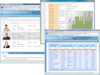
설명: the grid is scrolled. GDI+- All Essential Grid for Windows Forms drawing code is implemented using GDI+. ... no such "hidden" code. Use of GDI+ in all aspects makes Essential Grid more extensible. Users can easily add code ... Box. Additionally, users may derive more cell types from the classes. Button Edit Cell Cell Buttons ... 더 읽기 본 제품에 관한 더 많은 결과 보기
설명: 어플리케이션에 Excel과 비슷한 그리드 기능을 추가. Syncfusion Essential Grid는 독특한 스타일 기반 아키텍처를 이용해 개발한 Excel과 비슷한 셀 기반 그리드 컨트롤입니다. 시중에 출시된 대부분의 그리드 컨트롤과 달리 Syncfusion Essential Grid는 열의 형식 지정에 제약이 없습니다. 그리고 셀 수준에서 매우 자세한 사용자 정의를 지원합니다. 다중 수준 실행 취소 / 재실행, 스크롤 바 공유 지원, 데이터 / 보기 분리, 셀 띄우기, 15개 이상의 셀 유형, 확장성 아키텍처는 ... 더 읽기
릴리스 노트: and server side. GridGroupingControl's Excel-like edit now works correctly in the Chrome browser for.NET ... editing, grouping, column formatting, custom formatting, and summaries. Support for frozen rows and columns ... items. Windows Forms Support for Office 2010 themes has been added. Visual Studio 2010 Coded UI support ... 더 읽기
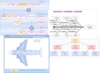
설명: 확장 가능한 고기능 다이어그램 어플리케이션을 Windows Forms에 제공. Syncfusion의 Essential Diagram는.NET의 클래스와 컨트롤에서의 retained-mode 인터페이스 프레임 워크로,대화형 2D그래픽스를 개발하여 어플리케이션의 도형화를 촉진합니다. Essential Diagram은 노드(씬)그래프에 그래피컬한 오브젝트를 격납한 후 이들 오브젝트를 스크린 위에 묘화합니다.이 제품은 도형을 묘화하는데 있어 벡터와 래스터 쌍방의 그래픽스를 지원합니다. 유연한 아키텍처: Essential Diagram은 ... 더 읽기 본 제품에 관한 더 많은 결과 보기
설명: Essential Diagram for Windows Forms Editing Tools The comprehensive set of editing tools provided ... Library to support diagram creation with scriptable interactivity. The framework also provides enhanced ... design-time support through a rich user interface for creating and editing scripts. The scripting feature ... 더 읽기
고객 리뷰: I used Syncfusion Essential Studio WPF Edition in my submission for the INETA Component Code ... 더 읽기
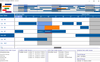
설명: Edit Cursors. Custom bar start / end Icons. Date/Time at X,Y coordinate. Dates in Bars. Dates at End ... Edit Modes. Multi Level Undo / Redo. Pre-defined start /end Icons. Programmatic Date/Time Scrolling. ... Weekend Color. Multi Column Resource List Data Grid Alternating Line Color. Checkbox Edit Mode. Column ... 더 읽기 본 제품에 관한 더 많은 결과 보기
설명: intervals. Gantt Scheduling Area Bar Fill Styles. Bar Sub Text. Built in Undo Feature. Custom Edit Cursors. ... Edit Modes. Multi Level Undo / Redo. Pre-defined start /end Icons. Programmatic Date/Time Scrolling. ... Weekend Color. Multi Column Resource List Data Grid Alternating Line Color. Checkbox Edit Mode. Column ... 더 읽기
사양: Solutions Schedule for COM Solutions Schedule COM 64 Solutions Schedule for.NET Standard Edition ... Solutions Schedule for.NET Corporate Edition Solutions Schedule for.NET Enterprise Edition Solutions ... Custom Edit Cursors Custom bar start / end Icons Date/Time at X,Y ... 더 읽기
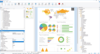
릴리스 노트: xlsx, txt and xml. DOM bar chart, Z-axes can now be edited / added. Components Alaska Xbase++ ... in debug output. The PDF export now also sets the creation date metadata field. Further improved line ... code 421 (meaning “The service is unavailable due to a connection problem” – should be 452 (“Too many ... 더 읽기 본 제품에 관한 더 많은 결과 보기
릴리스 노트: selection (in table creation wizard) now has the 'fields' node expanded by default. Web Report ... field selection (in table creation wizard) now has the "fields" node expanded by default. Web ... 더 읽기
릴리스 노트: with an asterisk. Changing of 3D chart view angles in the chart dialog always triggered creation of completely new ... 더 읽기
전화 : 00798 14 800 6332
팩스 : +1 770 250 6199


