

 (12)
(12)


공식 공급 업체
200 이상의 소프트웨어 개발처와 판매 계약을 맺은 공인 디스트리뷰터로서 합법적인 라이선스를 제공합니다.
모든 브랜드 보기.
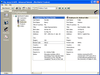
설명: 애플리케이션에 다용도 데이터 바운드 또는 언바운드 그리드를 추가 합니다. Janus GridEX 2000 으로 탭, 버튼바, 툴 팁 등을 모두 갖춘 Microsoft Outlook 에 비슷한 사용자 인터페이스를 작성할 수 있습니다. 디스크나 인터페이스상의 서버에서 그리드 레이아웃 전체를 동적으로 로드 및 저장하는 기능에 의하여 효율적인 사용자 인터페이스를 작성할 수 있습니다. Janus GridEX 2000 에는 다국어 소트 기능이 구성되어 있습니다. Data Access Objects (DAO V3.6) 또는 ActiveX ... 더 읽기 본 제품에 관한 더 많은 결과 보기
호환성: Documentation Reviewed- Yes Sample Code Reviewed- Yes 필요한 디스크 용량: 10MB 필요한 메모리 용량: 16MB (최소), 32MB (권장) 필요한 ... 더 읽기
기능: 셀, 열, 행 레벨의 포맷 – 버전 1.6 에는 많은 고도의 포맷 기능이 있습니다. 버전 2.0에는 이러한 기능이 유지되며, 포맷 서비스의 새로운 세트가 추가되었습니다. 프로그래머는 데이터 표시 방법을 완전하게 제어할 수 있습니다. 통지와 기준을 사용하여 각각의 셀, 열, 행을 포맷할 수 있게 되었습니다. 포맷 작업을 용이하게 하기 위하여 새로운 툴, FormatStyles이 추가되었습니다. FormatStyles은 폰트, 색, 이미지 등의 포맷 정보를 유지하는 별개의 객체입니다. 워드 램프 셀과 직전 행의 서포트 데이터는 단일의 ... 더 읽기

설명: Docking Pane, Property Grid, Report Control, Shortcut Bar, Syntax Edit, Skin Framework and Task Panel. ... lines of code to create any charting style. Command Bars- Command Bars includes customizable menus, ... provides an easy to create hierarchical list of editable properties and represent any data type ... 더 읽기 본 제품에 관한 더 많은 결과 보기
릴리스 노트: to allow window exclusion from skinning. Missing Microsoft Windows 8 and Windows 10 skins source code ... CommandBars Crash when editing a ribbon in combination with Drag & Drop fixed. Controls Possible bug ... 더 읽기
설명: 도구 모음, 메뉴, 도킹, 속성 그리드, 레포팅 및 달력 기능으로 귀하의 애플리케이션에 전문적이고 현대적인 외관을 제공합니다. Xtreme Command Bars는 Microsoft Office XP스타일의 툴바와 메뉴 작성에 유효한 컴포넌트 장치이며, 확장 도킹 알고리즘으로 구성되어 있습니다. Xtreme Docking Pane에는 Visual Studio.NET 스타일의 고도의 도킹 윈도우 작성에 필요한 컴포넌트가 준비되어 있습니다. Xtreme Property Grid를 사용함으로써 세련된 Visual Studio. ... 더 읽기
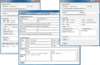
설명: Windows XP, Windows Server 2003 and Windows 2000. Why Choose AddEmail? It takes only 3 lines of code ... lines of code to accomplish the same task. AddEmail can send emails asynchronously without blocking your ... line of code. AddEmail automatically creates HTML email and attaches all images referenced in the HTML. ... 더 읽기 본 제품에 관한 더 많은 결과 보기
설명: Windows 2000. Why Choose AddEmail? It takes only 3 lines of code to send HTML email with attachments using ... AddEmail. With other controls or.NET classes you will need 20+ lines of code to accomplish the same task. ... AddEmail you can import HTML files with embedded images in just one line of code. AddEmail automatically ... 더 읽기
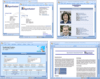
설명: Studio Reporting Edition packages. Complete, easy-to-work with source code is available with the Source ... It’s available stand-alone or as part of Syncfusion’s Essential Studio Enterprise Edition and Essential ... 더 읽기 본 제품에 관한 더 많은 결과 보기
릴리스 노트: and view the document generated without a password, but you cannot edit the contents of the write-protected ... updating fields. A field contains a field code, field separator, field result, and field end. The field ... code contains information about how the field result is to be calculated and updated. The field result ... 더 읽기
설명: Studio Reporting Edition packages. Complete, easy-to-work with source code is available with the Source ... 더 읽기
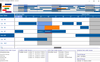
설명: Edit Cursors. Custom bar start / end Icons. Date/Time at X,Y coordinate. Dates in Bars. Dates at End ... Edit Modes. Multi Level Undo / Redo. Pre-defined start /end Icons. Programmatic Date/Time Scrolling. ... Weekend Color. Multi Column Resource List Data Grid Alternating Line Color. Checkbox Edit Mode. Column ... 더 읽기 본 제품에 관한 더 많은 결과 보기
설명: intervals. Gantt Scheduling Area Bar Fill Styles. Bar Sub Text. Built in Undo Feature. Custom Edit Cursors. ... Edit Modes. Multi Level Undo / Redo. Pre-defined start /end Icons. Programmatic Date/Time Scrolling. ... Weekend Color. Multi Column Resource List Data Grid Alternating Line Color. Checkbox Edit Mode. Column ... 더 읽기
사양: Solutions Schedule for COM Solutions Schedule COM 64 Solutions Schedule for.NET Standard Edition ... Solutions Schedule for.NET Corporate Edition Solutions Schedule for.NET Enterprise Edition Solutions ... Custom Edit Cursors Custom bar start / end Icons Date/Time at X,Y ... 더 읽기

릴리스 노트: 'F1' capability within the VBA code editor to auto open PEONLREF.CHM. Added a new product folder ... unified-docs/allExamples JSON, and knowledge files to better understand new VBA code examples, VBA flavor Methods, ... and overall VBA development. AI should be now be able to write your code to transfer Access database or Excel ... 더 읽기 본 제품에 관한 더 많은 결과 보기
릴리스 노트: The WPF and Delphi example projects have an Export Demo button within the Code window. 0 ... 더 읽기
릴리스 노트: and overlapping multi axes, though it defaults False to prevent breaking existing customer code that expects ... 더 읽기
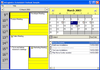
설명: for appointments In-place editing/read-only property for appointments Assign data variants to appointments Pop-up ... 더 읽기 본 제품에 관한 더 많은 결과 보기
호환성: Installation Tested- Yes Evaluation Uninstall Tested- Yes Documentation Reviewed- Yes Sample Code Reviewed- Yes ... 더 읽기
호환성: Evaluation Uninstall Tested- Yes Documentation Reviewed- Yes Sample Code Reviewed- Yes Disk Space Required: ... 더 읽기
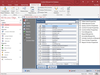
설명: databases by understanding how they work. Comprehensive Module Analysis with the Code Parser- Total Access ... Analyzer includes a proprietary Microsoft Visual Basic for Applications (VBA) code parser that understands ... your module code to generate detailed analysis of your code in modules, classes, and behind forms and ... 더 읽기 본 제품에 관한 더 많은 결과 보기
설명: of your databases by understanding how they work. Comprehensive Module Analysis with the Code Parser- ... Total Access Analyzer includes a proprietary Microsoft Visual Basic for Applications (VBA) code parser ... that understands your module code to generate detailed analysis of your code in modules, classes, and behind forms ... 더 읽기
릴리스 노트: XML (Portrait) Data Macro Analysis- Total Access Analyzer now parses data macro code to document what ... 더 읽기
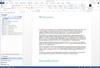
설명: Word to bring all of Doc-To-Help’s features to your editing interface. Widgets Give Your Content ... 더 읽기 본 제품에 관한 더 많은 결과 보기
설명: to a different format, a toolbar is installed in Word to bring all of Doc-To-Help’s features to your editing ... 더 읽기
릴리스 노트: or review and edit your web repository settings. A Redesigned Doc-To-Help Ribbon in Word Makes Authoring ... features and commands from the toolbar within Word. Add and edit topics, insert headings, modify styles, ... Doc-To-Help Elements- The new project panel allows you to add or edit Documents, Contents, Index and Groups, ... 더 읽기
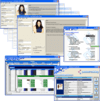
설명: and VSFlexGrid. ComponentOne Studio ActiveX Edition includes: True DBGrid Pro, VSFlexGrid Pro, VSVIEW Classic ... Edition, VSVIEW Reporting, Chart, WebChart, Query, True DataControl, True DBInput Pro, True DBList Pro, ... of code. Chart distribution is royalty-free and includes 64-bit support. Flexible Data Grids Provide ... 더 읽기 본 제품에 관한 더 많은 결과 보기
설명: True DBGrid 및 VSFlexGrid 같은 컨트롤을 포함하는 ComponentOne COM Technologies 제품 세트. ComponentOne Studio for ActiveX는 현재 True DBGrid Pro, VSFlexGrid Pro, VSVIEW Classic Edition, VSVIEW Reporting, Chart, WebChart, Query, True DataControl, True DBInput Pro, True DBList Pro, SizerOne, VSSPELL를 포함합니다. ... 더 읽기
가격: ComponentOne Studio ActiveX Edition 2024 v2- New Perpetual Licenses 1 Developer License (Perpetual ... 더 읽기
전화 : 00798 14 800 6332
팩스 : +1 770 250 6199


