Edita directamente los datos de la hoja de cálculo WPF en la celda
La edición en la celda hace que la introducción y modificación de datos sea más rápida e intuitiva al eliminar la necesidad de campos de entrada de datos separados.
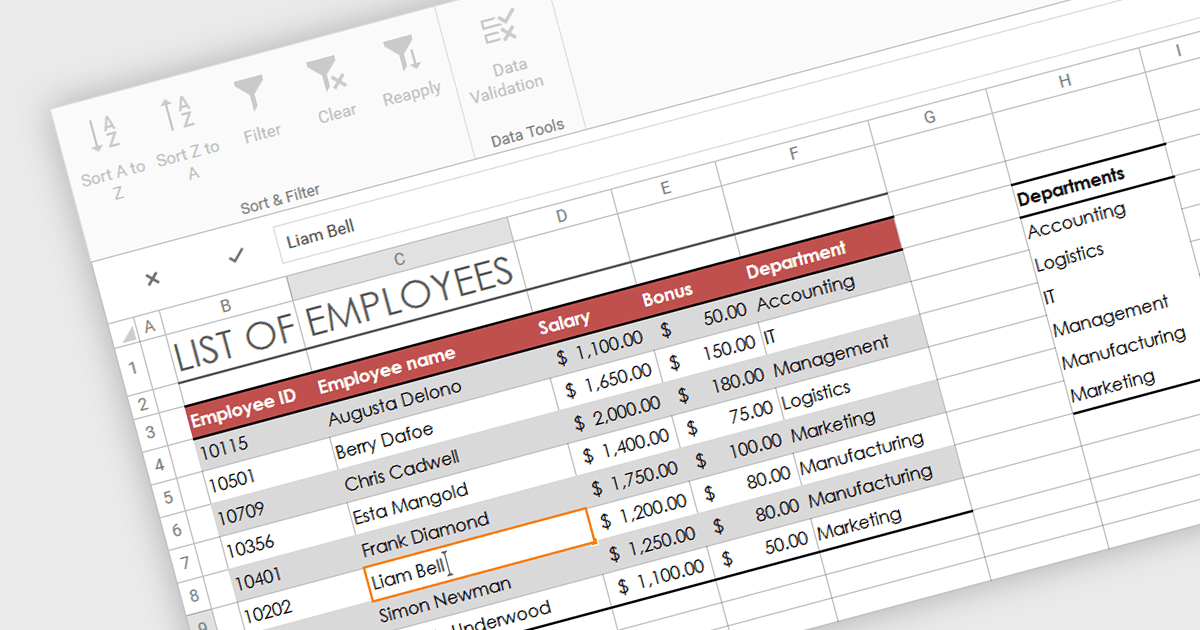
La edición de datos en la celda se refiere a la funcionalidad dentro del software de hojas de cálculo que permite a los usuarios hacer clic directamente sobre y modificar el contenido de una celda sin necesidad de formularios de entrada de datos separados ni de cuadros de diálogo emergentes. Esta función permite realizar cambios más rápidos y directos en los datos mostrados en pantalla, mejorando la productividad al reducir los pasos necesarios para la manipulación de datos.
Varios controles de hojas de cálculo .NET 8 WPF admiten la edición de datos en la celda, incluidos:
- DevExpress WPF Spreadsheet (parte de DevExpress WPF), te permite editar directamente los datos de las celdas con opciones sólidas de validación y formato condicional en el entorno WPF.
- Spread WPF (parte de Spread.NET by MESCIUS) facilita la manipulación de datos en la celda de forma fluida y las actualizaciones de cálculos en tiempo real, lo que mejora la productividad para aplicaciones WPF.
- Telerik WPF Spreadsheet (parte de Telerik UI for WPF), permite una entrada y edición de datos eficiente dentro de las celdas, con soporte completo de fórmulas y formatos de datos en WPF.
- MindFusion.Spreadsheet for WPF permite a los usuarios modificar y gestionar fácilmente el contenido de las celdas de forma interactiva, con soporte de tipos de datos complejos y opciones de personalización en WPF.
Para un análisis en profundidad de las funciones y el precio, visita nuestra comparación de controles de hojas de cálculo .NET 8 WPF.