Añade claridad a los PDF con anotaciones de flechas
Los marcadores direccionales mejoran las revisiones de documentos y las ilustraciones técnicas, ofreciendo una comunicación más clara y mejorando la legibilidad de los PDF.
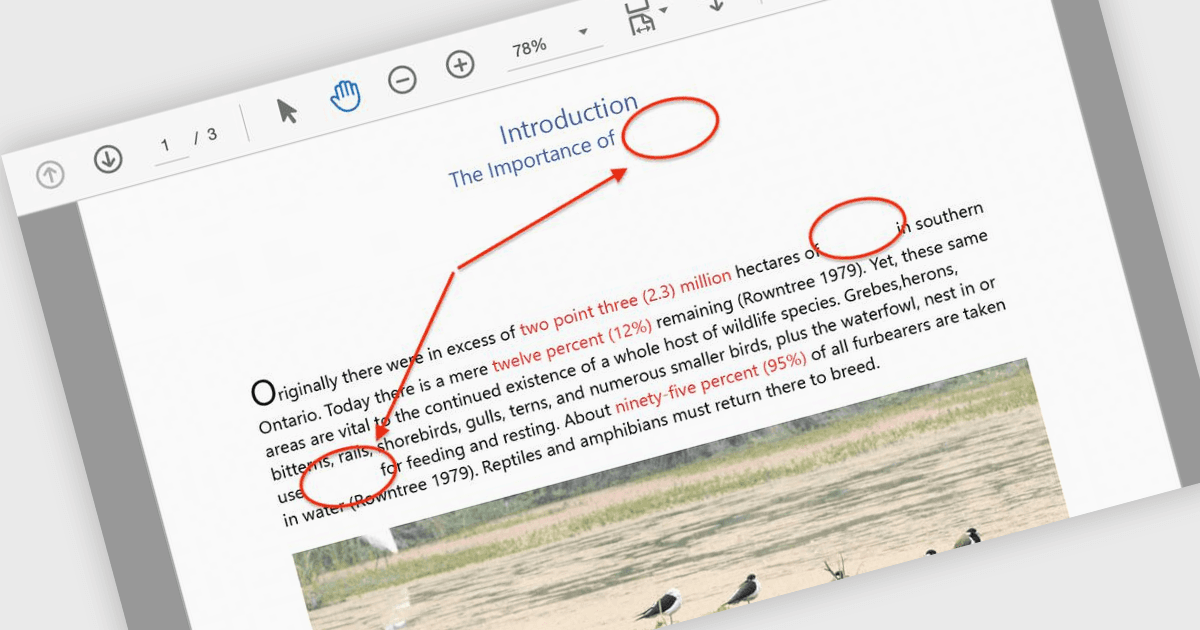
Las anotaciones con flechas son herramientas visuales que permiten a los usuarios llamar la atención sobre elementos específicos dentro de un PDF usando flechas como indicadores direccionales. Estas anotaciones son especialmente útiles para guiar a los lectores a través de diagramas complejos, flujos de trabajo o ilustraciones técnicas cuando la claridad es fundamental. Al señalar áreas clave, las flechas ayudan a eliminar la confusión, garantizan que no se pasen por alto detalles importantes y agilizan la comunicación durante revisiones de documentos o debates colaborativos. Los casos de uso más comunes incluyen anotar esquemas de ingeniería, marcar áreas para revisión en borradores de diseño y resaltar puntos de datos específicos en informes. El resultado es un documento más intuitivo y atractivo que transmite de manera eficaz el mensaje previsto. Muchas bibliotecas de procesamiento de PDF admiten crear, personalizar y manipular anotaciones con flechas mediante programación, ofreciendo opciones como color, grosor, transparencia y posicionamiento para adaptarse a distintos casos de uso.
Varios componentes de ASP.NET Core para PDF ofrecen anotaciones con flechas, incluyendo:
- Document Solutions for PDF de MESCIUS permite a los usuarios crear y personalizar anotaciones con flechas con ancho, color y estilos de línea ajustables para mejorar el marcado del documento.
- ImageGear for .NET de Accusoft permite a los desarrolladores agregar, modificar y eliminar anotaciones con flechas mediante programación con un control preciso sobre el posicionamiento y la apariencia.
- Syncfusion ASP.NET Core PDF (parte de Syncfusion Essential Studio Enterprise) ofrece anotaciones con flechas ricas, que se pueden crear y editar de forma dinámica para una UX interactiva.
Para un análisis en profundidad de las funciones y el precio, visita nuestra comparación de componentes de ASP.NET Core PDF.