Proteger los datos en aplicaciones de hojas de cálculo WPF
Utilice funciones de seguridad de hojas de cálculo para impedir el acceso no autorizado y restringir la modificación de datos, logrando un mayor control en aplicaciones de escritorio WPF.
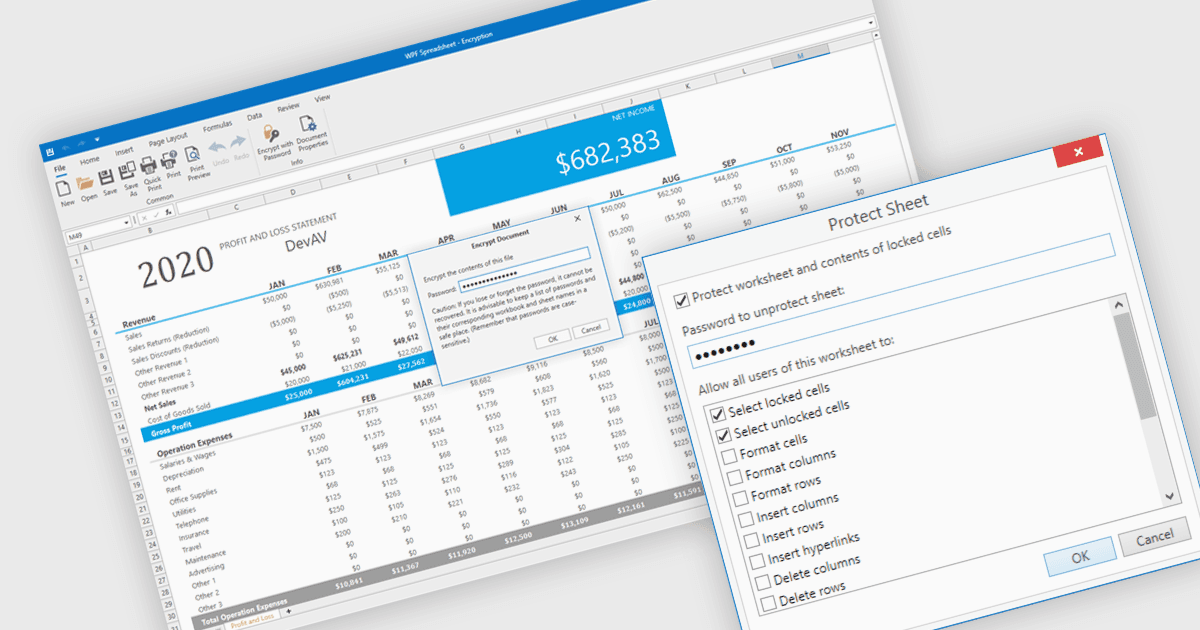
Las funciones de seguridad de las hojas de cálculo son herramientas esenciales diseñadas para proteger datos sensibles, garantizar la integridad de los datos y controlar el acceso de los usuarios en aplicaciones de hojas de cálculo. Estas capacidades normalmente incluyen medidas como la protección con contraseña o el bloqueo de celdas, y se utilizan para impedir la visualización o modificación no autorizada del contenido de la hoja de cálculo. Al implementar medidas de seguridad en sus hojas de cálculo, las organizaciones pueden mantener el cumplimiento con los estándares de seguridad de los datos o las políticas de gobernanza de datos, y evitar la pérdida o alteración accidental o maliciosa de datos. Este nivel de control es especialmente importante en entornos en los que varios usuarios colaboran en modelos financieros, planes de proyectos u otros conjuntos de datos críticos.
Varios componentes de hojas de cálculo WPF ofrecen funciones de seguridad, incluyendo:
- DevExpress WPF Spreadsheet (parte de DevExpress WPF) ofrece varios niveles de cifrado de contraseñas para libros, hojas de cálculo y rangos específicos para proteger los datos de la hoja de cálculo.
- Spread WPF (parte de Spread.NET de MESCIUS) proporciona protección de libros y hojas de cálculo con compatibilidad para el bloqueo de celdas y el establecimiento de contraseñas en aplicaciones de hojas de cálculo WPF.
- Telerik WPF Spreadsheet (parte de Telerik UI for WPF) incluye compatibilidad total con mecanismos de protección a nivel de libro y hoja de cálculo para controlar y aplicar los derechos de los usuarios.
- Infragistics WPF Spreadsheet (parte de Infragistics Ultimate UI for WPF) cuenta con una gama de configuraciones de protección para salvaguardar el contenido frente a modificaciones no autorizadas.
Para un análisis en profundidad de las funciones y el precio, visite nuestra comparación de componentes de hojas de cálculo WPF.