Resalta el contenido clave del PDF con precisión
Las anotaciones de rectángulo permiten a los usuarios marcar PDFs, haciendo que las revisiones, aprobaciones y ediciones colaborativas sean más eficaces y visualmente claras.
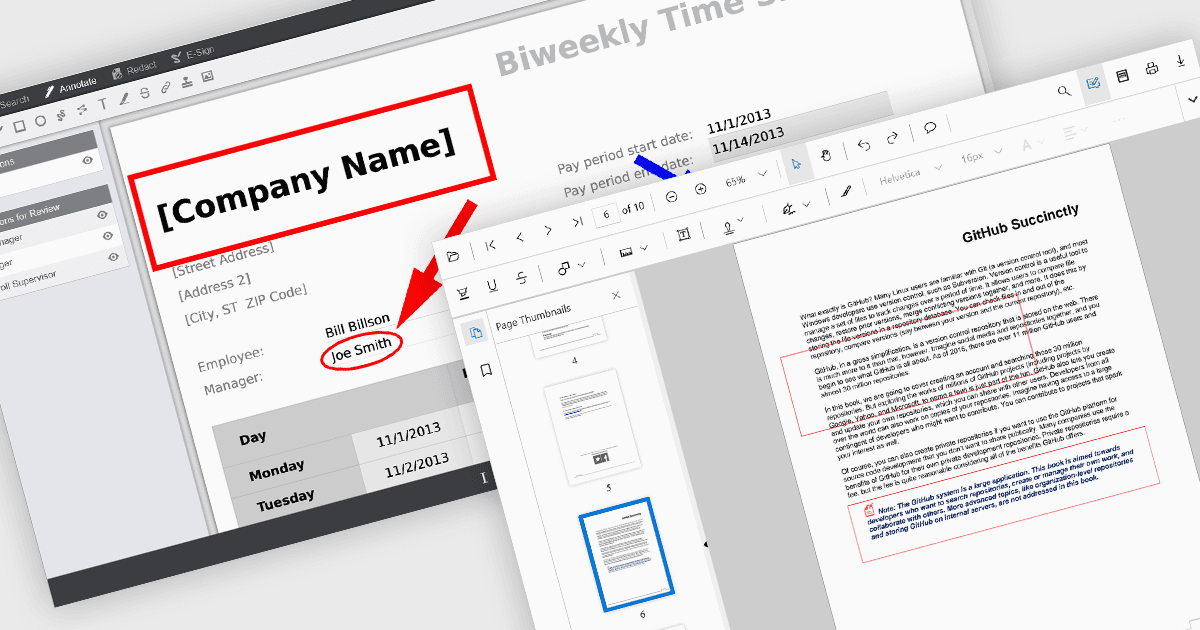
Las anotaciones de rectángulo en los componentes del visor de PDF permiten que los usuarios resalten, marquen o comenten áreas específicas dentro de un documento PDF dibujando formas rectangulares. Esta función se utiliza comúnmente para revisar documentos, colaborar en el contenido o enfatizar secciones en flujos de trabajo técnicos o legales. Mejora la interactividad del usuario dentro del visor, lo que permite referencias visuales y notas específicas de contexto sin modificar el contenido original del documento.
Varios controles de visor de PDF para React ofrecen anotaciones de rectángulo, entre ellos:
- Document Solutions for PDF de MESCIUS proporciona anotaciones de rectángulo como parte de su API de anotaciones integral, lo que admite la colocación precisa y la personalización.
- PrizmDoc Viewer de Accusoft incluye anotaciones de rectángulo dentro de sus herramientas de marcado y redacción, lo que ofrece capacidades de edición colaborativa con procesamiento en el servidor.
- Syncfusion PDF Viewer (parte de Syncfusion Essential Studio Enterprise) admite anotaciones de rectángulo interactivas a través de su barra de herramientas de anotaciones integrada.
Para un análisis en profundidad de las funciones y el precio, visita nuestra comparación de controles de visor de PDF para React.