Crear y editar campos de formulario PDF en el navegador
Use visores de PDF en JavaScript para agregar, renombrar o eliminar campos directamente en formularios PDF sin necesidad de editores externos.
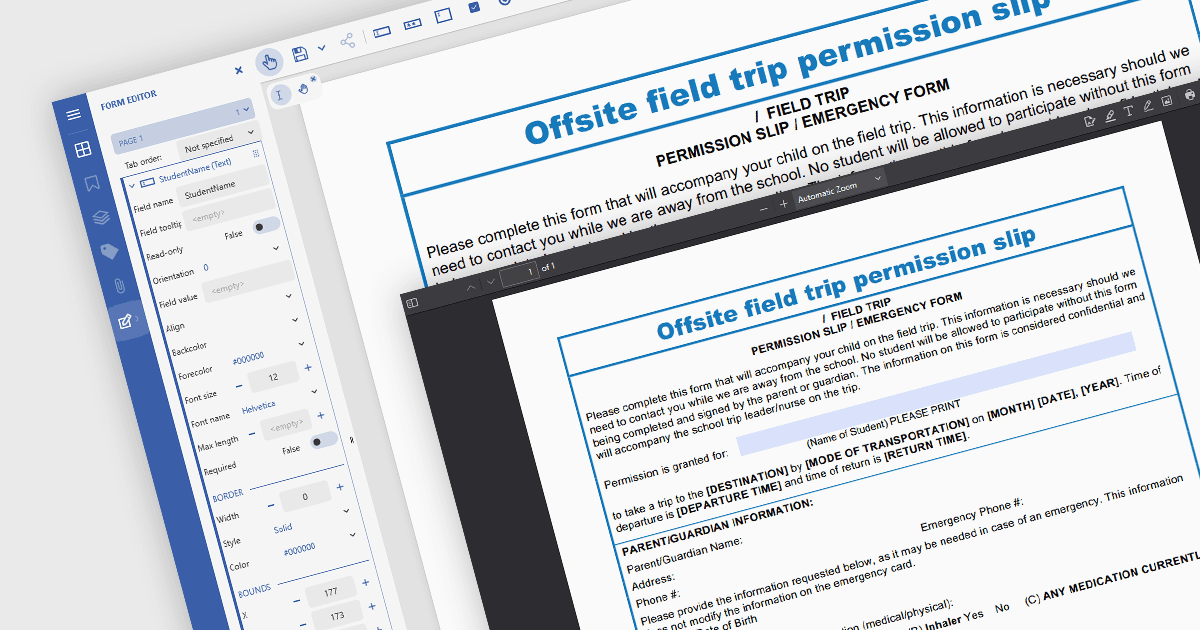
En los visores de PDF basados en JavaScript, la capacidad de agregar, editar, eliminar y cambiar el nombre de campos de formulario dentro de formularios PDF al estilo de Acrobat permite a desarrolladores y usuarios administrar dinámicamente la estructura y el contenido del formulario directamente dentro del navegador. Esta funcionalidad habilita la personalización en tiempo real de documentos PDF interactivos sin necesidad de editores externos de PDF. Al admitir operaciones como insertar nuevos campos de texto, ajustar los existentes, eliminar campos no utilizados o actualizar los nombres de los campos para que coincidan con esquemas de datos, esta función mejora significativamente la flexibilidad y la usabilidad de los formularios PDF. Beneficia flujos de trabajo como la automatización de documentos, las firmas digitales y la recopilación de datos, en particular en aplicaciones donde es esencial la manipulación de formularios impulsada por el usuario o de forma programática para adaptar los documentos a tareas o fuentes de datos específicas.
Varios componentes de visor de PDF en JavaScript permiten agregar, editar y eliminar campos de formulario de los formularios PDF, incluyendo:
- Document Solutions for PDF de MESCIUS incluye un visor de PDF en JavaScript en la edición Professional que permite a los desarrolladores modificar y administrar campos de formulario.
- PrizmDoc Viewer (parte de PrizmDoc de Accusoft) ofrece un visor de documentos HTML5 que le permite ajustar, renombrar y eliminar campos de formulario PDF dentro de una interfaz de JavaScript.
- Syncfusion PDF Viewer (parte de Syncfusion Essential Studio Enterprise) dota a las aplicaciones JavaScript de funcionalidad de formularios PDF, incluida la manipulación de campos de formularios interactivos.
Para un análisis en profundidad de las funciones y el precio, visite nuestra comparación de componentes del visor de PDF en JavaScript.