Exportar informes con AcroForms PDF rellenables
Exportar campos de informes como AcroForms PDF interactivos, facilitando la introducción de datos, el formato coherente y la compatibilidad con visores PDF variados.
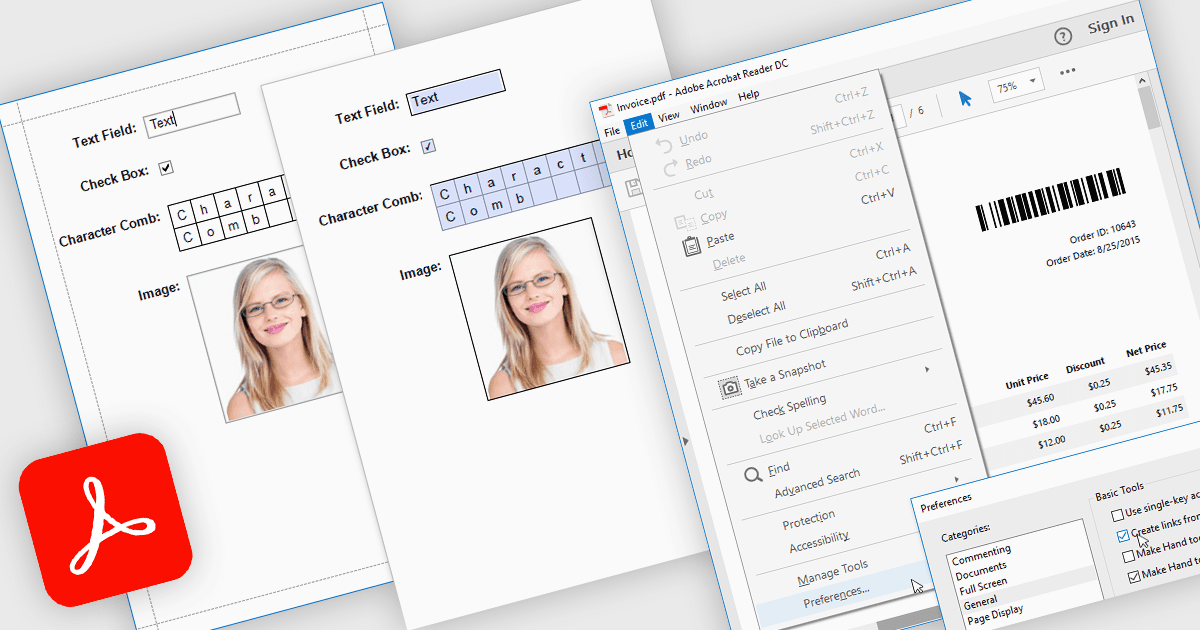
Exportar informes a PDF con AcroForms permite guardar informes como archivos PDF que contienen campos de formulario totalmente interactivos, en lugar de texto estático. Los elementos editables, como cuadros de texto, casillas de verificación, botones de opción y listas desplegables, permanecen disponibles para completar después de la exportación, lo que permite a los usuarios rellenar formularios directamente en visor PDF estándar, como Adobe Acrobat Reader, sin necesidad de software especializado. Las ventajas son considerables: las organizaciones pueden reducir la introducción manual de datos, mantener un formato coherente en documentos distribuidos y mejorar la accesibilidad para los usuarios finales. Por ejemplo, una empresa podría exportar un informe de factura con detalles de facturación editables, crear una encuesta que los destinatarios puedan completar de forma digital o generar formularios de cumplimiento que los clientes puedan completar y devolver electrónicamente. Al incrustar campos interactivos directamente en los informes exportados, los AcroForms ayudan a que los flujos de trabajo documentales sean más eficientes, precisos y fáciles de usar.
Varios controles de informes .NET WPF ofrecen Exportar a PDF con AcroForms, incluyendo:
- DevExpress Reports (Multi-Platform) le permite exportar PDF interactivos con AcroForms, habilitando campos editables en dispositivos y visores diversos.
- ActiveReports.NET de MESCIUS permite crear informes exportados como PDF de AcroForm, compatible con la introducción digital de datos, el cumplimiento y una mejor distribución de formularios.
- List & Label Enterprise Reporting Edition de combit facilita la exportación de PDF rellenables con AcroForms, preservando los campos interactivos para una recopilación de datos profesional y fácil de usar.
- FastReport .NET WPF permite generar informes como PDF AcroForm interactivos, combinando diseños dinámicos con campos editables para flujos de trabajo digitales eficientes.
Para un análisis en profundidad de las funciones y el precio, visite nuestra comparación de controles de informes .NET WPF.