Personalice la entrada de datos con editores dentro de la cuadrícula
Experimente una entrada de datos más rápida y precisa con edición de cuadrícula personalizada que permite actualizaciones directas dentro de la celda mediante editores y calendarios adaptados.
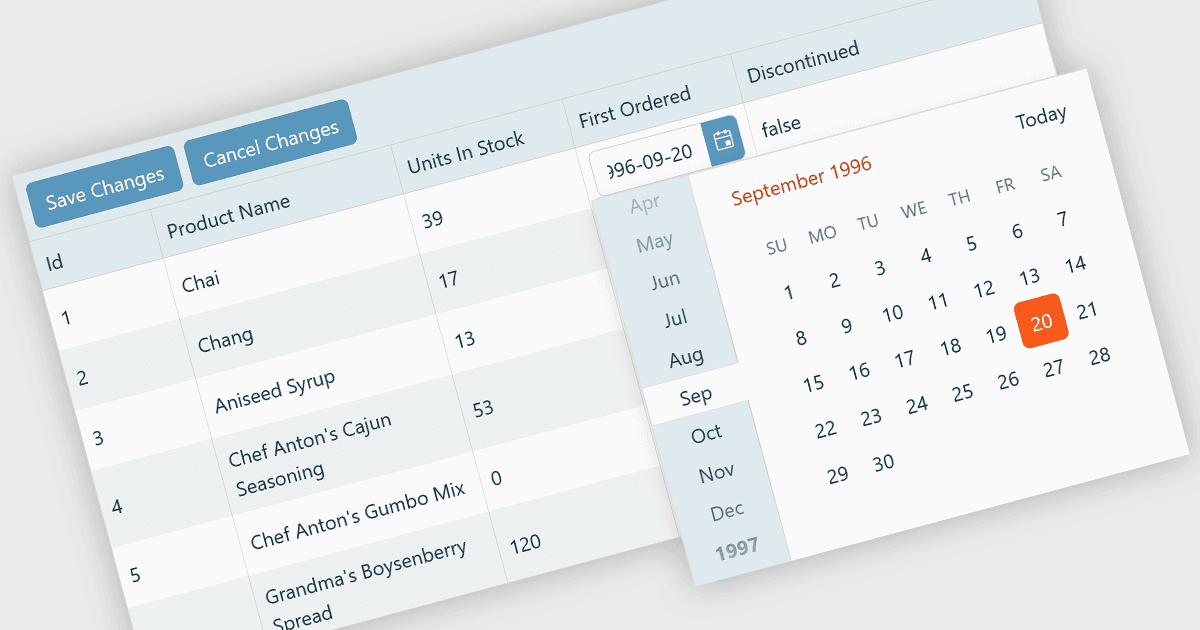
Un editor de cuadrícula personalizado permite a los desarrolladores adaptar la forma en que los usuarios interactúan con los datos directamente dentro de las celdas de la cuadrícula, ofreciendo una experiencia de edición flexible y eficiente. En lugar de depender de entradas de texto estándar, los editores personalizados pueden incluir menús desplegables, deslizadores, conmutadores o componentes de calendario para ajustarse al tipo de datos. Este enfoque no solo mejora la entrada de datos y la validación, sino que también incrementa la precisión y la satisfacción del usuario al garantizar que las entradas sean relevantes en contexto. Por ejemplo, un campo de fecha podría usar un selector de fecha en línea, mientras que una columna de estado podría incluir un menú desplegable con opciones predefinidas. Ideal para aplicaciones con mucha carga de datos, como paneles, herramientas de programación y paneles administrativos; los editores de cuadrícula personalizados ayudan a los usuarios a editar datos complejos de forma rápida e intuitiva sin salir de la interfaz principal.
Varios controles de React Grid ofrecen compatibilidad con edición personalizada, incluyendo:
- KendoReact Data Grid (parte de KendoReact de Telerik) te permite crear editores personalizables dentro de la celda, mejorando la entrada de datos con menús desplegables, selectores de fecha y validación.
- Sencha Ext JS Grid (parte de Sencha Ext JS) permite la edición personalizada con componentes de celda dinámicos, ofreciendo una manipulación de datos fácil de usar dentro de interfaces de cuadrícula complejas.
- jQWidgets Grid (parte de jQWidgets) te permite implementar editores de celda flexibles que se adaptan a diferentes tipos de datos, mejorando la precisión de la entrada.
- Jspreadsheet Pro Data Grid (parte de Jspreadsheet Pro) facilita la edición en línea con tipos de celda personalizables que incluyen calendarios y listas de autocompletado.
Para un análisis en profundidad de las características y el precio, visita nuestra comparación de controles de React Grid.