Diseña informes con la integración de Visual Studio
Crea y mantén diseños de informes píxel-perfectos con mayor eficiencia mediante Visual Studio, unificando flujos de trabajo de código, datos, estilos y despliegue.
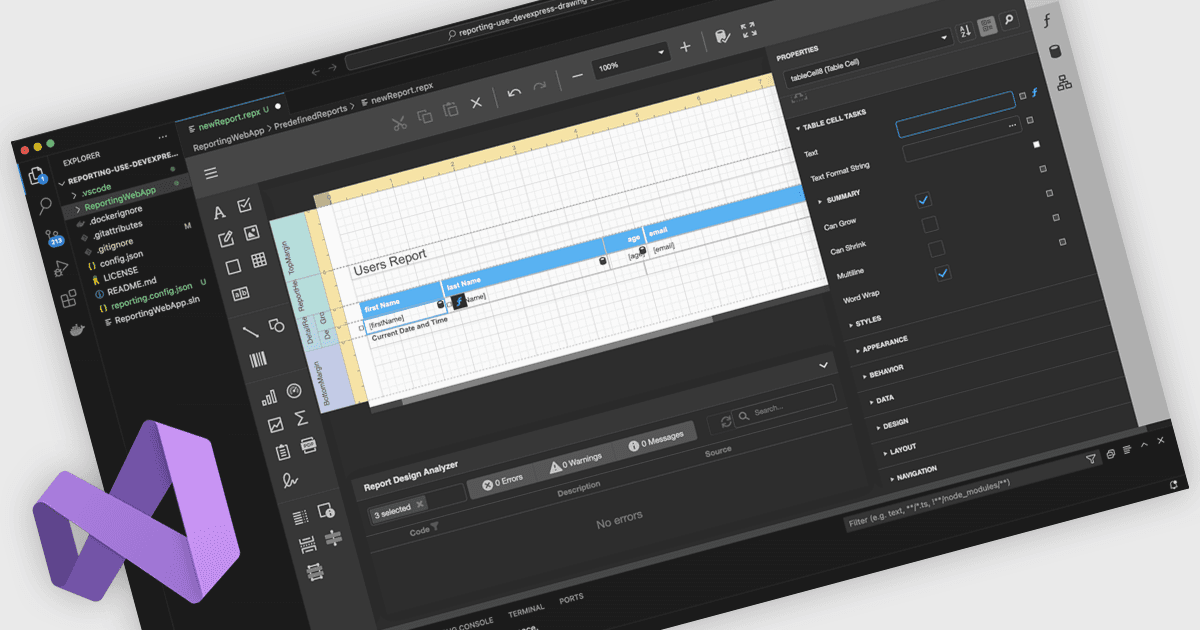
Un diseñador de informes integrado en Visual Studio permite a los desarrolladores crear y editar diseños de informes directamente dentro del entorno IDE de Visual Studio, en lugar de usar una herramienta de informes independiente. Las definiciones de informes viven junto al código de la aplicación, los modelos de datos y los recursos, lo que mejora la integración, el mantenimiento y el uso de control de código fuente y CI/CD. Los desarrolladores trabajan en un entorno familiar con diseño de maquetación mediante arrastrar y soltar, cuadrículas de propiedades y expresiones con IntelliSense, además de la opción de agregar lógica personalizada en C# o VB. Los casos de uso típicos incluyen paneles de ventas interactivos, informes operativos y auditorías en los que los equipos deben iterar rápidamente, enlazar datos en vivo y previsualizar los resultados.
Varios controles de informes de .NET ofrecen diseñadores integrados en Visual Studio, incluidos:
- DevExpress Reports te permite diseñar, previsualizar y perfeccionar diseños de informes independientes de la plataforma dentro de Visual Studio, unificando los flujos de trabajo de datos, código y despliegue.
- ActiveReports.NET permite que construyas, modifiques y depures diseños de informes .NET directamente en Visual Studio, reduciendo el cambio de contexto y el esfuerzo de mantenimiento.
- Telerik Reporting facilita la creación de diseños de informes interactivos dentro de Visual Studio, usando herramientas de diseño WYSIWYG integradas estrechamente con tus proyectos .NET.
- MindFusion.Reporting for Windows Forms te permite organizar, dar estilo y previsualizar informes dentro de Visual Studio, imitando de cerca los flujos de trabajo del diseñador de WinForms que ya conoces.
Para un análisis en profundidad de las funciones y el precio, visita nuestra comparación de controles de informes .NET.