Organice interfaces de usuario complejas en WPF
Emplee colecciones de UI con funciones de docking para dar a los usuarios control sobre la disposición de la interfaz, los paneles flotantes y los espacios de trabajo persistentes en aplicaciones WPF.
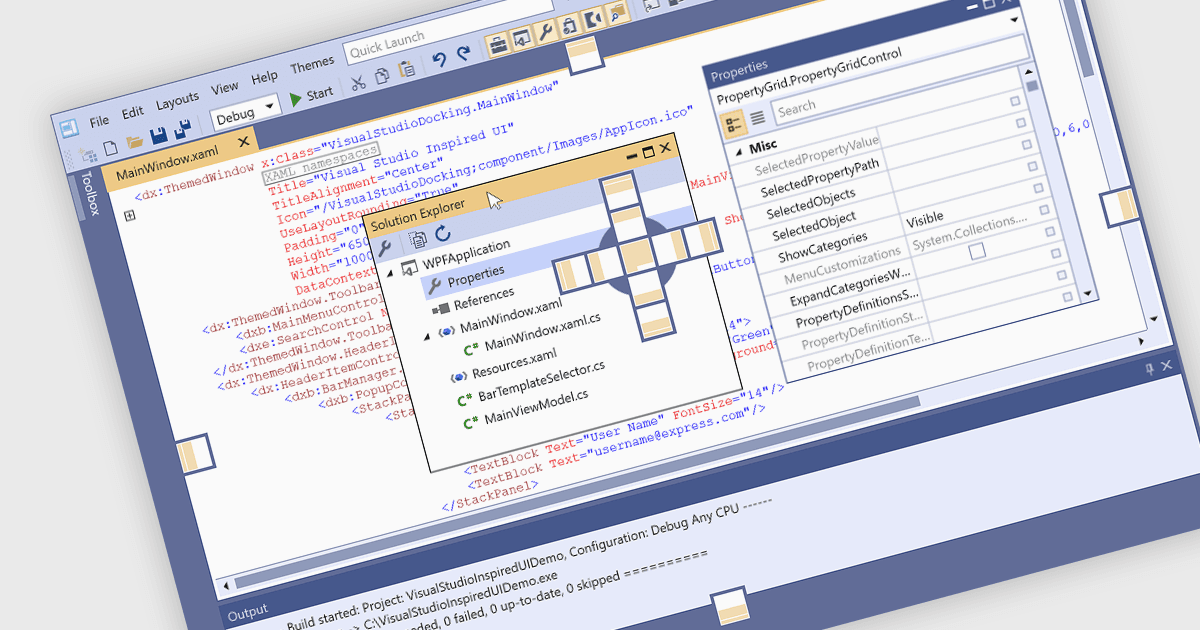
Los controles de acoplamiento (docking) son un elemento clave del diseño de interfaces de usuario que mejoran la usabilidad de aplicaciones complejas. Permiten a los usuarios reorganizar ventanas o paneles dentro de la ventana principal de la aplicación, facilitando la creación de diseños personalizados y eficientes. Estos controles normalmente admiten interacciones de arrastrar y soltar y alineación automática, lo que ayuda a los usuarios a mantener un espacio de trabajo ordenado y organizado mientras trabajan con varias herramientas o vistas de datos. Las plataformas de docking a menudo incluyen funciones como documentos con pestañas, ventanas flotantes y persistencia de la disposición, todo lo cual contribuye a un entorno de aplicación más flexible y orientado al usuario. Esto hace que el docking sea especialmente útil en entornos de software profesionales que implican grandes volúmenes de información o flujos de trabajo basados en herramientas.
Varias colecciones de UI de WPF le ofrecen compatibilidad con docking, incluyendo:
- DevExpress WPF ofrece un sistema de docking completo con persistencia avanzada de la disposición, interfaces de documentos con pestañas y personalización en tiempo de ejecución.
- ComponentOne Studio WPF de MESCIUS proporciona un control de docking que admite autoocultación (auto-hide), ventanas flotantes e integración total con sus sistemas de tema y disposición.
- Telerik UI for WPF admite paneles acoplables y flotables, documentos con pestañas, docking anidado, guardado/carga de la disposición y otros comportamientos de docking adecuados para interfaces de usuario complejas.
- Infragistics Ultimate UI for WPF incluye un marco de docking flexible con opciones de disposición ricas, como paneles anidados y serialización de contenido para guardar y restaurar disposiciones.
Para un análisis en profundidad de las funciones y el precio, visite nuestra comparación de colecciones de UI de WPF.