Añade contexto a los datos de la cuadrícula con sugerencias (tooltips)
Ofrece explicaciones, metadatos o detalles de validación directamente dentro de las cuadrículas mediante sugerencias (tooltips), ayudando a los usuarios a comprender los datos sin tener que navegar a otro lugar.
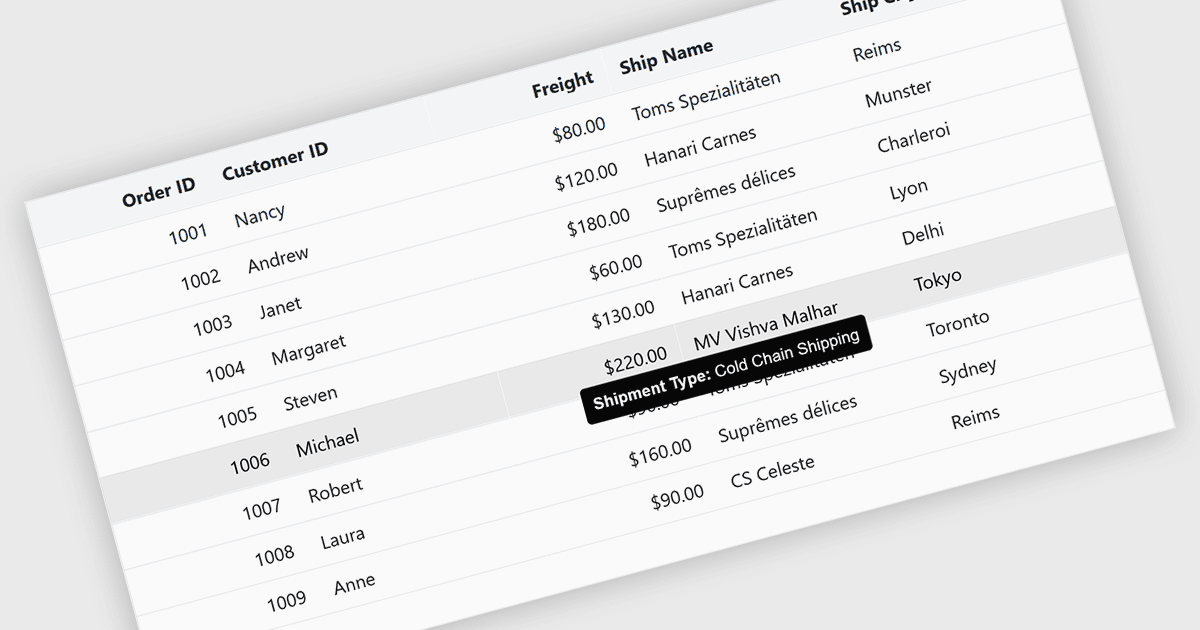
Las sugerencias (tooltips) en los componentes de cuadrícula proporcionan información contextual que aparece cuando los usuarios pasan el cursor por encima o se centran en una celda, un encabezado de columna o una fila. Ofrece una forma práctica de mostrar detalles adicionales, como el texto completo de los valores truncados, mensajes de validación o metadatos explicativos, sin saturar el diseño de la cuadrícula. En interfaces con gran cantidad de datos, esta función mejora la legibilidad y la usabilidad al mantener la vista principal concisa y, al mismo tiempo, hacer que la información secundaria esté disponible cuando sea necesario.
Varios controles de cuadrícula de Blazor ofrecen FEATURE incluyendo:
- Telerik UI Blazor Data Grid (parte de Telerik UI para Blazor) proporciona sugerencias configurables para celdas y encabezados, y permite a los desarrolladores controlar el contenido, la posición y la visualización.
- ComponentOne Blazor FlexGrid (parte de ComponentOne Studio Blazor Edition de MESCIUS) ofrece sugerencias que se pueden aplicar a nivel de celda, lo que resulta útil para mostrar valores completos.
- Blazorise admite sugerencias (tooltips) en cuadrículas al integrar sus componentes de sugerencias con tablas de datos, lo que permite a los desarrolladores adjuntar contenido descriptivo o dinámico a las celdas.
- Syncfusion Blazor DataGrid (parte de Syncfusion Essential Studio Enterprise) incluye funcionalidad de sugerencias integrada que funciona junto con sus funciones de personalización de columnas y celdas.
Para un análisis en profundidad de las funciones y el precio, visita nuestra comparación de controles de cuadrícula de Blazor.