Aplicar temas para un diseño coherente de hojas de cálculo
Mejore el diseño de las hojas de cálculo con temas personalizables que aplican colores y fuentes coherentes al instante para una presentación de datos más clara.
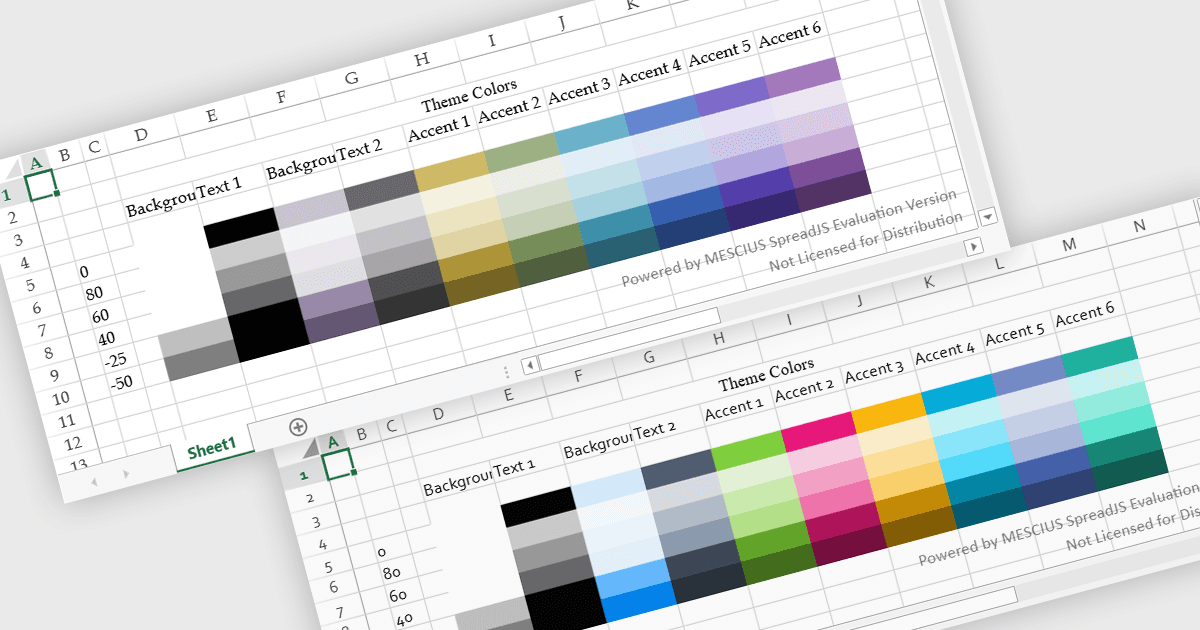
Los temas de hoja de cálculo proporcionan un estilo visual coherente al aplicar colores, fuentes y formato coordinados en todo un libro de trabajo. En lugar de dar estilo manualmente a elementos individuales, los usuarios pueden aplicar rápidamente un tema para garantizar que las tablas, los gráficos y los rangos de datos sigan el mismo diseño. Esto mejora la legibilidad, optimiza la presentación de datos y ayuda a mantener un aspecto profesional y cohesionado en todos los informes. Los temas son especialmente útiles al crear paneles de control empresariales, informes financieros o documentos compartidos del equipo, donde un formato coherente y una jerarquía visual clara facilitan la interpretación de los datos y su alineación con la identidad de marca de la empresa.
Varios controles de hoja de cálculo de JavaScript ofrecen compatibilidad con la aplicación de temas, entre ellos:
- Kendo UI jQuery Spreadsheet (parte de Kendo UI) de Telerik le permite aplicar un estilo coherente con temas personalizables que unifican fuentes, colores y formato.
- SpreadJS de MESCIUS le permite implementar temas reutilizables para hojas de cálculo que estandarizan los estilos visuales en todas las hojas de trabajo, mejorando la claridad y la coherencia de la marca.
- Infragistics Ultimate UI for jQuery Spreadsheet (parte de Infragistics Professional) facilita el estilo de hojas de cálculo con formato basado en temas que alinea colores, fuentes y diseños.
- Jspreadsheet Pro permite a los desarrolladores dar estilo a las hojas de cálculo con temas configurables que crean una estructura visual coherente y mejoran la legibilidad en tablas basadas en web.
Para un análisis en profundidad de las funciones y el precio, visite nuestra comparación de controles de hoja de cálculo de JavaScript.