Migliorare le app WPF con una barra ribbon
Offri ai tuoi utenti un’interfaccia moderna e intuitiva con un menu ribbon.
4 luglio 2023Funzionalità in evidenza
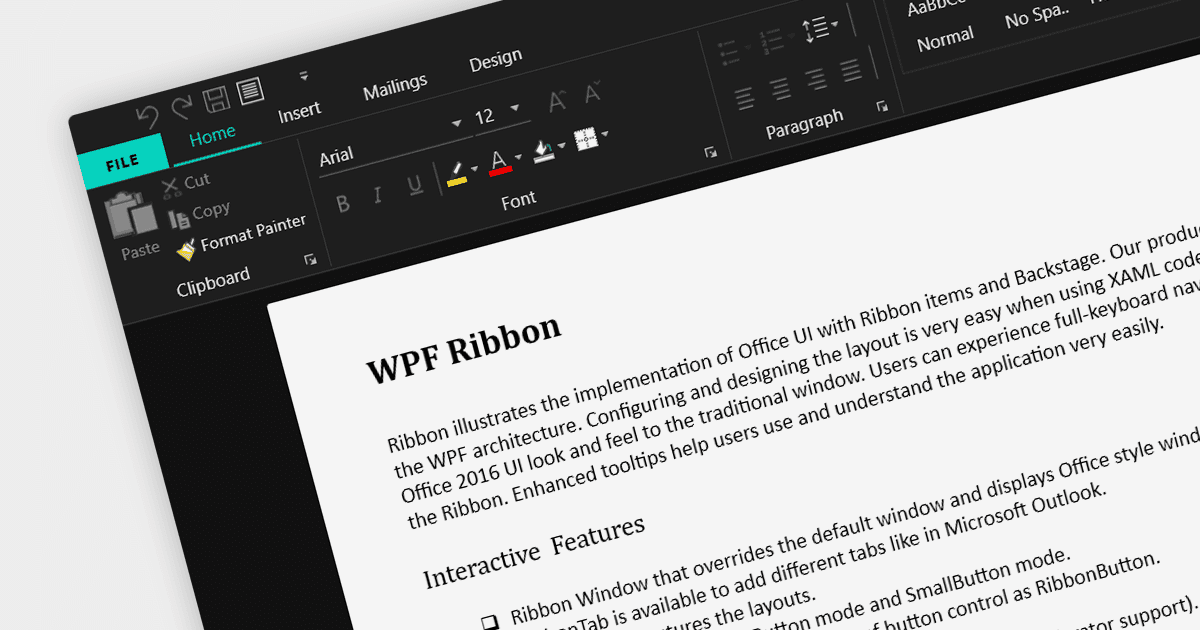
Un controllo ribbon è un elemento dell’interfaccia utente grafica che consiste in una barra orizzontale che visualizza vari comandi e funzioni organizzati in schede e gruppi per un accesso e una navigazione semplici. Le ribbon sono progettate per essere facili da usare e da comprendere. Gli strumenti vengono raggruppati in modo logico, rendendo facile per gli utenti trovare i comandi necessari, anche se non hanno familiarità con l’applicazione.
Ecco alcuni esempi di suite WPF UI che offrono un controllo ribbon:
- DevExpress WPF fornisce un set completo di controlli WPF, incluso un controllo Ribbon ricco di funzionalità per creare interfacce utente moderne ed efficienti. Grazie alle sue ampie opzioni di personalizzazione e alle funzionalità integrate, semplifica il processo di sviluppo e migliora l’esperienza dell’utente finale.
- Infragistics Ultimate UI for WPF offre una ribbon dotata di varie opzioni di design, un’integrazione fluida con altri controlli, consentendo agli sviluppatori di creare applicazioni interattive e visivamente accattivanti.
- Telerik UI for WPF include un versatile controllo RibbonView che consente agli sviluppatori di progettare interfacce utente intuitive e produttive. RibbonView si integra facilmente con altri controlli Telerik e offre un look e una sensazione coerenti su piattaforme diverse.
- Actipro WPF Studio offre un controllo Ribbon altamente personalizzabile, consentendo agli sviluppatori di creare interfacce utente di livello professionale. Con ampie opzioni di stile e il supporto per funzionalità WPF come comandi e menu dell’applicazione, Actipro permette agli sviluppatori di realizzare applicazioni ribbon straordinarie.
Per un’analisi approfondita di funzionalità e prezzo, visita la nostra comparazione delle suite WPF UI.