Concentrati su specifici sottoinsiemi di dati per un’analisi più semplice
Il filtraggio consente agli utenti delle griglie di dati di ingrandire rapidamente i dati rilevanti per individuare trend e scoprire insight.
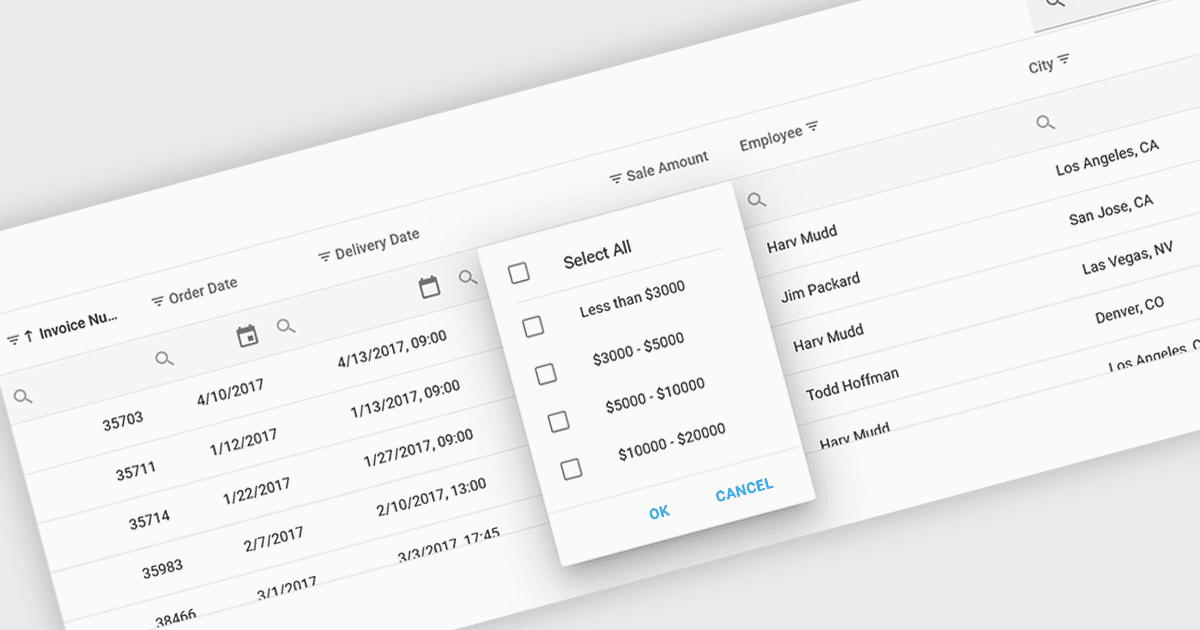
L’uso di un controllo a griglia con supporto per i filtri consente agli utenti di restringere dinamicamente i dati visualizzati in base a criteri specifici. Questa funzionalità aiuta gli utenti a concentrarsi su sottoinsiemi di informazioni pertinenti filtrando le singole colonne tramite operatori, parole chiave o opzioni predefinite. Il filtraggio migliora l’efficienza dell’esplorazione dei dati e riduce il carico cognitivo presentando solo i dati che si allineano all’analisi corrente dell’utente.
Diverse griglie React offrono funzionalità di filtraggio, tra cui:
- DevExtreme HTML5 JavaScript Data Grid (parte di DevExtreme Complete by DevExpress) consente agli utenti filtri versatili lato client e filtraggio remoto.
- Handsontable di Handsoncode offre filtri integrati per le colonne, permettendoti di cercare e filtrare i dati direttamente nell’interfaccia simile a un foglio di calcolo.
- KendoReact Data Grid (parte di KendoReact by Telerik) offre funzionalità avanzate, tra cui filtraggio senza distinzione tra maiuscole e minuscole, operatori di filtro personalizzati e menu di filtro simili a quelli di Excel.
- Wijmo FlexGrid (parte di Wijmo by MESCIUS) ti consente di filtrare i dati per colonne utilizzando vari operatori e supporta il filtraggio basato su strutture gerarchiche dei dati.
Per un’analisi approfondita delle funzionalità e del prezzo, visita il nostro confronto tra controlli React Grid.