Blocca le colonne per una migliore leggibilità della griglia di dati
Consenti agli utenti di lavorare con griglie WinForms che bloccano i dati importanti in vista, semplificando l’analisi di dati complessa e rendendo la navigazione più semplice.
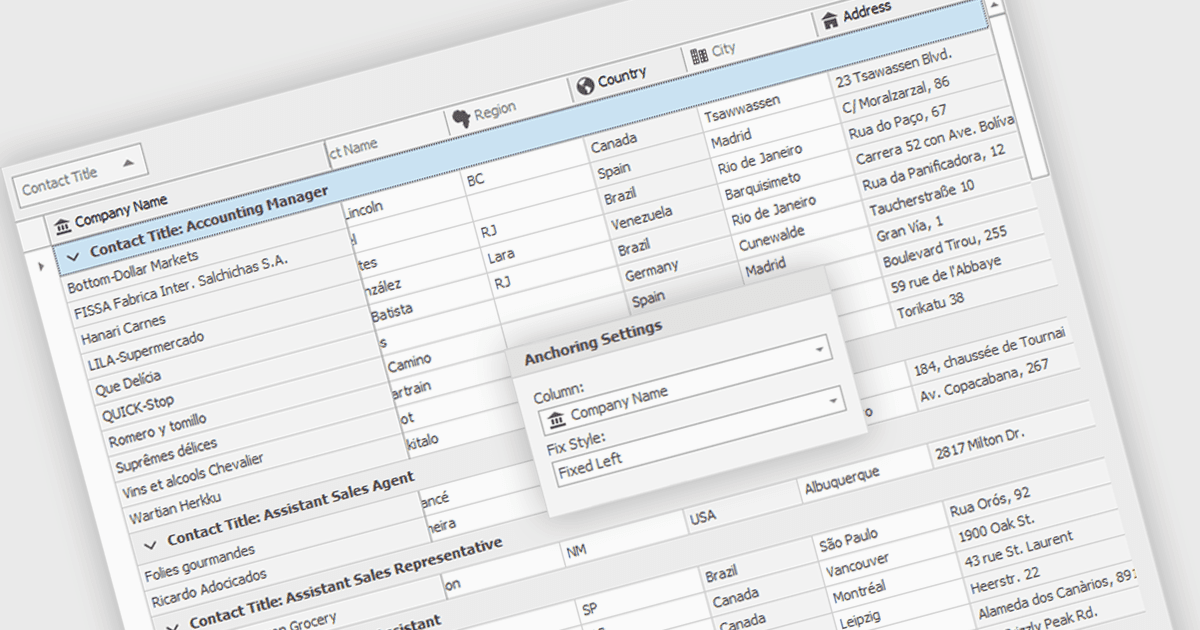
Bloccare le colonne consente di mantenere visibili sullo schermo alcune colonne specifiche della griglia mentre l’utente scorre orizzontalmente il resto dei dati. Questa funzionalità è utile per gli sviluppatori di software perché migliora l’esperienza utente assicurando che informazioni di riferimento importanti, come gli identificatori di riga o le intestazioni di colonna, restino costantemente in vista indipendentemente dalla larghezza dell’insieme di dati. Questo può aiutare in modo significativo la comprensione dei dati e la navigazione per gli utenti che lavorano con set di dati di grandi dimensioni.
Diversi componenti griglia WinForms consentono di bloccare le colonne, tra cui:
- DevExpress WinForms Data Grid (parte di DevExpress WinForms) offre agli sviluppatori un robusto blocco delle colonne per un chiaro contesto dei dati durante lo scorrimento orizzontale.
- FlexGrid for WinForms (parte di ComponentOne Studio WinForms di MESCIUS) offre il blocco delle colonne per mantenere visibili i dati essenziali durante la navigazione di set di dati ampi.
- Telerik UI for WinForms GridView (parte di Telerik UI for WinForms) include la funzionalità di blocco delle colonne, migliorando la comprensione dei dati durante lo scorrimento orizzontale.
- Infragistics WinDataGrid (parte di Infragistics Ultimate UI per Windows Forms) migliora l’UX con il fissaggio delle colonne, assicurando che le colonne di riferimento restino visibili in ogni momento.
Per un’analisi approfondita delle funzionalità e dei prezzi, visita il nostro confronto dei componenti griglia WinForms.