Semplifica il processo di debug con le watch
Gli IDE che offrono watch durante il debug riducono la necessità di eseguire ripetutamente il codice e di effettuare controlli manuali, rendendo più semplice risolvere rapidamente i problemi.
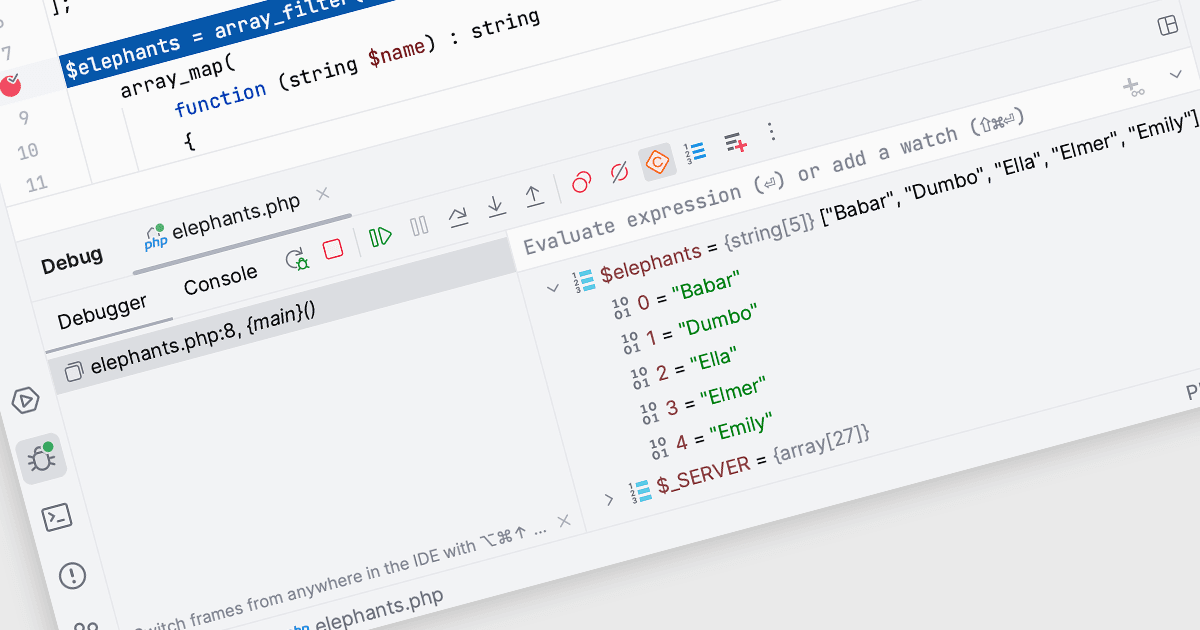
Nei Integrated Development Environments (IDEs), le watch all'interno dello strumento di debug consentono agli sviluppatori di monitorare e valutare variabili o espressioni specifiche mentre un programma è in esecuzione o va in pausa in corrispondenza di un breakpoint. Aggiungendo una watch, gli sviluppatori possono osservare come cambia nel tempo il valore di una variabile o seguire il risultato di un'espressione, il che aiuta a comprendere il comportamento del programma e a identificare potenziali problemi. Questo favorisce una visione più approfondita durante la fase di debug, consentendo una diagnosi efficiente dei problemi e la validazione della logica nel codice senza dover aggiungere ulteriori statement di stampa o modificare il codice sorgente.
Diversi Integrated Development Environments (IDEs) offrono la funzionalità di watch, tra cui:
- PhpStorm di JetBrains ti permette di monitorare dinamicamente i valori delle variabili durante le sessioni di debug, rendendo più semplice individuare e correggere i problemi del codice.
- EiffelStudio di Eiffel Software offre funzionalità di watch complete per l'ispezione in tempo reale delle variabili, aiutando gli sviluppatori a seguire il flusso dei dati e le variazioni dello stato.
- B4i (iOS) di Anywhere Software facilita l'aggiunta di watch per osservare le trasformazioni delle variabili, migliorando l'efficienza del debug nei progetti di sviluppo iOS.
- RemObjects Elements ti consente di impostare watch e tracciare espressioni su più piattaforme, semplificando il processo di debug nelle applicazioni complesse e multi-linguaggio.
Per un'analisi approfondita delle funzionalità e dei prezzi, visita il nostro confronto tra Integrated Development Environments (IDEs).