Aggiungi chiarezza ai PDF con le annotazioni con frecce
I marcatori direzionali migliorano le revisioni dei documenti e le illustrazioni tecniche, offrendo una comunicazione più chiara e migliorando la leggibilità dei PDF.
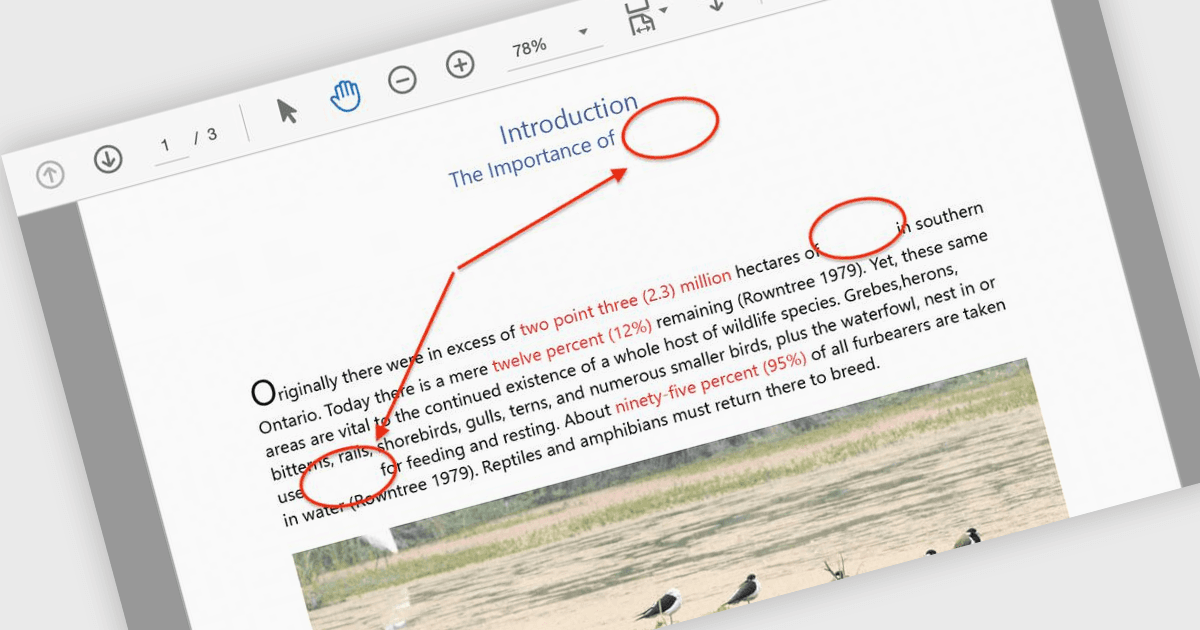
Le annotazioni con frecce sono strumenti visivi che consentono agli utenti di attirare l'attenzione su elementi specifici all'interno di un PDF utilizzando frecce come indicatori direzionali. Queste annotazioni sono particolarmente utili per guidare i lettori attraverso diagrammi complessi, flussi di lavoro o illustrazioni tecniche in cui la chiarezza è fondamentale. Puntando sulle aree chiave, le frecce aiutano a eliminare la confusione, assicurano che i dettagli importanti non vengano trascurati e semplificano la comunicazione durante le revisioni dei documenti o le discussioni collaborative. I casi d'uso più comuni includono l'annotazione di schemi di ingegneria, la marcatura delle aree da revisionare nelle bozze di progettazione e l'evidenziazione di specifici punti dati nei report. Il risultato è un documento più intuitivo e coinvolgente che comunica in modo efficace il messaggio previsto. Molte librerie di elaborazione PDF supportano la creazione, la personalizzazione e la manipolazione delle annotazioni con frecce in modo programmatico, offrendo opzioni come colore, spessore, trasparenza e posizionamento per adattarsi a diversi casi d'uso.
Diverse componenti PDF per ASP.NET Core offrono annotazioni con frecce, tra cui:
- Document Solutions for PDF di MESCIUS consente agli utenti di creare e personalizzare annotazioni con frecce con larghezza, colore e stili di linea regolabili per migliorare la marcatura dei documenti.
- ImageGear for .NET di Accusoft permette agli sviluppatori di aggiungere, modificare e rimuovere annotazioni con frecce in modo programmatico, con un controllo preciso su posizionamento e aspetto.
- Syncfusion ASP.NET Core PDF (parte di Syncfusion Essential Studio Enterprise) offre annotazioni con frecce ricche, che possono essere create e modificate dinamicamente per un'esperienza utente interattiva.
Per un'analisi approfondita di funzionalità e prezzo, visita il nostro confronto delle componenti PDF per ASP.NET Core.