Usa controlli di input visivi reattivi in .NET
Dotando le loro app di controlli editor di dati di tipo rating e trackbar, gli sviluppatori .NET possono offrire un inserimento dati intuitivo ed efficiente per gli utenti finali.
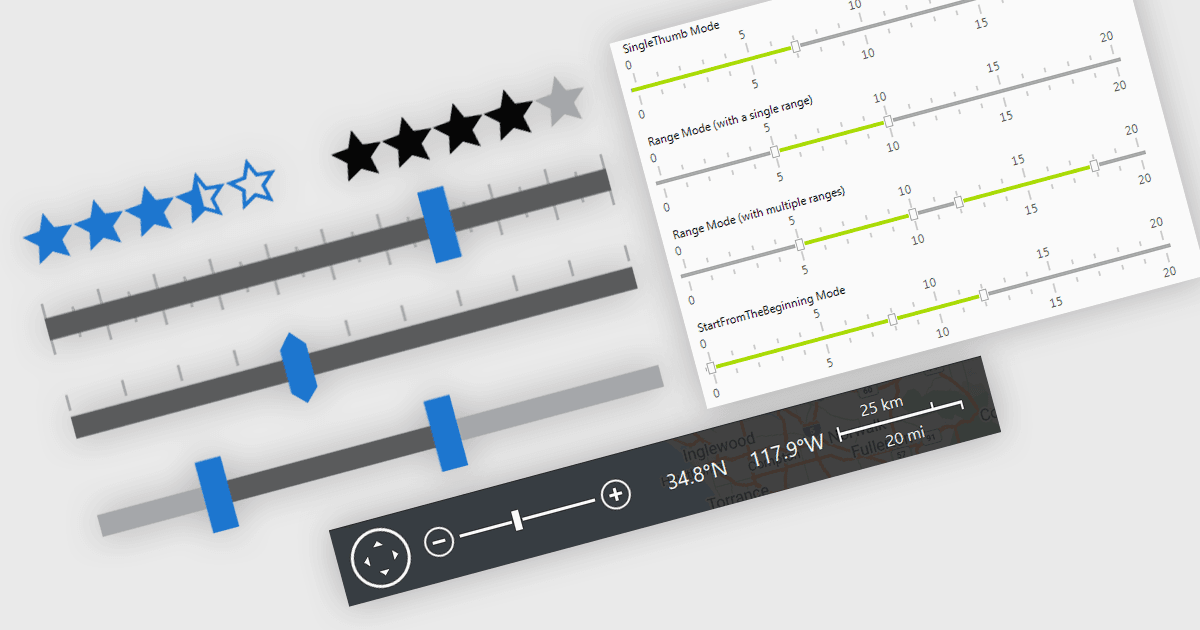
Nelle applicazioni .NET che richiedono la modifica dei dati, gli elementi visivi dell’interfaccia utente svolgono un ruolo fondamentale nel migliorare il modo in cui gli utenti inseriscono e regolano i dati. Per l’immissione dei dati, componenti di visualizzazione come trackbar, range slider, controlli di zoom ed elementi di valutazione offrono un’alternativa interattiva ai campi di testo o ai menu a discesa, rendendo più intuitivi e precisi i meccanismi di inserimento dei dati e di feedback. Che si tratti di impostare soglie numeriche o di filtrare insiemi di dati in base a limiti definiti dall’utente, di regolare la scala di visualizzazione di grafici, timeline o display di dati grafici, oppure di acquisire rapidamente il feedback, questi controlli contribuiscono a un’interfaccia più reattiva e user-friendly. Questi componenti sono particolarmente utili in scenari che richiedono un input finemente regolato o una valutazione soggettiva, aiutando gli utenti a effettuare rapide modifiche senza interrompere il flusso di lavoro dell’utente finale.
Le funzionalità comuni includono:
- Range Trackbars consentono la selezione di un intervallo di valori continuo tramite due maniglie trascinabili, permettendo agli utenti finali di selezionare un intervallo di valori.
- Rating i controlli offrono un’interfaccia grafica, in genere con stelle o barre, per consentire agli utenti di fornire feedback o valutazioni qualitative.
- Trackbars consentono agli utenti di selezionare un singolo valore all’interno di un intervallo usando un cursore trascinabile, spesso utilizzato per input numerici o percentuali.
- Zoom Trackbars offrono un modo per ingrandire e rimpicciolire in modo interattivo tramite barre di zoom simili a quelle presenti nelle applicazioni Microsoft Office.
Per un’analisi approfondita delle funzionalità e del prezzo, visita il nostro confronto tra editor di dati .NET.