Trasforma il modo in cui gli utenti interagiscono con i PDF
Gli strumenti di modifica integrati consentono agli utenti di comprimere, riorganizzare, unire o dividere i documenti, rendendo i visualizzatori PDF più utili per i flussi di lavoro reali.
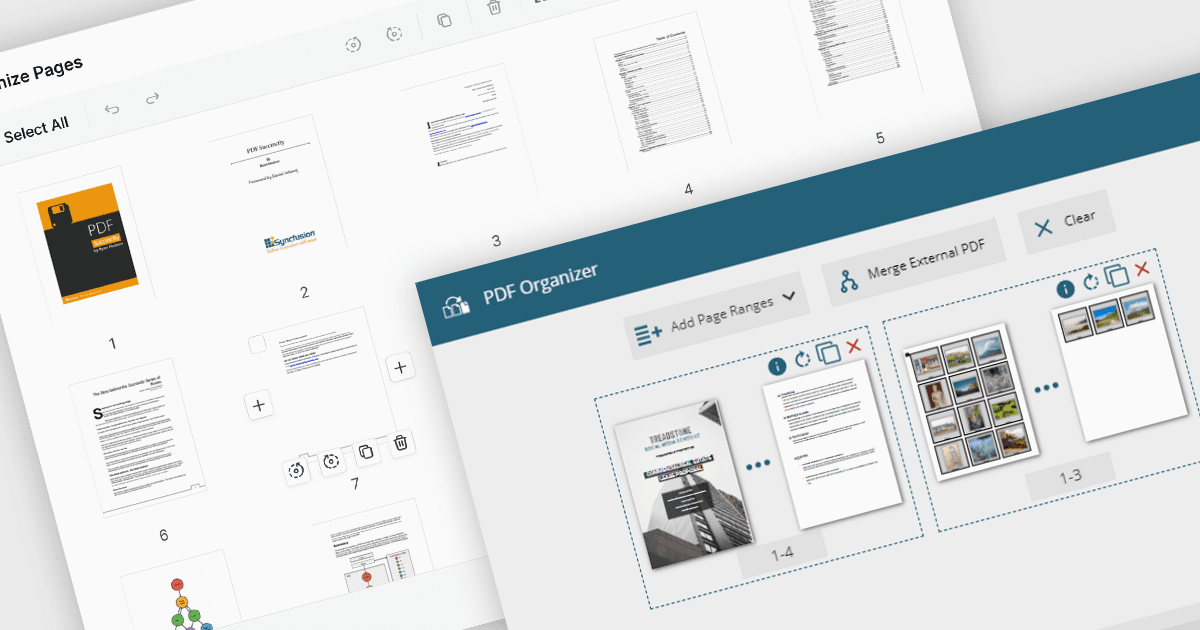
Le funzionalità di manipolazione dei PDF nei componenti del visualizzatore estendono l’esperienza utente oltre la semplice lettura, consentendo modifiche strutturali in tempo reale ai documenti. Queste capacità sono particolarmente preziose in flussi di lavoro incentrati sui documenti, in cui gli utenti devono riorganizzare, combinare o rifinire contenuti senza passare tra più strumenti. Sia che siano integrate in portali web, sistemi aziendali o applicazioni di produttività, le funzioni di manipolazione integrate rendono i visualizzatori PDF più interattivi e pratici per le attività quotidiane come l’assemblaggio, la modifica e la pulizia dei documenti.
Funzionalità comuni includono:
- Aggiungere pagine a un PDF consente di inserire nuove pagine da template vuoti o file esterni, supportando l’espansione o la correzione dei documenti.
- Comprimere i PDF riduce la dimensione del file mantenendo la qualità, rendendo i PDF più facili da archiviare, inviare e caricare, soprattutto in ambienti basati sul web.
- Eliminare pagine da un PDF consente agli utenti di rimuovere pagine indesiderate o ridondanti, aiutando a semplificare i documenti prima della condivisione o dell’archiviazione.
- Estrarre pagine da un PDF significa che le pagine selezionate possono essere isolate e salvate come nuovo documento, utile per creare riepiloghi o condividere sezioni specifiche.
- Unire PDF combina più file in un unico documento, ideale per raggruppare report, contratti o registri.
- Spostare pagine in un PDF consente agli utenti di riordinare le pagine tramite interfacce drag-and-drop o API, adattando la struttura del documento senza strumenti esterni.
- Dividere i PDF consente di suddividere documenti di grandi dimensioni in file più piccoli in base a intervalli di pagine o sezioni, semplificando la distribuzione o il controllo delle versioni.
Per un’analisi approfondita delle funzionalità e del prezzo, visita la nostra comparazione dei componenti del visualizzatore PDF ASP.NET Core.
Esplora le funzionalità di manipolazione dei PDF in ASP.NET Core