Regola la larghezza delle colonne della griglia per visualizzazioni dei dati più chiare
Ridimensiona le colonne per ottimizzare lo spazio, ridurre il disordine e offrire una griglia più pulita e mirata per analisi dei dati più rapide e decisioni più intelligenti.
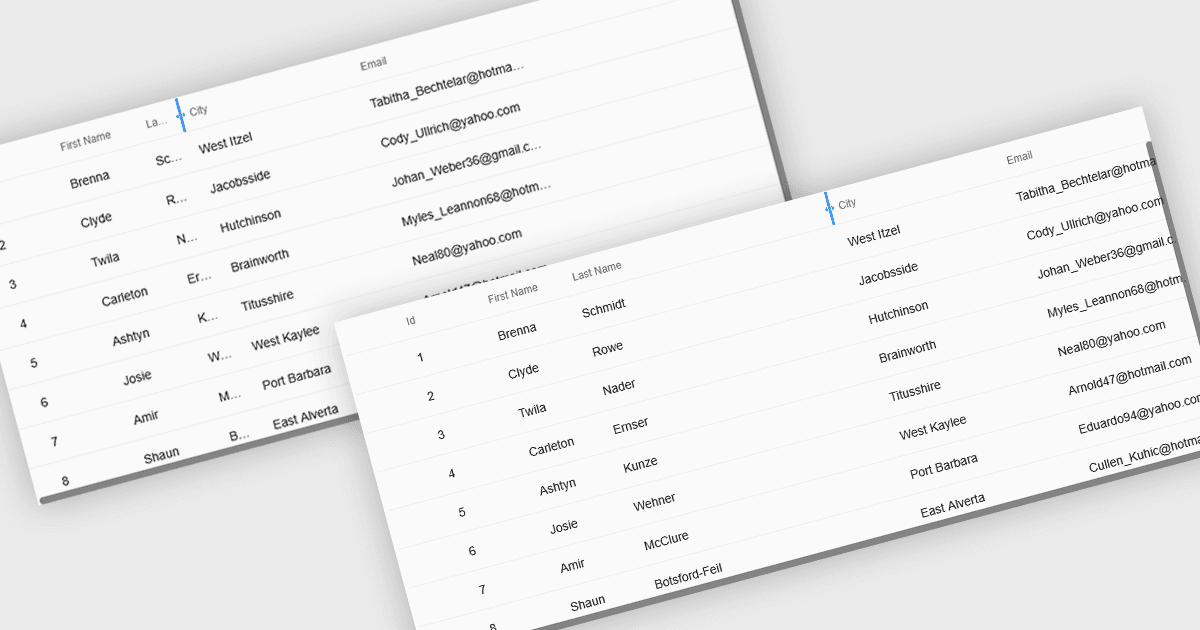
Le colonne della griglia ridimensionabili consentono agli utenti di regolare la larghezza di ogni colonna in una tabella dati, offrendo loro un controllo diretto su come vengono visualizzate le informazioni. Questo migliora la leggibilità evitando che il testo venga tagliato, riduce il disordine restringendo i campi meno importanti e crea uno spazio di lavoro più pulito ed efficiente. È particolarmente utile con set di dati di grandi dimensioni, nomi di prodotto lunghi, descrizioni dettagliate o tipi di dati misti, ad esempio espandendo una colonna “Description” per leggere tutto il testo o restringendo le colonne numeriche per confrontare rapidamente i valori. Che si tratti di dashboard, pannelli di amministrazione, strumenti di reportistica o sistemi di inserimento dati, il ridimensionamento delle colonne migliora l’usabilità, accelera l’analisi e supporta un’esperienza di visualizzazione più personalizzata.
Diverse soluzioni di griglia React offrono supporto per l’espansione e il ridimensionamento delle colonne, tra cui:
- DevExtreme React Data Grid (parte di DevExtreme Complete di DevExpress) ti consente di ridimensionare le colonne per migliorare la leggibilità, ridurre il disordine e lavorare in modo efficiente con i dati.
- Handsontable di Handsoncode ti consente di ridimensionare le colonne per visualizzare tutto il contenuto, personalizzare i layout, minimizzare il disordine e analizzare in modo più efficace e con più sicurezza set di dati diversi.
- BestReactGrid facilita il ridimensionamento delle colonne per ottimizzare lo spazio, mettere in evidenza i dettagli chiave, migliorare la leggibilità e creare un flusso di lavoro dei dati più pulito ed efficiente.
- Ignite UI React Grid (parte di Infragistics Ignite UI) ti consente di ridimensionare le colonne per visualizzazioni più chiare, confronti più rapidi e una migliore comprensione dei dati.
Per un’analisi approfondita di funzionalità e prezzo, visita il nostro confronto tra controlli della griglia React.