Inserire script non latini nelle data grid WPF
Il supporto per Input Method Editor (IME) consente alle applicazioni WPF di gestire l’input di testo per script complessi direttamente all’interno dei componenti di griglia modificabili.
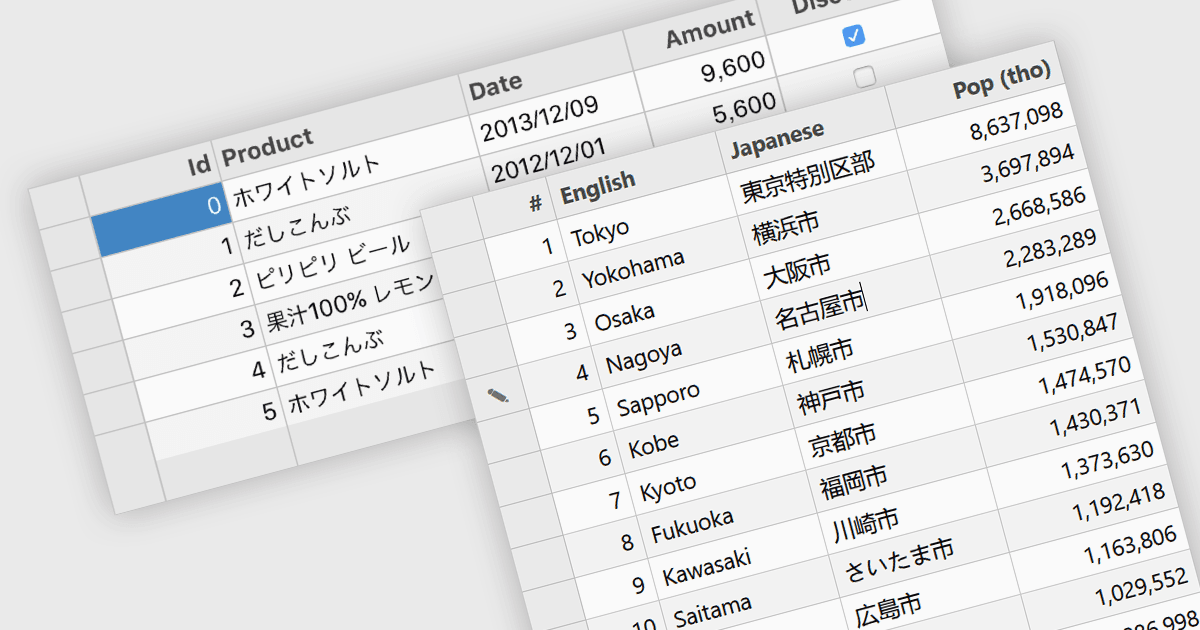
Il supporto per Input Method Editor (IME) si riferisce alla capacità di un’applicazione o di un controllo di gestire correttamente l’input di testo complesso, in particolare per le lingue che richiedono la composizione, come cinese, giapponese e coreano. L’IME consente agli utenti di inserire caratteri non disponibili direttamente su una tastiera fisica convertendo le sequenze di tasti nell’ortografia corretta, migliorando accessibilità e usabilità per l’input multilingue. Se applicato a una data grid in un’applicazione, questa funzionalità garantisce che gli utenti possano inserire e modificare in modo affidabile testo multilingue direttamente nelle celle della griglia, senza perdita dell’input o problemi di formattazione. Il supporto IME in una data grid è particolarmente prezioso per le applicazioni che gestiscono dati strutturati tra diverse regioni, in quanto consente l’inserimento accurato di nomi, descrizioni e altri contenuti localizzati preservando al contempo i normali comportamenti della griglia, come modifica, validazione e navigazione.
Diversi componenti di griglia WPF includono il supporto per Input Method Editor, tra cui:
- DevExpress WPF Data Grid (parte di DevExpress WPF) supporta l’input multilingue nelle celle della griglia, consentendo agli utenti di inserire caratteri complessi secondo necessità.
- ComponentOne WPF FlexGrid (parte di ComponentOne Studio WPF by MESCIUS) consente l’inserimento di caratteri composti per le lingue che richiedono la composizione dell’input.
- Infragistics Ultimate UI for WPF Data Grid (parte di Infragistics Ultimate UI for WPF) facilita l’inserimento di script complessi nelle celle della griglia per l’immissione di dati multilingue.
Per un’analisi approfondita delle funzionalità e dei prezzi, visita la nostra comparazione dei componenti di griglia WPF.