Aggiungi una Tabella Pivot WinForms alla tua applicazione .NET
Usa Spread.NET per esplorare e analizzare i dati direttamente all'interno di un'applicazione Windows.
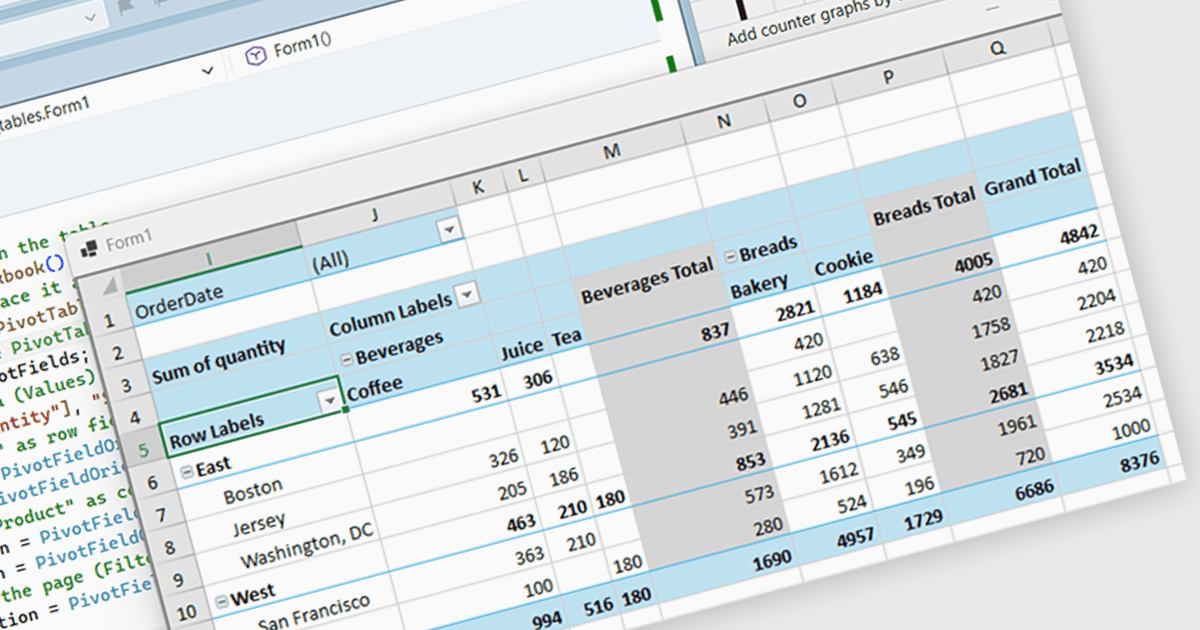
Spread.NET ti aiuta a creare fogli di calcolo, griglie, dashboard e moduli. Include un potente motore di calcolo con oltre 450 funzioni e la possibilità di importare ed esportare fogli di calcolo Excel. Sfrutta l'ampia API per fogli di calcolo .NET e il potente motore di calcolo per creare applicazioni di analisi, budgeting, dashboard, raccolta e gestione dati, scientifiche e finanziarie.
In questo articolo del blog, MESCIUS Product Marketing Specialist Mackenzie Albitz mostra come creare una Tabella Pivot usando il componente Spread.NET WinForms, consentendo ai tuoi utenti di analizzare rapidamente grandi set di dati con la possibilità di riepilogare, raggruppare e riorganizzare i dati. La creazione della Tabella Pivot include i seguenti passaggi:
- Creare un PivotCache
- Creare la Tabella Pivot
- Accedere alla raccolta PivotFields
- Aggiungere il campo Values
- Configurare i campi riga
- Configurare i campi colonna
- Aggiungere un campo filtro
Sono inclusi il codice sorgente dettagliato e i dati di esempio per assisterti lungo il percorso.
Leggi l'articolo completo del blog per scoprire come integrare un componente per fogli di calcolo nelle tue applicazioni .NET e offrire ai tuoi utenti funzionalità familiari di foglio di calcolo senza rimandarli a un programma esterno.
Spread.NET è concesso in licenza per sviluppatore ed è disponibile come licenza Perpetual o Annual, a seconda della località geografica. Possiamo fornire qualsiasi licenza Spread.NET, incluse nuove licenze, rinnovi della manutenzione e licenze di upgrade. Consulta la nostra pagina di licenza di Spread.NET per tutti i dettagli.
Per ulteriori informazioni, visita la nostra pagina del prodotto Spread.NET.