Naviga nei documenti PDF con facilità
Aiuta gli utenti a trovare più rapidamente i contenuti di cui hanno bisogno con strumenti di navigazione intuitivi per segnalibri, anteprime, collegamenti ipertestuali e sommari documentali.
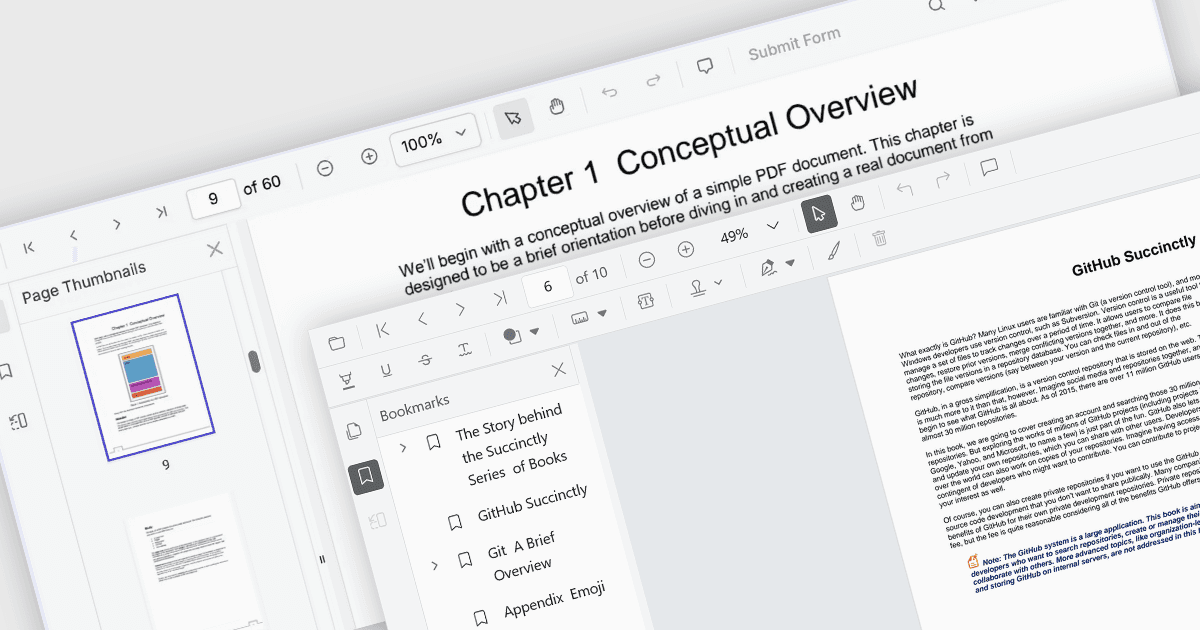
I componenti viewer PDF di ASP.NET Core offrono diverse funzionalità per una navigazione fluida ed efficiente di documenti complessi, migliorando l'esperienza utente nelle applicazioni web. Questi viewer consentono agli utenti di muoversi attraverso i PDF utilizzando controlli intuitivi che supportano l'esplorazione strutturata dei documenti. Sfruttando le funzionalità avanzate di navigazione, gli sviluppatori possono integrare accessi fluidi e user-friendly ai contenuti, tramite anteprime sotto forma di miniature, link interni o strutture documentali predefinite come il sommario.
Le caratteristiche comuni includono:
- La navigazione tramite segnalibri consente un accesso rapido a sezioni predefinite all'interno di un PDF, permettendo agli utenti di saltare direttamente ai contenuti rilevanti senza dover scorrere manualmente le pagine.
- La navigazione tramite miniature mostra anteprime ridotte delle pagine del documento, permettendo agli utenti di identificare visivamente e navigare verso specifiche sezioni.
- La navigazione tramite collegamenti ipertestuali supporta link cliccabili all'interno dei documenti PDF, consentendo agli utenti di spostarsi ad altre pagine, posizioni segnate o risorse web esterne.
- La navigazione tramite sommario presenta la struttura gerarchica del documento in un pannello facile da consultare, aiutando gli utenti a trovare rapidamente capitoli, titoli e altri contenuti organizzati.
Per un'analisi approfondita delle funzionalità e dei prezzi, visita la nostra comparazione dei componenti viewer PDF di ASP.NET Core.