Add Clarity and Context to PDF Files
Annotations enable users to highlight key sections, provide comments, or suggest edits to PDF documents, ensuring feedback is as clear as possible.
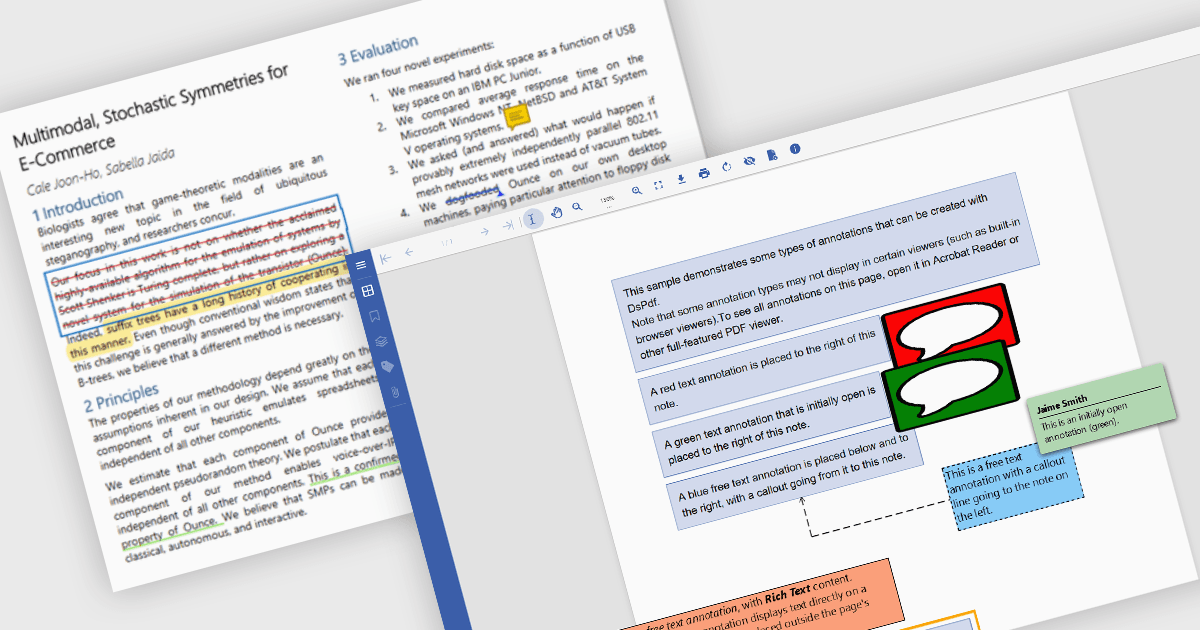
PDF annotation capabilities in PDF components provide powerful tools for users to interact with and enhance digital documents. These features are essential across industries where document review, feedback, and collaboration are critical, such as legal, education, engineering, and publishing. By integrating annotation support, developers enable users to mark up content visually, add commentary, and highlight important information, all without altering the underlying document content. Annotations are typically stored separately from the base file data, ensuring document integrity while allowing flexible interaction.
Common features include:
- Free Text annotations allow users to insert editable text anywhere on the page, useful for adding clarifications or context.
- Freehand Draw (Ink Annotations) let users sketch directly onto the page for informal notes or diagrammatic feedback.
- Highlight Text annotations help draw attention to key passages by applying a translucent overlay.
- Lines annotations provide a precise way to mark connections or callouts, often used in technical reviews.
- Rectangles annotations offer a clean method to emphasize or outline specific areas of interest.
- Stamp annotations enable users to apply predefined or custom graphical markers, such as approval seals or confidentiality warnings.
- Sticky Note annotations allow users to attach small pop-up comments to any part of the document for easy reference.
- Strikethrough annotations visually indicate content that may need deletion or reconsideration.
- Underline Text annotations subtly emphasize text without obscuring it.
For an in-depth analysis of features and price, visit our .NET PDF components comparison.