Find Content Fast in PDF Documents
Let your application locate and extract specific text from PDF files, whether for navigation, validation, or data extraction.
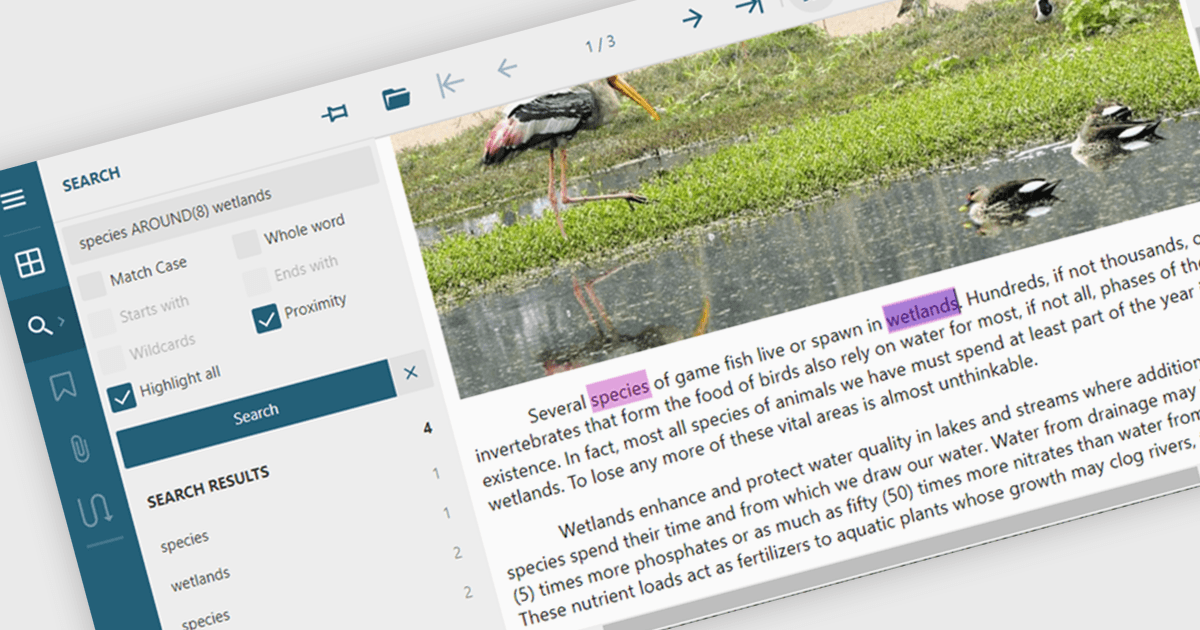
Text searching in a PDF component refers to the ability to programmatically locate and extract text within a PDF document based on specific search criteria. This functionality typically supports case sensitivity, whole word matching, and regular expressions, enabling precise querying across pages or document sections. For developers, it facilitates building features such as keyword highlighting, document indexing, content validation, and automated redaction workflows. By integrating text search, applications can efficiently interact with PDF content without manual review, saving time and improving data accessibility and accuracy across business and document automation systems.
Several ASP.NET Core PDF components allow you to search for text within a PDF file, including:
- Document Solutions for PDF by MESCIUS lets you perform case-sensitive, text searches across PDFs for precise content handling.
- Telerik UI PDF for ASP.NET Core (part of Telerik UI for ASP.NET Core) allows you to locate text within PDF files using search APIs.
- Syncfusion ASP.NET Core PDF (part of Syncfusion Essential Studio Enterprise) facilitates text extraction and keyword searches in PDFs.
For an in-depth analysis of features and price, visit our comparison of ASP.NET Core PDF components.