Create and Edit PDF Form Fields in the Browser
Use JavaScript PDF viewers to add, rename, or remove fields directly in PDF forms without needing external editors.
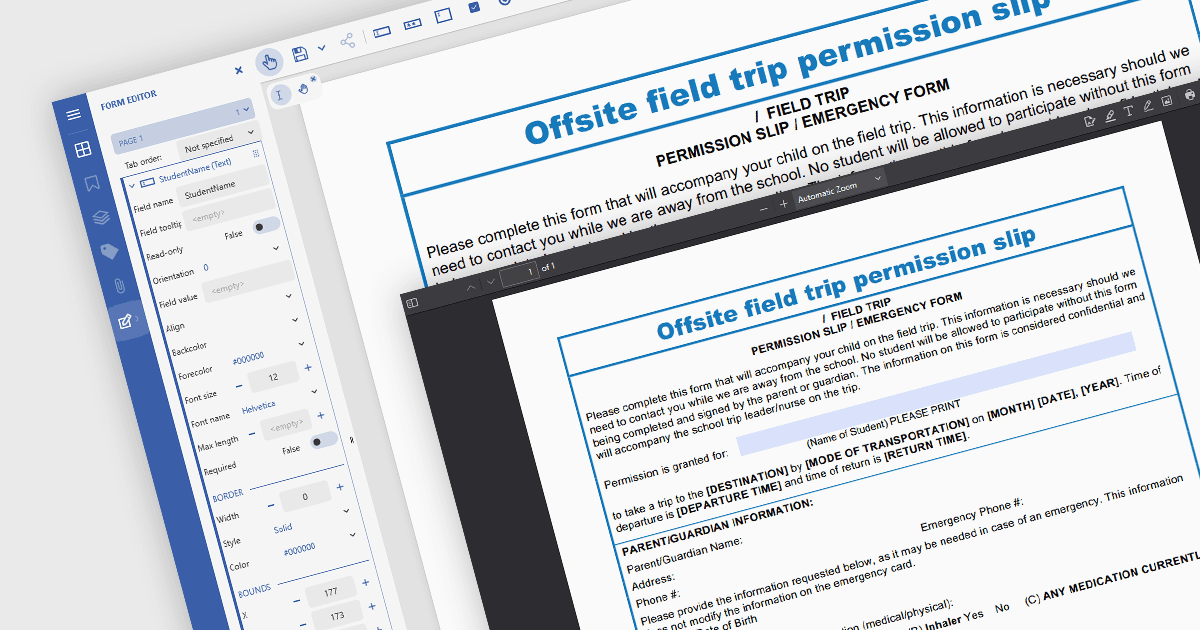
In JavaScript-based PDF viewers, the ability to add, edit, remove, and rename form fields within Acrobat-style PDF forms allows developers and users to dynamically manage form structure and content directly within the browser. This functionality enables real-time customization of interactive PDF documents without requiring external PDF editors. By supporting operations like inserting new text fields, adjusting existing ones, deleting unused fields, or updating field names to match data schemas, this feature significantly enhances the flexibility and usability of PDF forms. It benefits workflows such as document automation, digital signatures, and data collection, particularly in applications where user-driven or programmatic form manipulation is essential for tailoring documents to specific tasks or data sources.
Several JavaScript PDF viewer components allow you to add, edit and remove form fields from PDF forms, including:
- Document Solutions for PDF by MESCIUS includes a JavaScript PDF viewer in the Professional edition that enables developers to modify and manage form fields.
- PrizmDoc Viewer (part of PrizmDoc by Accusoft) provides an HTML5 document viewer which lets you adjust, rename, and delete PDF form fields within a JavaScript interface.
- Syncfusion PDF Viewer (part of Syncfusion Essential Studio Enterprise) equips JavaScript applications with PDF form functionality, including interactive form field manipulation.
For an in-depth analysis of features and price, visit our comparison of JavaScript PDF viewer components.