Export Reports with Fillable PDF AcroForms
Export report fields as interactive PDF AcroForms, enabling easy data entry, consistent formatting, and broad PDF viewer compatibility.
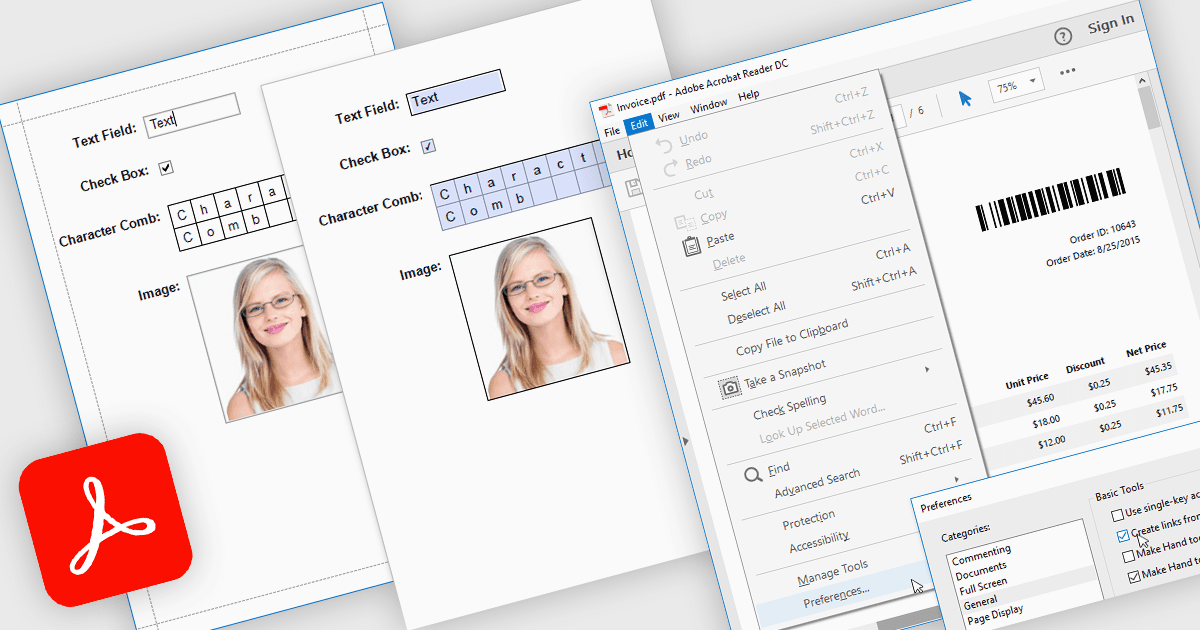
Exporting reports to PDF with AcroForms enables reports to be saved as PDF files containing fully interactive form fields, rather than static text. Editable elements such as text boxes, checkboxes, radio buttons, and drop-down lists remain fillable after export, allowing users to complete forms directly in standard PDF viewers like Adobe Acrobat Reader - without the need for specialized software. The benefits are considerable: organizations can reduce manual data entry, maintain consistent formatting across distributed documents, and improve accessibility for end users. For instance, a company might export an invoice report with editable billing details, create a survey that recipients can fill out digitally, or generate compliance forms that clients can complete and return electronically. By embedding interactive fields directly into exported reports, AcroForms help make document workflows more efficient, accurate, and user-friendly.
Several .NET WPF reporting controls offer Export to PDF with AcroForms including:
- DevExpress Reports (Multi-Platform) lets you export interactive PDFs with AcroForms, enabling editable fields across diverse devices and viewers.
- ActiveReports.NET by MESCIUS allows you to create reports exported as AcroForm PDFs, supporting digital data entry, compliance, and improved form distribution.
- List & Label Enterprise Reporting Edition by combit facilitates exporting fillable PDFs with AcroForms, preserving interactive fields for professional, user-friendly data collection.
- FastReport .NET WPF enables generating reports as interactive AcroForm PDFs, combining dynamic layouts with editable fields for efficient digital workflows.
For an in-depth analysis of features and price, visit our comparison of .NET WPF reporting controls.