Simplify PDF Form Design with Full Field Control
Design professional PDF forms with freedom to add, edit, remove, and rename fields while customizing colors and layouts.
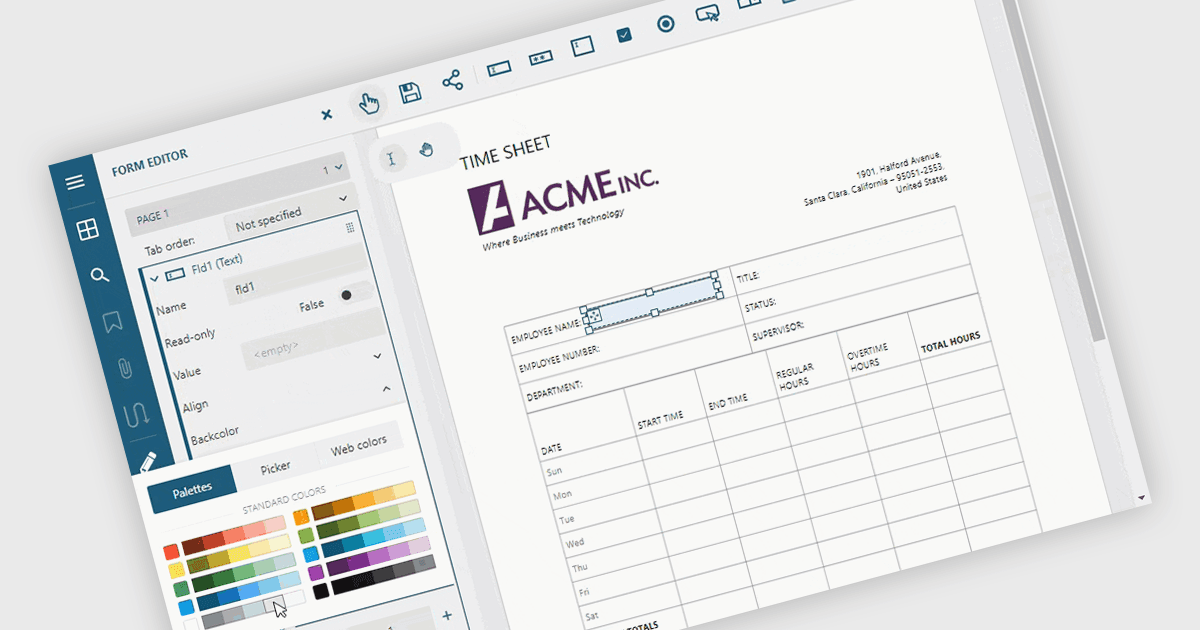
Adding and modifying form fields in PDF editing provides full control over form design and content. It lets users insert, modify, delete, or rename interactive fields such as text boxes, checkboxes, and signature areas to keep forms accurate and up to date. Visual customization, including adjusting field colors and layouts, helps create professional, branded documents. Common uses include updating HR application forms, refining finance templates, and simplifying legal agreements for faster completion.
Several ASP.NET Core PDF components allow you to add, edit and remove form fields from PDF forms, including:
- Document Solutions for PDF by MESCIUS lets you easily add, edit, remove, and rename interactive form fields to create precise, dynamic PDF documents.
- Telerik UI PDF for ASP.NET Core (part of Telerik UI for ASP.NET Core) allows developers to customize PDF form fields effortlessly, ensuring accuracy and professional presentation.
- ImageGear for .NET facilitates complete control over PDF form fields, enabling seamless creation, modification, and organization of interactive document elements.
- Syncfusion ASP.NET Core PDF (part of Syncfusion Essential Studio Enterprise) enables users to update PDF forms by adding, editing, renaming, or removing fields as needed.
For an in-depth analysis of features and price, visit our comparison of ASP.NET Core PDF components.