Add Images to Grid Cells for Visual Context
Display images directly within grid cells to make information instantly clear, improving usability, visual appeal, and overall data comprehension.
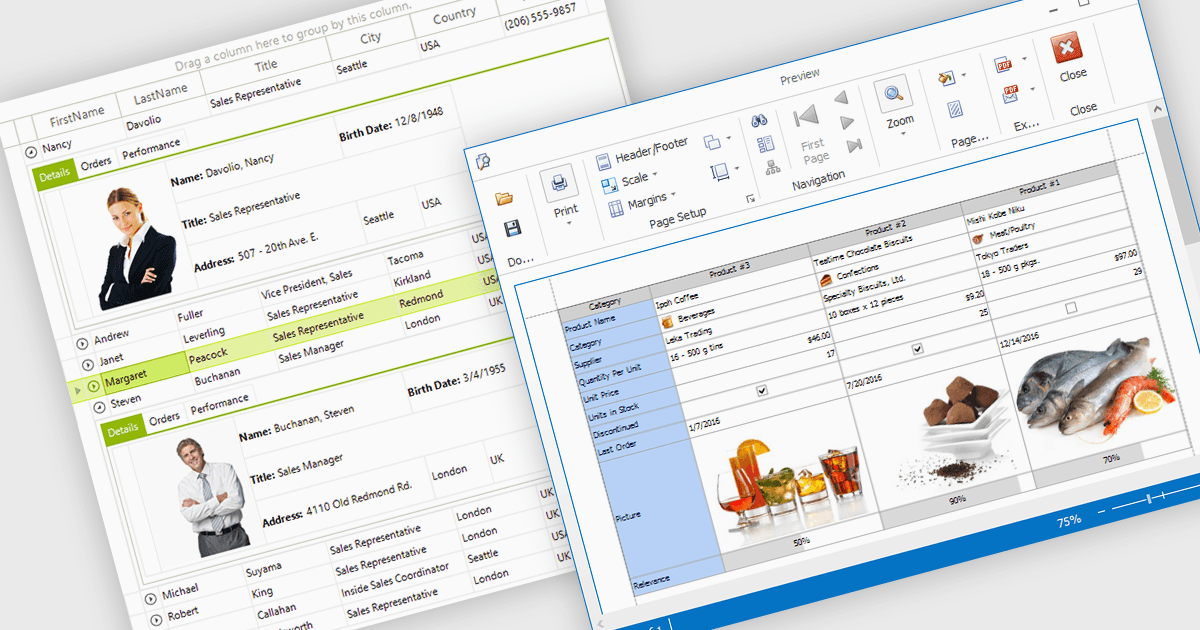
Displaying an image within a grid cell allows developers to combine visual and textual data, making information more intuitive and engaging. This feature enables images such as icons, product photos, or user avatars to appear directly alongside related values, providing immediate visual context and helping users quickly interpret complex datasets. The result is a more dynamic and user-friendly interface that enhances clarity, recognition, and overall usability. Common use cases include showing product images in inventory lists, employee photos in directories, or country flags in international sales reports, allowing users to connect visuals with data for faster understanding and improved decision-making.
Many .NET WinForms grid controls support displaying images within cells, including:
- DevExpress WinForms Data Grid (part of DevExpress WinForms) lets you embed images directly in cells, enriching data presentation with intuitive, visually informative elements.
- Telerik UI for WinForms GridView (part of Telerik UI for WinForms) enables image display inside cells, combining visuals with data to create polished, interactive grid interfaces.
- FlexGrid for WinForms (part of ComponentOne Studio WinForms by MESCIUS) allows you to display images alongside text, creating visually engaging data views.
- Infragistics WinDataGrid (part of Infragistics Ultimate UI for Windows Forms) facilitates image integration within cells for enhanced clarity across complex data sets.
For an in-depth analysis of features and price, visit our comparison of .NET WinForms Grid Controls.