Improve Navigation with a Ribbon Layout
Enhance usability and productivity with a modern ribbon UI that organizes commands clearly and delivers fast, context-aware access.
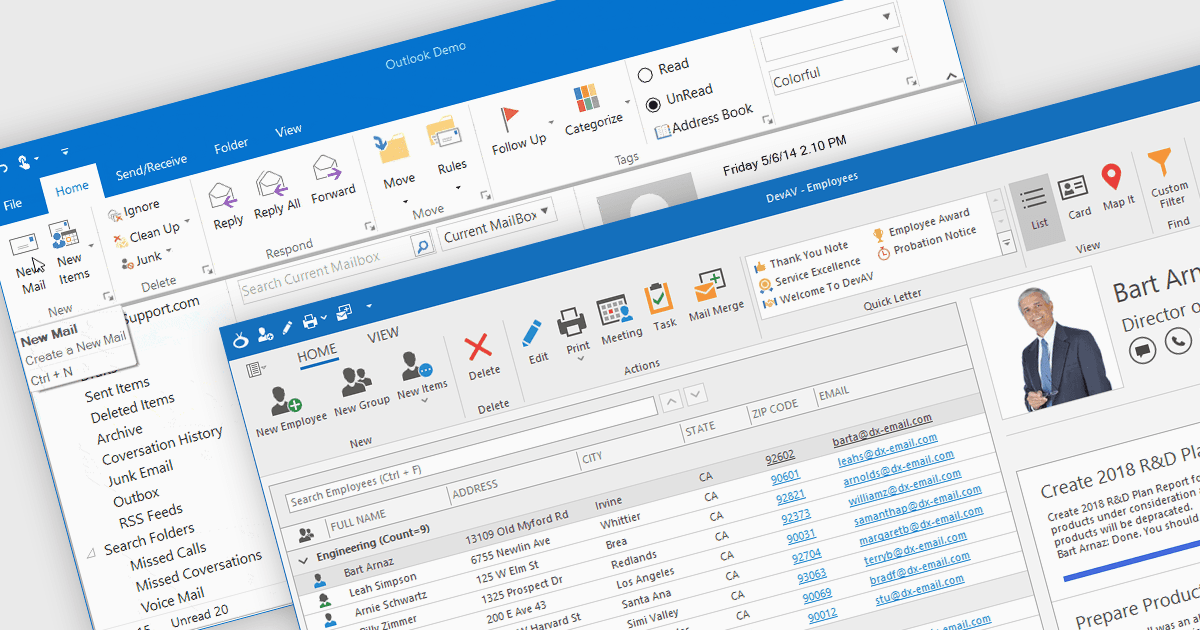
Ribbons provide a structured, visual command interface that organizes application features into clearly labeled tabs and groups, improving discoverability, efficiency, and usability. By surfacing frequently used and context-aware commands, ribbons reduce navigation time and deliver a familiar, professional user experience. Commonly used in productivity software, data-driven applications, design tools, and enterprise systems, ribbon interfaces are ideal for applications with rich functionality where users need quick, intuitive access to a wide range of tools.
Several .NET WinForms UI suites offer ribbon control including:
- DevExpress WinForms lets you build Office-style ribbon interfaces with contextual tabs, galleries, customization, and touch-friendly navigation for complex desktop applications.
- Telerik UI for WinForms allows you to create flexible ribbon controls with rich styling, responsive layouts, and improved command organization.
- Infragistics Ultimate UI for Windows Forms facilitates advanced ribbon experiences with high-performance rendering, adaptive behavior for enterprises.
- Syncfusion Essential Studio UI Component Suite allows you to implement customizable ribbon interfaces with extensive controls and themes.
For an in-depth analysis of features and price, visit our comparison of .NET WinForms UI suites.