Navigate PDFs Faster with Bookmarks
Provide structured, tree-based navigation that lets users jump directly to relevant sections and interact with documents more efficiently.
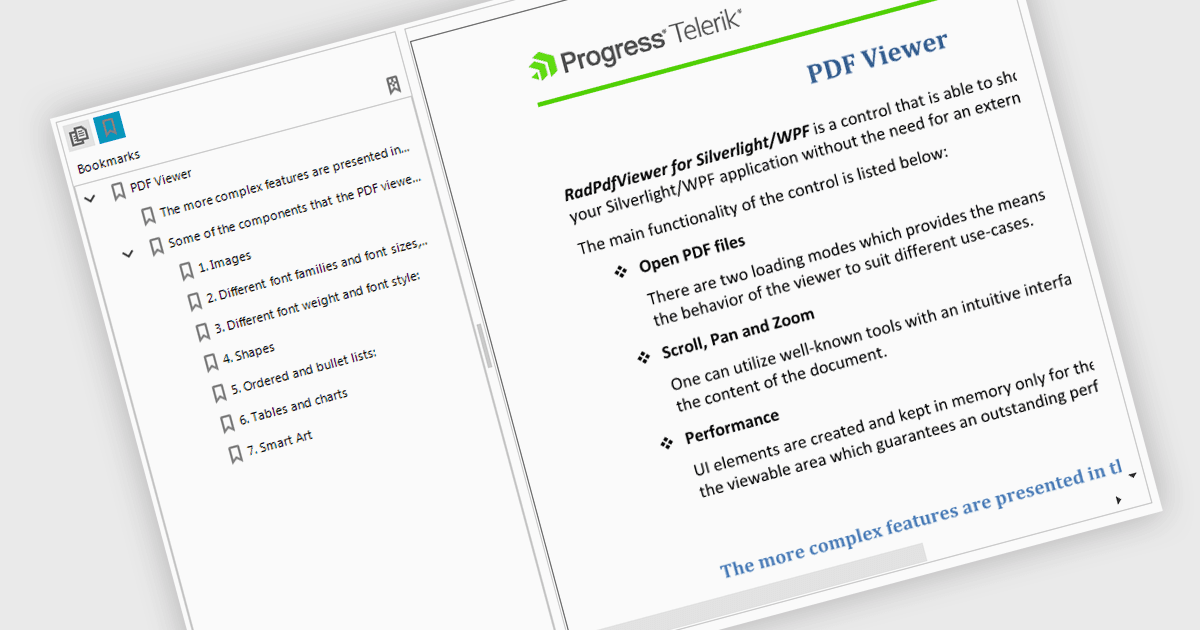
Bookmark navigation in a PDF Viewer enables developers to expose the hierarchical bookmark structure embedded within a PDF so users can quickly jump to specific sections or pages. It typically presents bookmarks in a tree view synchronized with the document, allowing programmatic control and event handling for selection changes. This capability improves usability in applications that handle large or structured documents by reducing manual scrolling, supporting faster content discovery, and providing a more organized reading experience.
Several WinForms PDF Viewer components support bookmark navigation, including:
- Telerik UI for WinForms PDF Viewer (part of Telerik UI for WinForms) lets you display hierarchical bookmarks and navigate to document sections.
- DevExpress WinForms PDF Viewer (part of DevExpress WinForms) allows you to present bookmark trees and jump between pages while maintaining context.
- ComponentOne WinForms FlexViewer (part of ComponentOne Studio WinForms by MESCIUS) facilitates bookmark navigation enabling users to locate content quickly.
- PDFView4NET Windows Forms Edition by PDF4DEV Solutions lets you integrate bookmark panels that provide access to document sections.
For an in-depth analysis of features and price, visit our comparison of WinForms PDF Viewer components.