Speed Up Spreadsheet Navigation
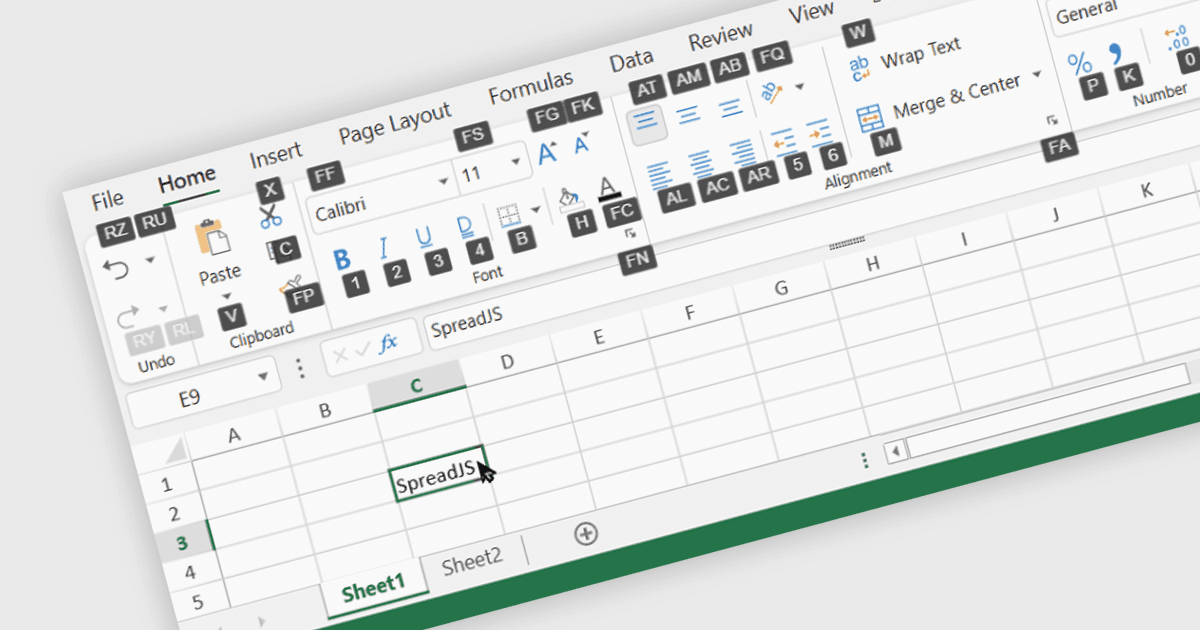
SpreadJS 19.2 adds Ribbon KeyTips to help users navigate tabs, open menus and execute commands quickly using the keyboard.
SpreadJS from MESCIUS is a JavaScript spreadsheet solution that enables developers to add Excel-like spreadsheet functionality to web applications. It provides tools for working with data, formulas, charts, tables and other familiar spreadsheet features, helping developers build rich, interactive data experiences directly in the browser.
The SpreadJS 19.2 release adds Excel-like Ribbon KeyTips to the SpreadJS Designer, giving users a faster, keyboard-based way to access commands. Pressing Alt or F10 displays visible key labels for the File Menu and Ribbon tabs, enabling users to navigate tabs, open menus and execute commands without relying on a mouse. Developers can enable or disable KeyTips, customize the activation keys and define their own KeyTip values through the Ribbon configuration. As well as improving keyboard accessibility, the feature provides power users with a quicker way to work with the Designer and creates a more familiar Excel-like spreadsheet experience.
To see a full list of what's new in v19.2, see our release notes.
SpreadJS is licensed per developer and includes 1 Year Maintenance (major and minor version releases and unlimited support phone calls). SpreadJS requires an Annual or Perpetual Deployment License. The optional Add-ons are available at an additional cost, and require a SpreadJS license. See our SpreadJS licensing page for full details.
Learn more on our SpreadJS product page.