Customize Workspaces with Flexible Docking
Create flexible layouts with docking components that let users arrange panels, improve organization and maximize available screen space.
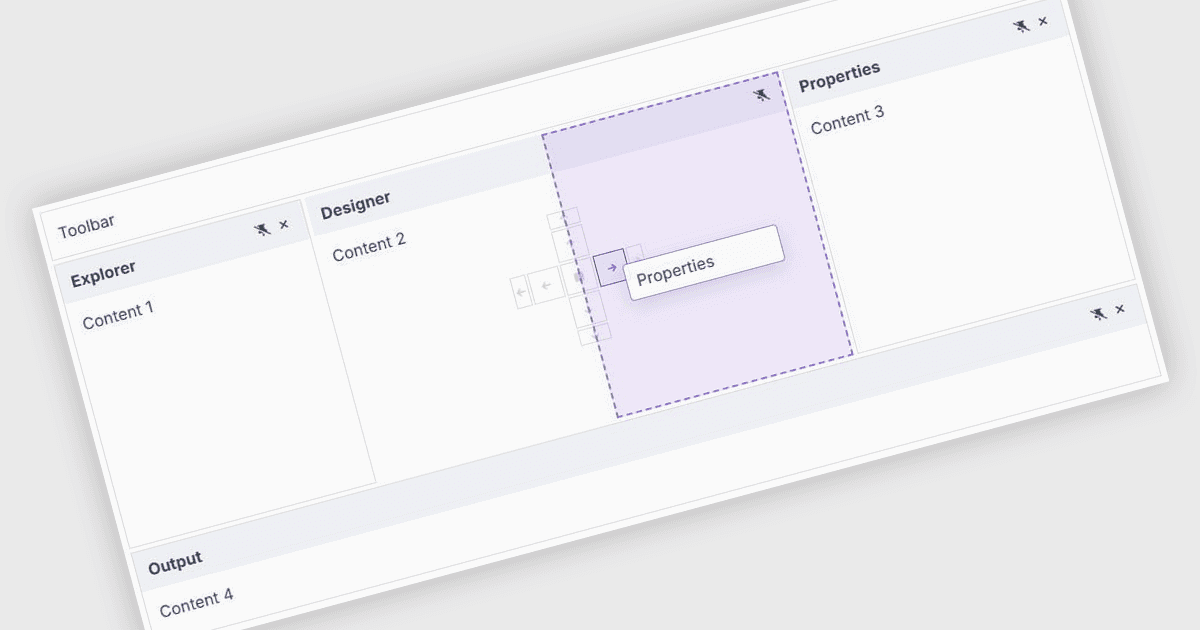
A docking control enables developers to build flexible application interfaces where users can arrange, resize, dock and undock panels within the workspace. This improves organization, makes better use of available screen space and allows users to customize layouts around their individual workflows. For example, docking functionality can be used in data dashboards, development environments, business applications and administration tools where users need to keep multiple panels, tools and information easily accessible.
Several .NET Blazor UI suites provide you with docking support, including:
- Blazorise allows you to build responsive application layouts with dockable panels that improve workspace organization and adapt to changing user needs.
- Smart UI (Smart HTML Elements) facilitates flexible workspace customization through docking functionality, enabling users to arrange, resize and reposition panels.
- Infragistics Professional lets you create customizable docked interfaces with flexible panels that users can resize, reposition, organize and manage efficiently.
For an in-depth analysis of features and price, visit our comparison of .NET Blazor UI suites.