Use Grouping to Organize Complex Data
Group related grid rows into clear, navigable structures that make large datasets easier to explore, compare, and analyze.
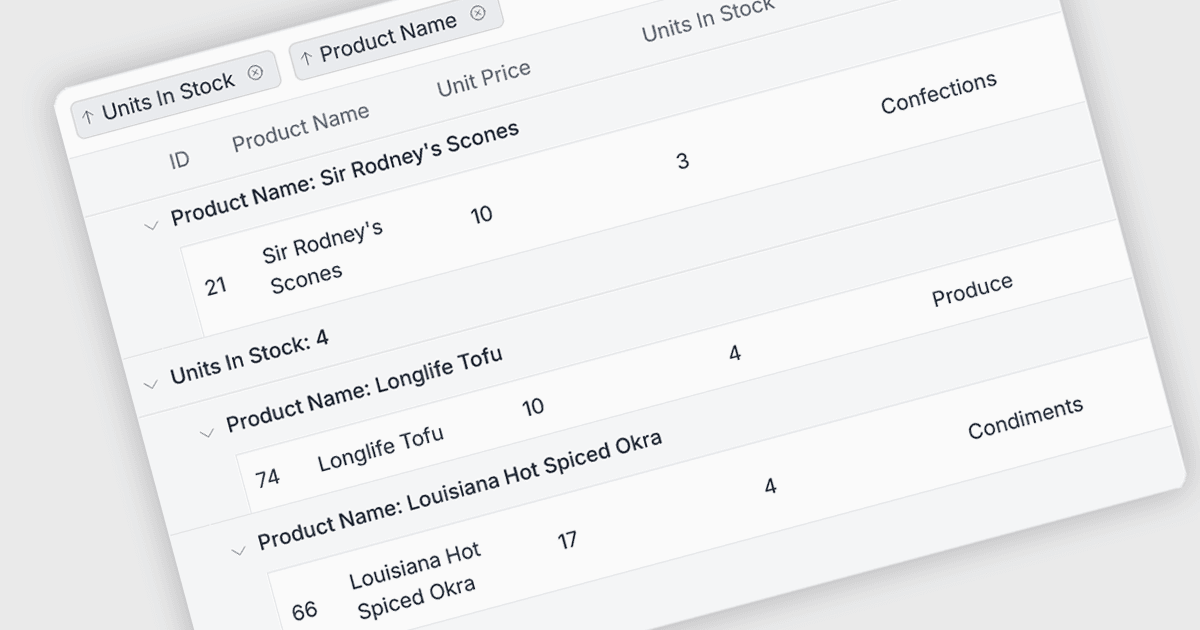
Grouping functionality in a React grid enables developers to organize rows into logical groups based on shared values, such as category, status, region, or date. It makes large datasets easier to navigate and analyze by presenting related records together, often with expandable and collapsible groups, aggregate values, and multi-level grouping. For developers, grouping can reduce the need to build custom data organization interfaces while giving users a clearer way to identify patterns, compare related records, and work efficiently with complex datasets.
Several React grid components include grouping functionality, including:
- DevExtreme React Data Grid by DevExpress lets you group records by single or multiple columns, with collapsible groups and configurable user-driven grouping controls.
- KendoReact Data Grid by Telerik facilitates grouping table data with configurable display modes, expandable groups, and support for grouped aggregates.
- Wijmo React DataGrid (FlexGrid) by MESCIUS enables multi-level data grouping through interactive drag-and-drop by end users.
- Handsontable by Handsoncode allows you to group related columns using multi-level nested headers, including collapsible groups for clearer organization of datasets.
For an in-depth analysis of features and price, visit our comparison of React grid components.