Add Free Text Annotations to PDF Pages
Place comments and explanations directly on PDF pages so readers can see feedback alongside the relevant content.
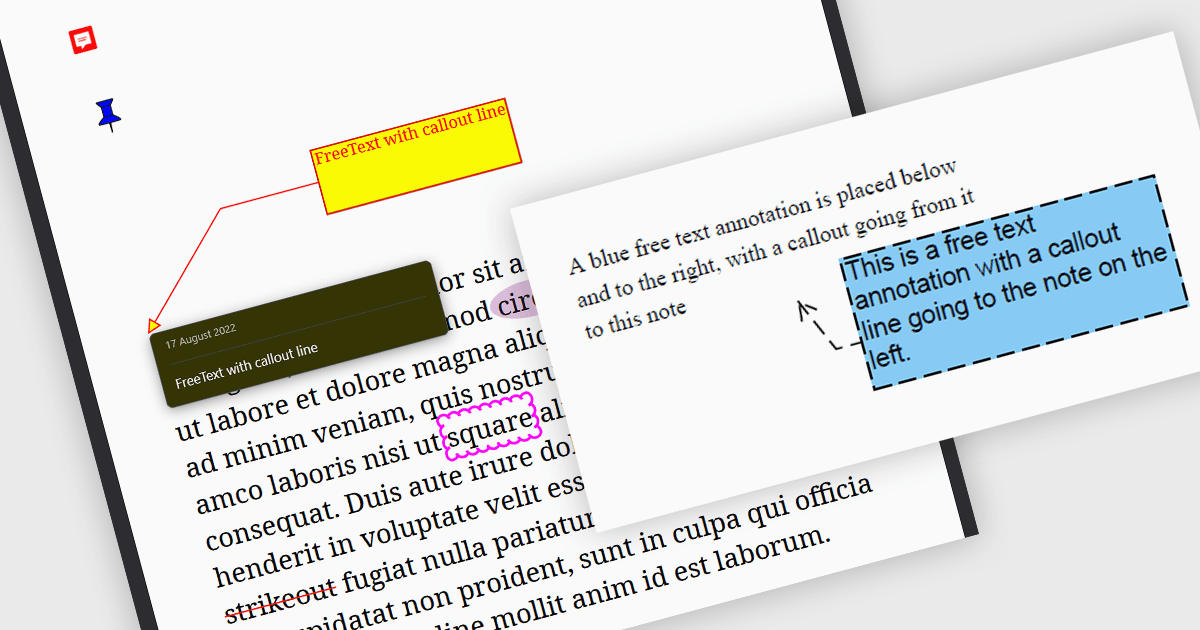
Free text annotations display text directly on a PDF page without requiring readers to open a comment popup. In .NET applications, they provide a way to add review notes, corrections, and instructions while preserving the underlying page content. Developers can position annotations beside the material they describe, helping readers understand feedback when reviewing reports, checking documents, or preparing revisions.
Several .NET PDF components support free text annotations, including:
- Document Solutions for PDF .NET by MESCIUS provides a FreeTextAnnotation class with support for positioning, borders, colors, and callout lines.
- Aspose.PDF lets developers create free text annotations with formatting and callout options for placing explanatory notes on PDF pages.
- PDF4NET by PDF4DEV Solutions supports free text annotations within its .NET PDF annotation API.
- PDFlib+PDI supports creating free text annotations with configurable fonts, alignment, and callout options.
For an in-depth analysis of features and price, visit our .NET PDF components comparison.