Catch JSON Errors Before Processing Data
Validate JSON files against schema rules to find missing properties, incorrect types, and invalid values before using the data.
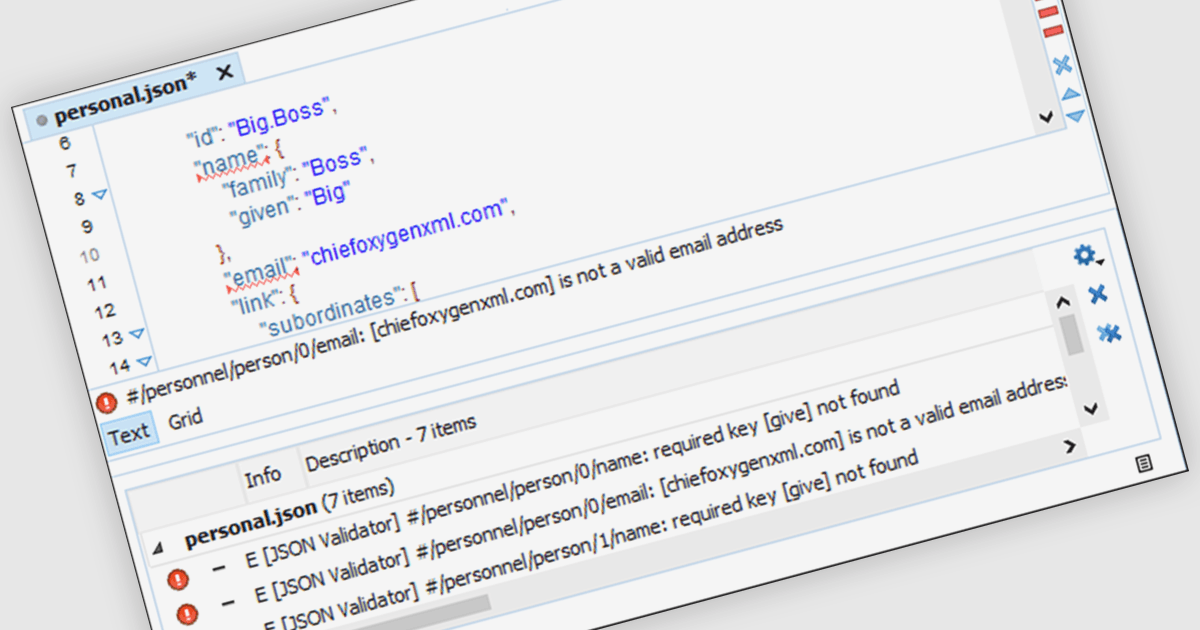
A JSON validator checks whether a document follows JSON syntax and, when a schema is supplied, meets the structure and value constraints it defines. Windows structured document tools bring these checks into the editor, helping developers locate problems while preparing API payloads, configuration files, and data exports. Validation messages identify where a document breaks the rules, making it easier to correct issues before passing the data to another application.
Several Windows structured document tools provide JSON validation, including:
- Oxygen XML Editor by Syncro Soft checks JSON well-formedness and validates documents against an associated JSON Schema, with error markers and messages to help locate problems.
- Altova XMLSpy validates JSON instances against an assigned schema in Text or Grid View, displaying validation results in its Messages window and marking errors in the editor margin.
- Liquid Studio by Liquid Technologies provides schema-aware JSON validation in its JSON Editor edition, displaying errors inline and in an error window as developers type.
For an in-depth analysis of features and price, visit our comparison of Structured Document tools.