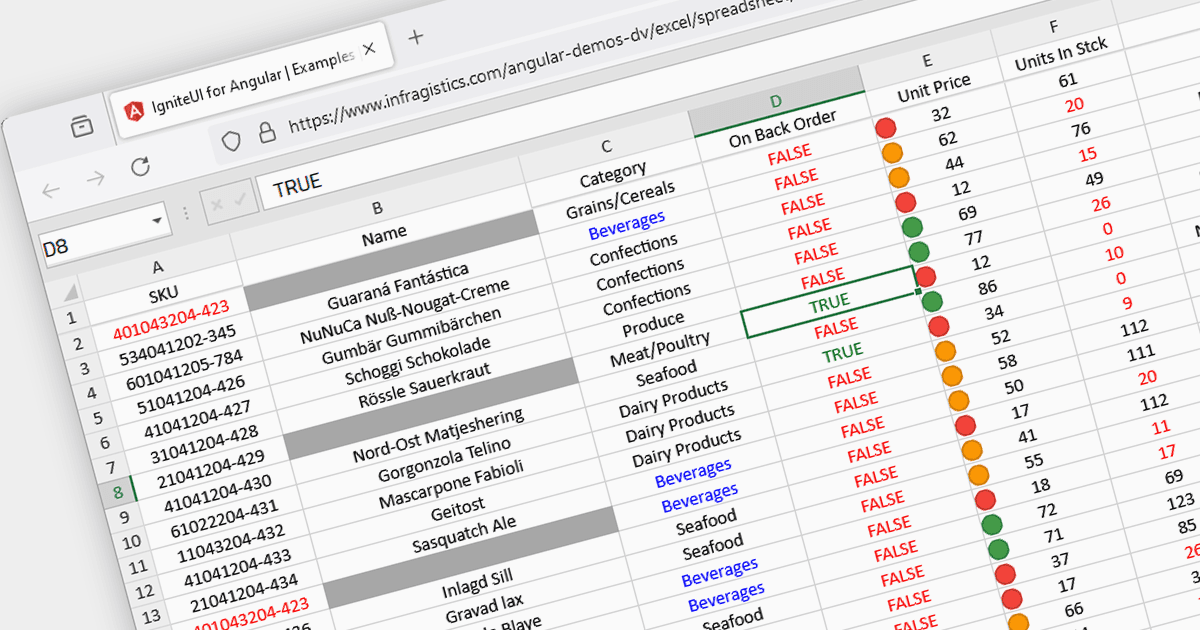
突出显示符合特定条件的数据

2月 2, 2024
条件格式直观地突出显示了关键的电子表格数据点、趋势和异常情况,从而加快了分析和决策速度。

继续用英语阅读:

Conditional formatting in spreadsheets automates the visual highlighting of cells or ranges based on predefined criteria. This functionality aids data analysis by rapidly drawing attention to specific values, ranges, or text entries. By employing color scales, gradients, or text changes, conditional formatting helps users identify patterns, exceptions, and trends within large datasets, streamlining the interpretation and communication of key insights.

Several JavaScript spreadsheet controls offer conditional formatting including:

  • Telerik Spreadsheet jQuery (part of Kendo UI) allows customizable cell formatting, including number, date/time, styles, and conditional formatting by setting a color and a condition to the format string.
  • SpreadJS by MESCIUS (formerly GrapeCity) supports conditional formatting in cells with several conditional rule types to choose from such as average, cell value, duplicate, formula, specific text and more.
  • Infragistics Spreadsheet Angular (part of Infragistics Ignite UI) allows you to conditionally format the background and font settings of cells in a worksheet based on predefined criteria such as average, blank, value, or date.
  • Syncfusion Spreadsheet JavaScript (part of Syncfusion Essential Studio Enterprise) lets you highlight a cell or a range of cells with a certain color based on applied conditions, and showcases data with data bars, color scales, and icon sets.

For an in-depth analysis of features and price, visit our comparison of JavaScript spreadsheets.

Compare JavaScript Spreadsheets