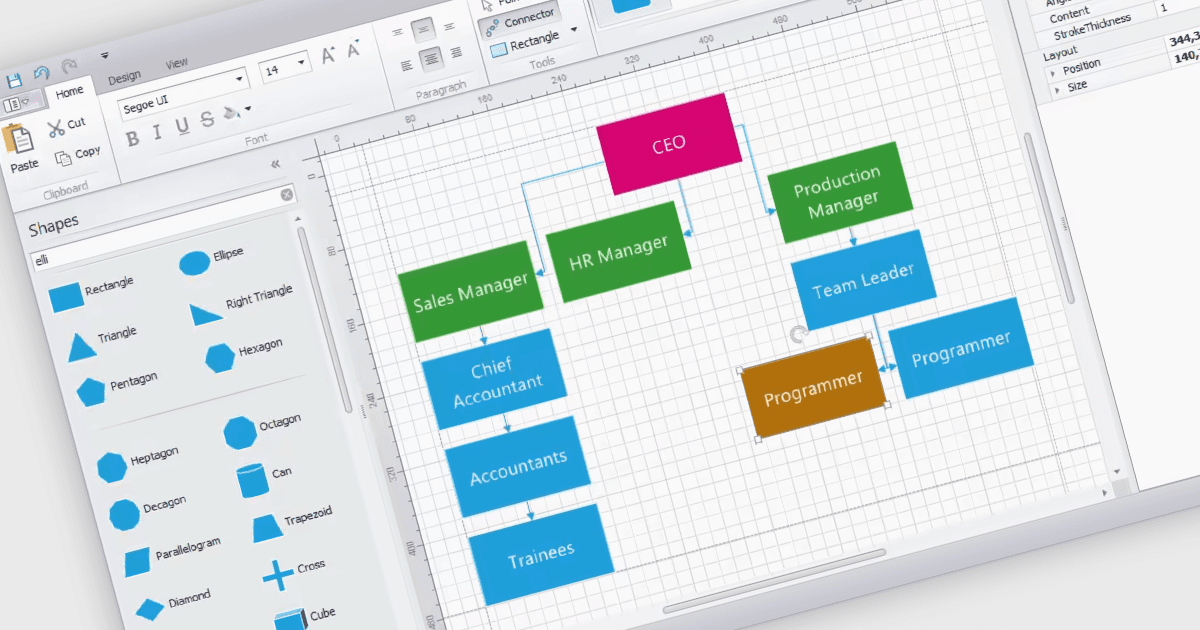
在您的 WinForms 应用程序中创建关系图

4月 4, 2024
图表控件允许用户使用思维导图、流程图等来清楚有效地直观表示复杂的系统。

继续用英语阅读:

WinForms diagram controls provide a dedicated canvas for users to create and manipulate visual representations. These controls offer functionalities like displaying and editing various shapes, connectors, and text elements. They often come equipped with features for automatic layout, allowing for efficient organization of complex diagrams. Diagrams are commonly used to simplify and communicate complex ideas, processes, or data. They can show relationships between elements, illustrate steps in a sequence, or represent structures and hierarchies.

Several WinForms UI suites feature diagramming components including:

  • DevExpress WinForms includes a flexible diagram control that allows for creating flowcharts, UML diagrams, and more.
  • Telerik UI for WinForms provides diagramming tools with various shapes, connectors, and layout tools for crafting informative diagrams.
  • Syncfusion Essential Studio Enterprise includes a diagramming component that supports creating and editing hierarchical diagrams, network layouts, and flowcharts.
  • MindFusion.WinForms Pack enables users to design and manipulate diagrams including mind maps, organizational charts, and flowcharts.

For an in-depth analysis of features and price, visit our WinForms UI Suites comparison.

Compare WinForms UI Suites