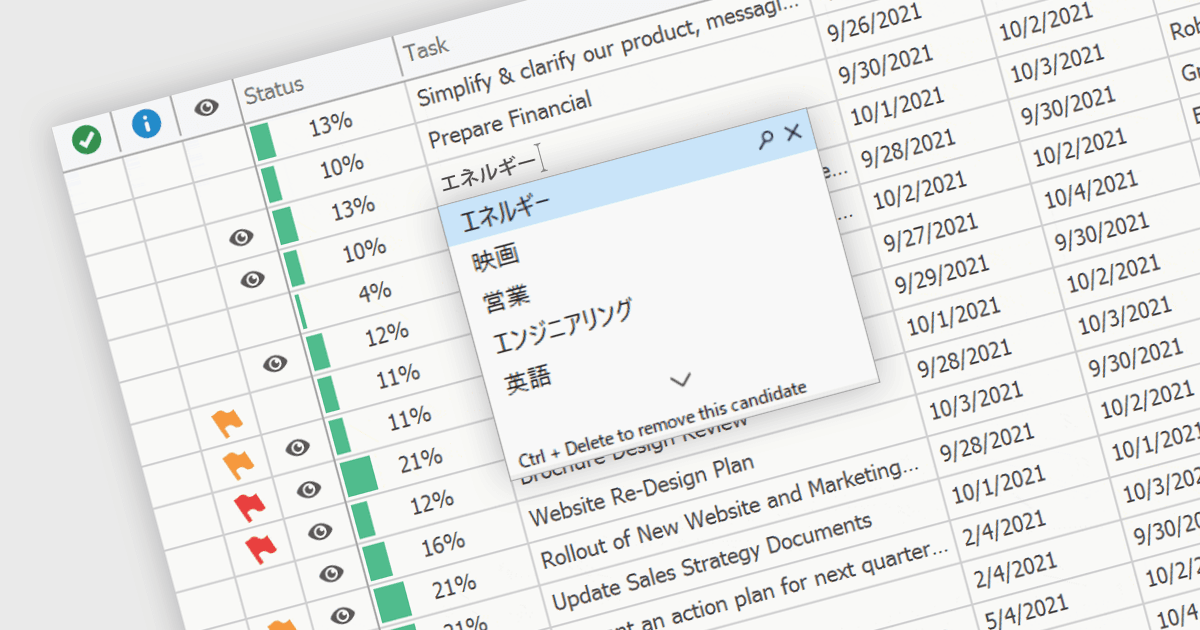
让网格用户输入非拉丁字符

4月 17, 2024
支持输入法编辑器(IME)的网格控件允许用户生成其输入设备上本机不可用的字符。

继续用英语阅读:

An Input Method Editor (IME) facilitates the entry of complex characters and scripts not directly supported by standard keyboards, which is especially vital for languages with extensive character sets like Chinese, Japanese, and Korean. When integrated into a grid component, an IME enables users to input text directly into data cells using phonetic or syllabic methods that are converted into the desired characters. This integration streamlines the data entry process in applications requiring multi-language support, significantly enhancing usability and efficiency. It simplifies the development of applications targeting global markets by providing native language input support, thereby improving the user experience and reducing the need for external language input tools.

Several WinForms grid components offer Input Method Editor (IME) support, including:

  • DevExpress WinForms Data Grid (part of DevExpress WinForms) includes an IME which is enabled when an end-user switches the desktop key input to a supported language.
  • FlexGrid for WinForms (part of ComponentOne Studio WinForms by MESCIUS) offers built-in IME support, facilitating efficient entry of complex characters in diverse languages.
  • Telerik UI for WinForms GridView (part of Telerik UI for WinForms) integrates IME capabilities, enabling straightforward input of extensive multilingual character sets.
  • Infragistics WinDataGrid (part of Infragistics Ultimate UI for Windows Forms) also boasts input method editor support for effortless text input in globalized WinForms applications.

For an in-depth analysis of features and price, visit our comparison of WinForms grid components.

Compare WinForms Grid Components