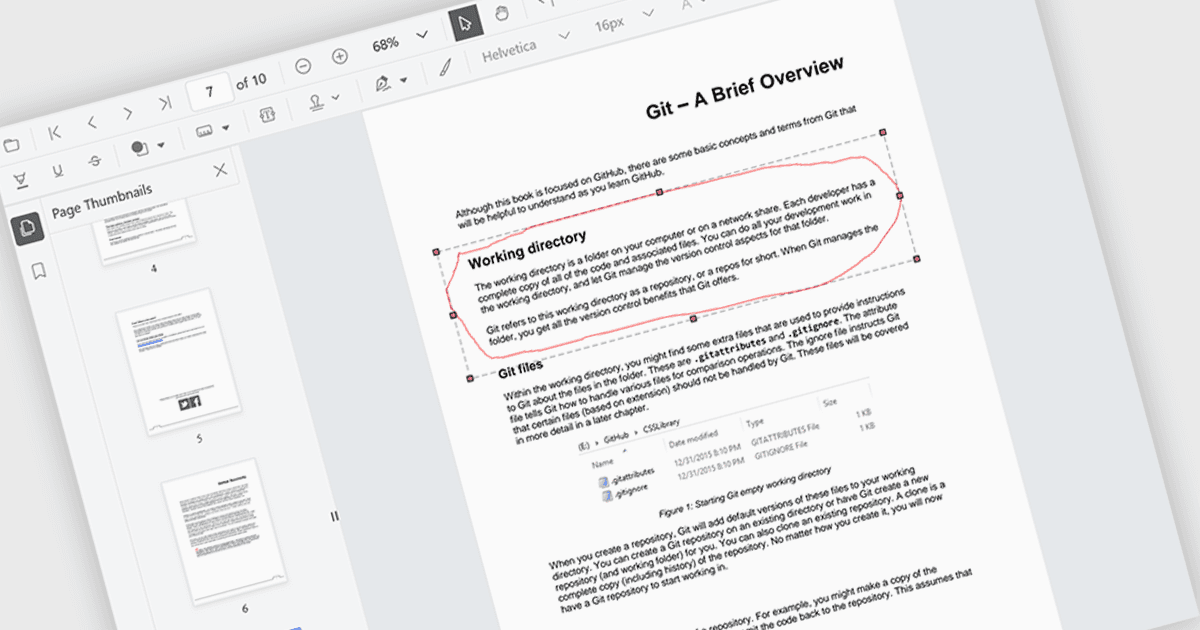
允许用户直接标记 PDF 文件

7月 15, 2024
手绘注释使用户能够用其自己自定义绘制的元素来强调文档上的区域,从而丰富协作。

继续用英语阅读:

The ability to draw freehand annotations in PDF viewers allows users to directly mark up documents with digital ink, creating visual cues like circles, arrows, or custom shapes that can enhance communication and clarity. This is particularly useful for tasks like highlighting key passages, identifying areas for revision, or providing feedback in a more intuitive way compared to traditional text-based annotations.

Several React PDF viewer components offer the ability to draw freehand annotations including:

  • Document Solutions for PDF by MESCIUS empowers you to personalize PDFs with freehand drawings for emphasis or feedback.
  • PrizmDoc Viewer by Accusoft offers freehand annotation tools to mark up documents with digital ink, enhancing clarity and communication.
  • Syncfusion PDF Viewer (part of Syncfusion Essential Studio Enterprise) facilitates freehand annotation with digital pen support, allowing for natural and expressive markups.

For an in-depth analysis of features and price, visit our React PDF viewer components comparison.

Compare React PDF Viewer Components