让用户在 PDF 中快速定位内容
通过 PDF 书签导航增强 WPF 应用的用户体验,使用户在浏览复杂文档时能够快速访问关键内容。
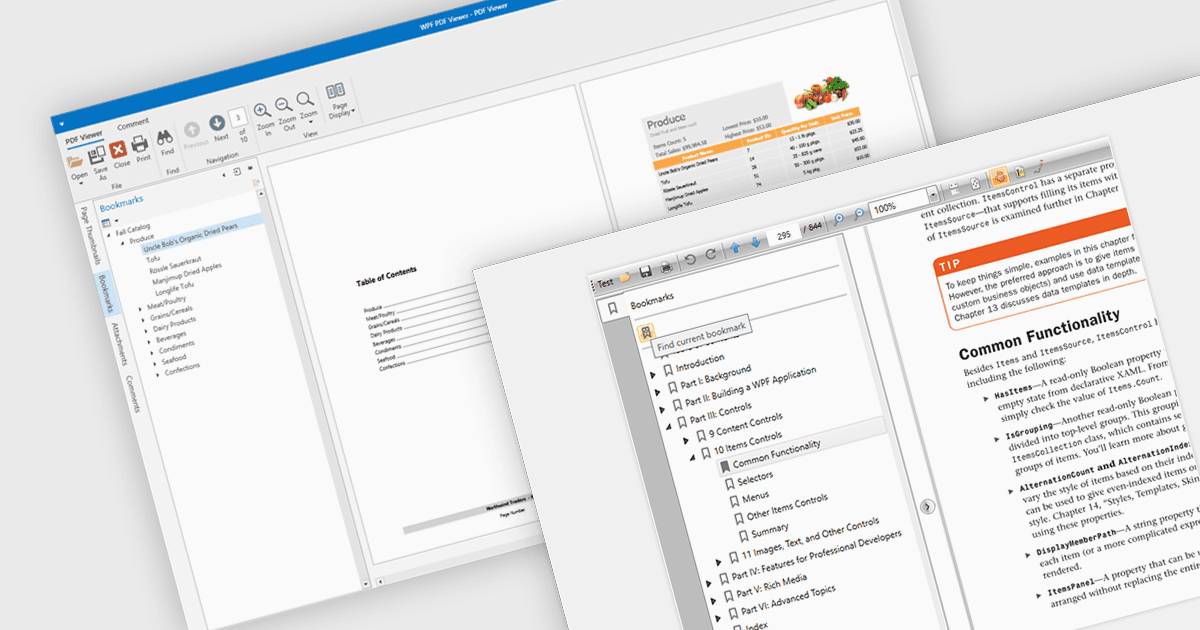
在 PDF 阅读器中使用书签导航可以通过让用户快速访问文档中的特定内容来提升用户体验。此功能使用户能够借助预定义的书签结构更高效地浏览大型 PDF;这些书签通常对应标题或关键章节。通过免去手动滚动或搜索的需要,它提升了阅读器的易用性,从而更轻松地在文档中定位到特定内容。对于结构较为复杂的文档(例如技术手册、报告和电子书),书签导航尤其有益,因为对关键信息的便捷访问能够提升工作效率和可读性。通过集成书签支持,开发人员可以确保其应用提供一种无需手动滚动或搜索即可在各章节之间快速跳转的无缝方式。
一些 WPF(Windows Presentation Foundation)PDF 阅读器组件支持通过书签进行导航,包括:
- DevExpress WPF PDF Viewer(DevExpress WPF 的一部分)借助带可展开且可点击的层级条目的交互式书签面板,让 PDF 的导航变得轻松高效。
- Telerik UI PDF for WPF(Telerik UI for WPF 的一部分)包含对书签导航的支持,使终端用户可以在保持流畅 UX 的同时浏览文件内容。
- Syncfusion WPF PDF(Syncfusion Essential Studio Enterprise 的一部分)为应用提供书签功能,因此用户可以跳转到已加载 PDF 中的书签位置。
想了解功能与价格的深入分析,请访问我们的 WPF PDF 阅读器对比。