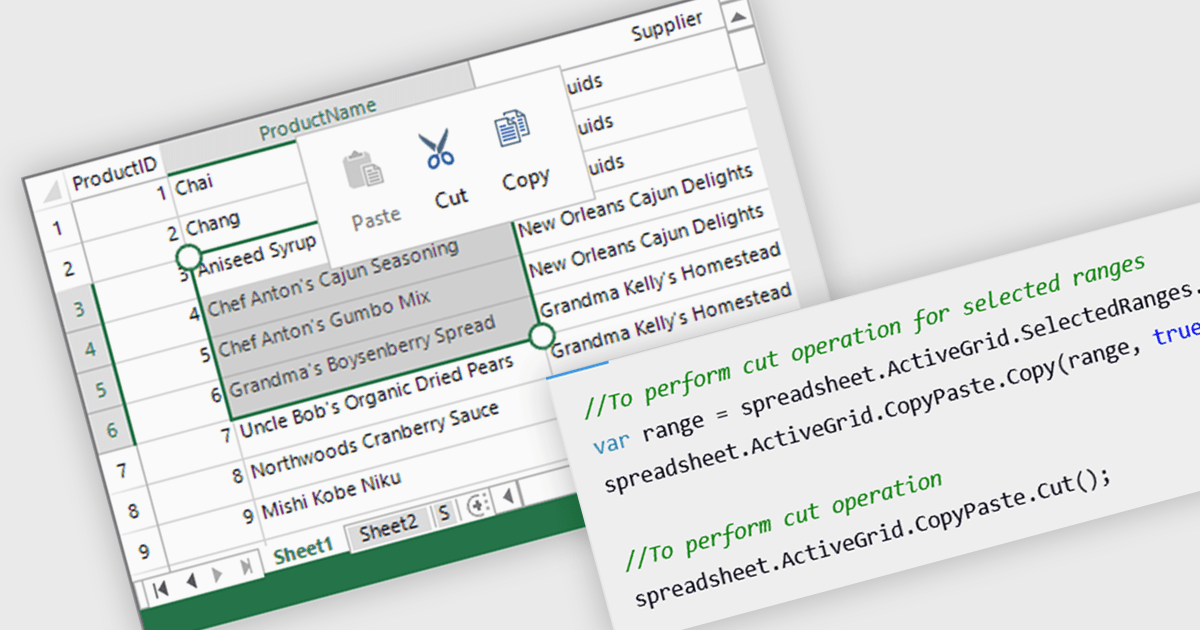
允许用户剪切、复制和粘贴电子表格数据

3月 28, 2025
在保留结构、格式设置和多单元格操作的同时,创建支持剪贴板操作的 .NET WPF 电子表格应用程序。

继续用英语阅读:

Clipboard operation support lets users copy, cut, and paste data between spreadsheet instances or other applications while maintaining structure and formatting. This functionality ensures seamless data transfer, improving efficiency in data manipulation tasks. Modern implementations often include support for multi-cell operations, rich text handling, and programmatic access through APIs, allowing developers to integrate clipboard interactions into their applications. Clipboard support enhances usability and improves overall productivity in spreadsheet-based applications.

Several .NET WPF spreadsheet controls offer clipboard operations, including:

  • Spread WPF (part of Spread.NET by MESCIUS) lets you copy and paste spreadsheet data, preserving formatting, formulas, and multi-cell selections.
  • Telerik WPF Spreadsheet (part of Telerik UI for WPF) allows you to transfer data between applications while maintaining styles, formulas, and structured content.
  • Syncfusion WPF Spreadsheet (part of Syncfusion Essential Studio Enterprise) facilitates clipboard operations with rich text, formulas and multi-range selections.
  • MindFusion.Spreadsheet for WPF supports intuitive clipboard functionality, enabling structured data transfers while retaining formatting and multi-cell layouts.

For an in-depth analysis of features and price, visit our .NET WPF spreadsheet controls comparison.

Compare .NET WPF Spreadsheet Controls